
how to check backlinks in google: 7 steps to boost your SEO
If you want to check your backlinks, your first and best stop is the free Google Search Console (GSC). Don't let the "free" part fool you; this is Google's own tool, giving you a direct line of sight into how they see your website.
Inside GSC, you’ll find a 'Links' report. This is where the magic happens. It shows you the top websites linking to you, which of your pages are getting the most love (links), and the exact anchor text people are using. This is your baseline, your ground truth for understanding your site's authority.
Why Your Backlink Profile Is an SEO Game Changer
Ever wonder what makes one site outrank another? A huge piece of that puzzle is its backlink profile. Think of it this way: every link from another website to yours is like a vote of confidence. Google sees these votes and uses them to judge your site's credibility.
A healthy profile packed with links from relevant, high-quality sites sends a powerful signal to Google, helping to lift your rankings. On the flip side, a profile full of spammy, low-quality links can quietly tank your SEO efforts, no matter how great your content is. The old days of just racking up as many links as possible are long gone.
Quality Over Quantity Is the Only Rule That Matters
Today, what really moves the needle is the quality of your links, their relevance to your industry, and the authority of the site they're coming from.
For a restaurant equipment site, this is critical. A single link from a well-respected publication like Food & Wine or a major industry blog is worth more than hundreds of links from random, irrelevant online directories. That one authoritative link tells Google that experts in your field trust your content. This is the kind of validation you can't fake.
This is exactly why you need to keep a close eye on your backlinks. It's not a "set it and forget it" task. Regularly monitoring your profile helps you:
- Spot Your All-Stars: See which pages are naturally attracting the best links. You can then double down on what's working.
- Find New Opportunities: Analyze where your best links are coming from. This often reveals similar websites you can reach out to for more high-value links.
- Protect Your Site: Catch potentially toxic or spammy links before they have a chance to damage your rankings.
A strong backlink profile isn't just an abstract SEO metric. It's a direct reflection of your brand's reputation and authority online. Each quality link is an endorsement that builds trust with both search engines and potential customers.
The link between backlinks and ranking high is undeniable. Studies consistently show that pages sitting in the #1 spot on Google have, on average, 3.8 times more backlinks than the pages ranking in positions two through ten. These top pages also tend to have links from a wider variety of websites.
While Google's algorithm is always evolving and backlinks might not be the top-three factor they once were, their influence is still massive. A solid backlink strategy is fundamental, especially when you're using SEO to boost online exposure in a competitive market. Learning how to check your backlinks is the essential first step toward building an SEO foundation that can stand the test of time.
Using Google Search Console for Backlink Discovery
If you want to see your backlinks through Google's eyes, the best place to start is with their own tool: Google Search Console (GSC). It's free, and it gives you a direct, unfiltered look at your link profile. I always consider this the ground truth—it’s the data straight from the source, without any third-party interpretation.
Once you have your restaurant equipment site verified in GSC, finding your backlink data is easy. Just look for the "Links" section in the menu on the left. This is your command center for everything related to your site's inbound and outbound links.
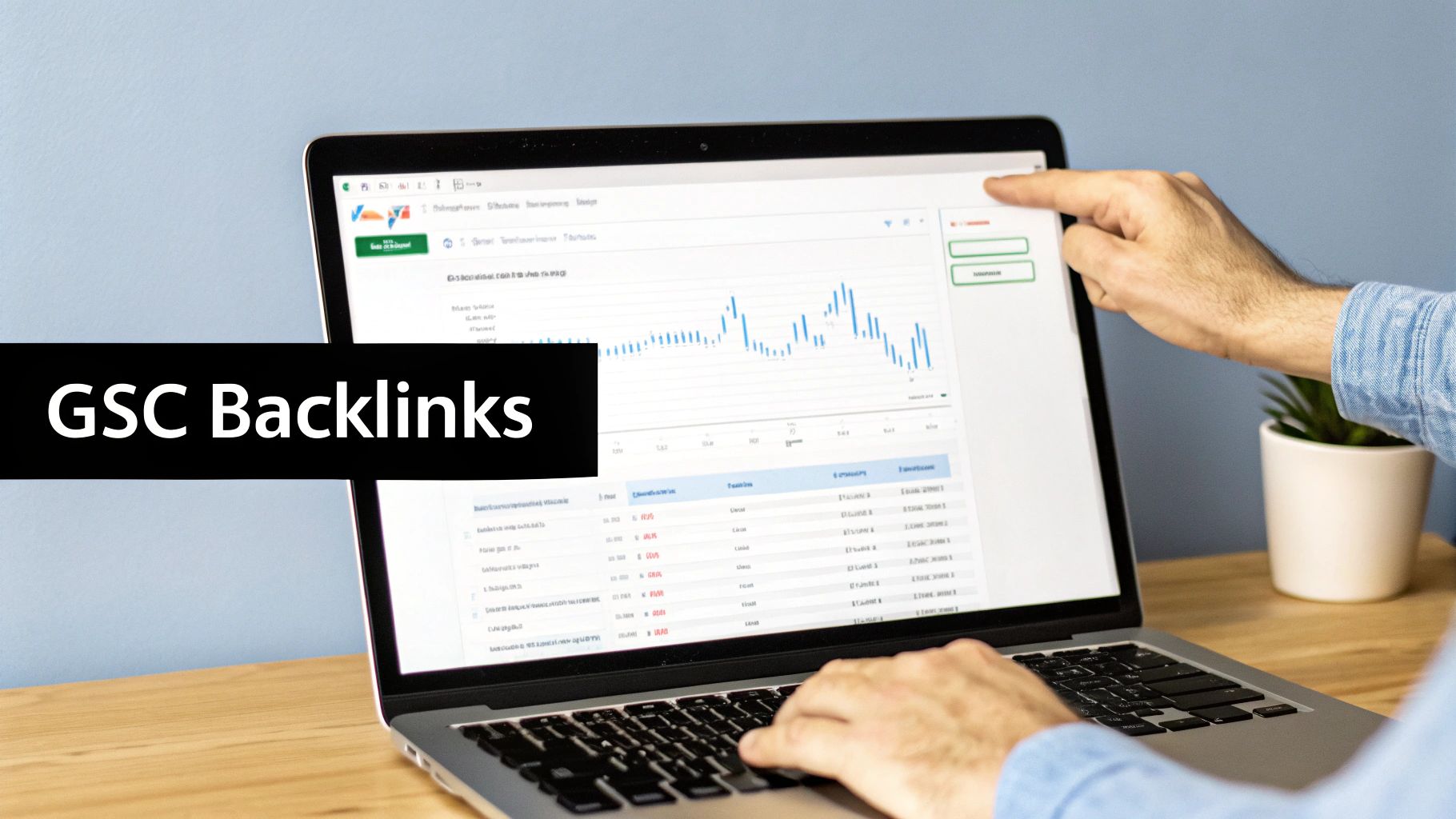
This dashboard gives you a high-level view, but the real gold is inside the detailed "Links" report. Let's dive in there.
Navigating the Links Report
When you click into the Links report, you'll see it’s split into External links and Internal links. Since we're hunting for backlinks, you'll want to focus entirely on the "External links" section.
This is where things get interesting. GSC breaks down the data into a few incredibly useful reports:
- Top linking sites: This is a list of the domains linking to you most often. It's a quick way to spot your biggest fans and see who is referencing your site.
- Top linked pages: Here you'll find out which of your pages are getting the most love from other websites. This report is invaluable for understanding what content is actually working.
- Top linking text: This shows you the exact anchor text people are using to link to your pages. It’s a gut check to see if your link profile looks natural or if it's stuffed with too many exact-match keywords.
For instance, you might discover that your blog post on "The Ultimate Commercial Oven Buying Guide" is one of your top-linked pages. That’s a massive signal. It tells you that this type of in-depth, helpful content is a link magnet, and you should probably create more of it.
Exporting and Reviewing Your Data
To really get your hands dirty, you'll want to export this data. GSC has an "EXPORT" button at the top right of each report. Click it, and you’ll get a spreadsheet with a raw list of your backlinks. Now you can sort, filter, and analyze to your heart's content.
GSC is absolutely essential, but it has its limits. It gives you a fantastic baseline, but it's not the complete picture. For a truly deep dive, you'll eventually want to bring in other tools to supplement this data.
Keep in mind that GSC is great for a free tool, but it usually only shows you a sample of your links—often capping the view at your top 1,000 linking websites. It also doesn't provide the advanced metrics, like Domain Authority or Trust Flow, that you get from paid platforms.
Still, that initial export from GSC is pure value. You can immediately see which domains are sending you the most authority and which of your pages are doing the heavy lifting. This is the foundation of any good backlink audit. If you want to go deeper on this, we've also put together an article on how to find sites linking to my site that walks through the process. Getting this first step right is critical before you move on to more advanced tools and analysis.
Turning Raw GSC Data into Actionable Insights
Exporting that list of links from Google Search Console is a great start, but let's be honest—a raw spreadsheet is just a mountain of data. The real magic happens when you turn that data into a strategic roadmap for your SEO. It's time to put on your detective hat and start looking for the patterns.
Your goal here is to move beyond just seeing who is linking to you. We need to understand the why and the how. This analysis is what helps you sharpen your content strategy, spot new link-building opportunities, and ultimately, protect your site’s health.
Sifting Through the Data for Gold
First thing's first: open that exported CSV file in Google Sheets or Excel. Before I dive in, I always take a few minutes to organize the data. It just makes life easier. I’ll typically create clean columns for the referring domain, the target page on my site, and the anchor text.
Now, you can start sorting and filtering. To get the ball rolling, ask yourself a few key questions:
- Which of my pages are link magnets? Sort by the "Target Page" column. You might discover that your blog post on a "Commercial Refrigerator Maintenance Checklist" has 10 times more links than any other page. That's a huge signal.
- Is my link profile diverse? Take a hard look at the "Referring Domain" column. Are you getting links from a healthy mix of industry blogs, news sites, and manufacturer pages? Or are they all coming from a handful of questionable directories?
- What does my anchor text tell me? A natural anchor text profile will be a mix of your brand name ("Your Restaurant Supply Co."), naked URLs, and generic phrases like "click here." These should be sprinkled in with a few specific, keyword-rich anchors.
A classic red flag I see all the time is the same keyword-heavy anchor text, like "buy commercial ice machine," used over and over. To Google, this can look incredibly manipulative and might signal an unnatural link scheme. Diversity is your best friend here.
Spotting these patterns is how you quickly get a pulse on the health and effectiveness of your backlink profile. This process is a core part of learning how to measure SEO performance because it connects your link-building efforts to real-world results.
Identifying High-Value and Potentially Risky Links
As you go through your list, start categorizing your links. Not all backlinks are created equal, and understanding their quality is absolutely critical.
High-Value Links to Replicate
Keep an eye out for links from authoritative and highly relevant websites. Did a major food service industry blog link to your in-depth guide on choosing the right convection oven? That’s a massive win.
Make a note of these domains. These are the kinds of sites you want more links from, and they can serve as a perfect starting point for your future outreach campaigns.
Potentially Harmful Links to Investigate
On the flip side, you’ll probably find links from completely irrelevant or spammy-looking sites. A link from a Russian casino website pointing to your restaurant equipment store is a textbook example of a toxic link.
While Google's algorithm has gotten pretty good at just ignoring most of these, a large volume can still pose a risk. I always isolate these suspicious domains into a separate list to keep an eye on, and maybe even disavow later if they become a problem.
This simple sorting and review process is what transforms a messy spreadsheet into a clear, actionable plan. You'll walk away knowing which content is earning valuable links, what a healthy anchor text profile looks like for your site, and which toxic links might need your attention down the road.
How Third-Party SEO Tools Give You a Serious Competitive Edge
Google Search Console is indispensable, no doubt. It gives you a direct-from-the-source look at your own backlink profile. But honestly, it's like looking at a map that only shows your own house. To build a winning SEO strategy, you need to see the whole neighborhood—and that’s where tools like Ahrefs, Semrush, and Moz come in.
Think of these platforms as your own private recon team. They go way beyond GSC's capabilities, letting you spy on what your competitors are doing. You can see exactly who links to them, which of their pages are link magnets, and how their backlink profile has grown over time. This isn't just data; it's high-level competitive intel.
Tearing Down Competitor Backlink Strategies
What if you could see the exact playbook your biggest rival used to climb to the top of Google? That's what these tools let you do. Just plug in a competitor’s domain, and you can start uncovering their most successful link-building tactics.
For instance, you might discover that a competing restaurant equipment supplier is getting tons of high-quality links from influential food industry blogs because they publish a big annual trends report. That insight is pure gold. It tells you what kind of content works in our niche and even gives you a list of websites to reach out to for your own campaigns.
This kind of reverse-engineering takes the guesswork out of building links. Instead of just trying random things and hoping something sticks, you can build your strategy around proven tactics that are already winning in your market. For a complete walkthrough on this, our guide on how to do SEO competitor analysis breaks it all down.
Making Sense of Link Quality Metrics
One of the biggest perks of using these paid tools is getting access to their proprietary metrics. You’ll see things like Domain Rating (DR) in Ahrefs or Domain Authority (DA) in Moz. Now, it's crucial to remember these aren't Google's metrics, but they're incredibly useful for a quick gut check on a website's strength.
These scores, typically on a scale of 0-100, are calculated by analyzing the quantity and quality of backlinks pointing to an entire domain. A higher score generally indicates a more authoritative and trustworthy website.
I like to think of it as a credit score for a website. When you're looking for new link opportunities, these metrics help you sort the wheat from the chaff. A link from a DR 75 industry publication is going to have a much bigger impact than one from a DR 10 local business directory. This simple number helps you focus your energy where it counts.
Google Search Console vs Third-Party Tool Features
While both GSC and paid tools are valuable, they serve different purposes. GSC gives you the ground truth for your own site, while third-party tools provide the competitive landscape and deeper analytics. Here's a quick comparison of what you get with each.
| Feature | Google Search Console | Third-Party Tools (Ahrefs, SEMrush, etc.) |
|---|---|---|
| Data Source | Direct from Google's index | Proprietary crawlers and massive link databases |
| Competitor Analysis | Not available | Core feature; deep analysis of any domain |
| Backlink Metrics | None (just shows the linking page) | Proprietary scores (DR, DA), traffic estimates, spam scores |
| Link Discovery Speed | Can be slow to report new links | Often discover and report new links very quickly |
| Disavow Tool | Yes, integrated directly | No, but helps identify toxic links to add to a disavow file |
| Historical Data | Limited to ~16 months | Extensive historical data, showing link growth over many years |
| Content Analysis | Limited to performance metrics | Identifies "most linked" pages and content gaps |
| Cost | Free | Paid subscription (often starting at ~$99/month) |
As you can see, they complement each other perfectly. You need GSC for its direct, accurate data on your own site, but you need a paid tool to see what everyone else is doing and to get the metrics that help you make smart decisions.
By combining the raw data from Google Search Console with the rich, competitive insights from a tool like Ahrefs or Semrush, you get a full 360-degree view of your backlink world. For more on this, check out some additional competitive analysis insights from other pros in the field. Using both is how you stop just checking backlinks and start actively building a profile that dominates the search results.
Building Your Monthly Backlink Analysis Workflow
Knowing how to check your backlinks is one thing, but turning that knowledge into a real strategy is what separates the pros from the amateurs. It’s all about creating a repeatable process—a consistent workflow that helps you spot opportunities and fix problems before they get out of hand.
Think of it as turning a random spot-check into a proactive part of your growth plan. This visual flow chart breaks down the essentials of a solid backlink analysis routine, from looking at your own site to sniffing out what your competitors are up to.
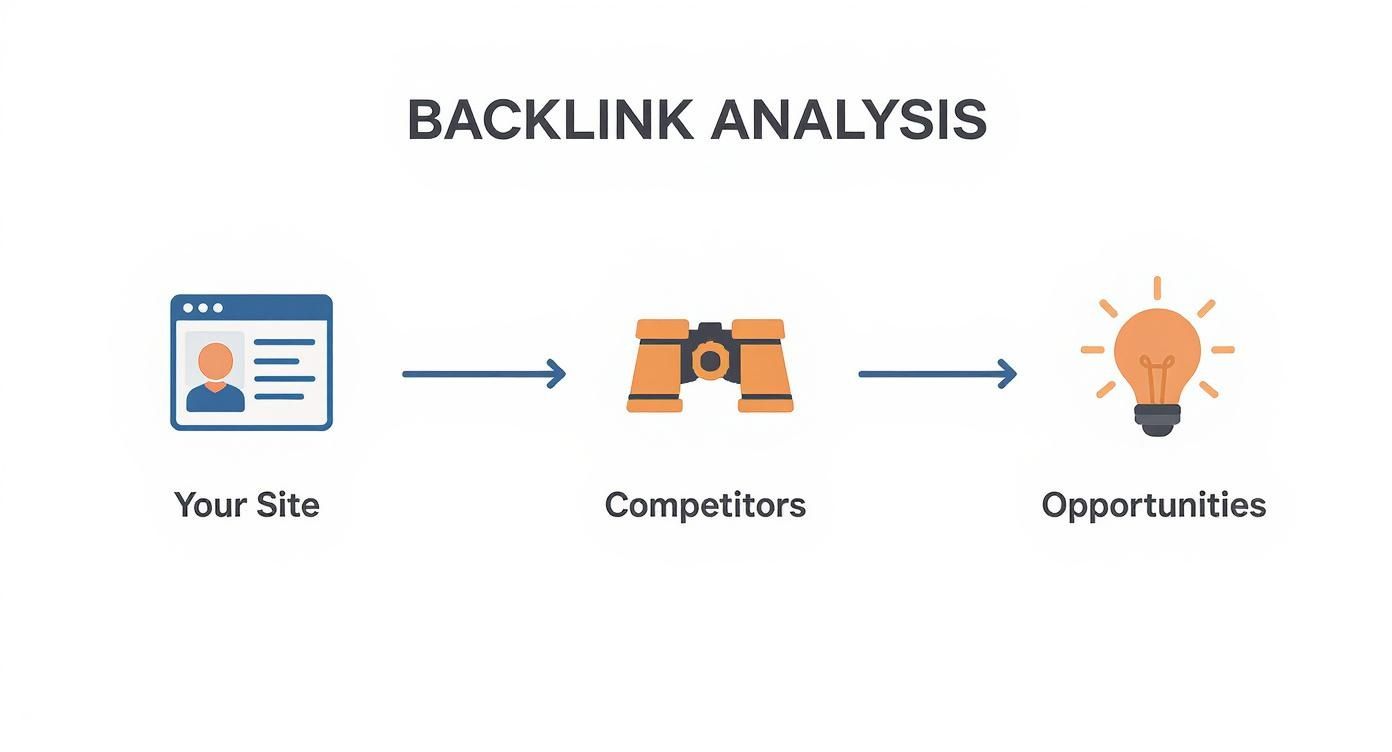
The big idea here is simple: you start by looking inward at your own data, then you look outward to discover new possibilities. It's a cycle of continuous improvement.
Your Monthly Analysis Blueprint
Consistency is everything. I can't stress that enough. Go into your calendar right now and set a recurring reminder—maybe the first Friday of every month—to dedicate a couple of hours to this. Block it off.
Your first move is to get fresh data. Head into Google Search Console and export two key reports: Top linking sites and Top linked pages. At the same time, jump over to your favorite SEO tool, whether that's Ahrefs or Semrush, and pull a complete backlink report.
The goal is to bring all this information together into a single master spreadsheet. This sheet will become your command center for tracking link growth and quality month after month.
From Data to Actionable To-Dos
Alright, you’ve got your master spreadsheet. Now the real work begins. Your mission is to sift through the data to find changes, spot trends, and create a clear list of next steps.
Here’s what your monthly checklist should look like:
- Look for New High-Quality Links: Filter your list to see what you’ve gained in the last 30 days. Did a major industry blog link to one of your articles? Fantastic. Shoot the author a quick "thank you" email and add that site to a "dream list" for future outreach.
- Keep an Eye on Anchor Text: A quick scan of your anchor text column can tell you a lot. If you're seeing too many identical, keyword-stuffed anchors, that’s a red flag. It’s a signal to focus on building more natural-looking branded or generic links to balance things out.
- Investigate Lost Links: Your SEO tool will show you which links have disappeared. Why did you lose it? Sometimes a page gets updated and your link gets removed by accident. A quick, polite email to the site owner can often get it put right back.
- Spy on the Competition: This is my favorite part. Each month, pick one or two of your direct competitors and run their domain through your backlink tool. Pay close attention to the new links they’ve just landed. This is often the fastest way to discover fresh, relevant link-building opportunities you would’ve otherwise missed.
Let's say your restaurant equipment store gets a new link from a popular local food blog that featured one of your clients. Don't just high-five your team and move on. Use that win as a launchpad. Find five other influential food blogs in your region and craft a personalized pitch for them.
This kind of structured approach transforms a pile of raw data into a clear plan. You'll know exactly which competitor links to try and replicate, which on-site issues might be costing you links, and which new opportunities to chase down. This is how you systematically build a powerful backlink profile that actually drives sustainable traffic.
Got Questions About Your Backlinks? We've Got Answers.
Diving into your backlink profile for the first time usually brings up more questions than answers. It's totally normal. Let's walk through a few of the most common hurdles people face when they start analyzing their links.
How Long Until Google Actually Sees My New Backlink?
Ah, the million-dollar question. The honest answer is: it depends. I’ve seen Google pick up a new link in just a few days, but I've also seen it take several weeks.
A lot hinges on the linking site. If you land a backlink on a major industry publication that Google’s crawlers visit constantly, you might see it pop up in your Search Console report pretty quickly. On the other hand, a link from a small, niche blog that isn't updated often could take a good while to be discovered.
Patience is your best friend here. While you can sometimes nudge Google by requesting indexing for the page (if you happen to have access to that site's GSC), most of the time you just have to let the crawlers do their job on their own schedule.
Should I Disavow Every Single Spammy-Looking Link?
No! Please don't. This is a common panic-move, but you should be extremely cautious with the disavow tool.
Google's algorithm has gotten incredibly smart over the years. It's now perfectly capable of identifying and simply ignoring the vast majority of low-quality or spammy links. They usually don't hurt you; they just don't help.
Think of the disavow tool like a surgical instrument, not a sledgehammer. It’s a last resort. The only time you should really consider it is if you've received a manual action penalty from Google or see clear evidence of a large-scale negative SEO attack against your site.
For 99% of sites, it’s not necessary. Accidentally disavowing a link that's actually helping you is a far greater risk than leaving a few junky ones alone. It's almost always better to just let Google figure it out.
Why Are My Backlink Counts So Different in GSC and Ahrefs?
I get this question constantly, and it’s a great one. You’re not seeing things—the numbers almost never match up perfectly, and that's okay.
Google Search Console gives you data straight from the horse's mouth, but it’s often just a sample of the links Google knows about. It’s accurate, but not always complete.
Tools like Ahrefs or Semrush operate their own massive web crawlers, second only to Google's. They are constantly scanning the web and often find links faster and report a much larger number.
Here’s a simple way to think about it:
- Google Search Console: The official, direct report from Google. It's what Google is willing to show you that it's actively considering.
- Ahrefs/Semrush: A more comprehensive, third-party audit. They aim to find every link that exists, whether Google values it or not.
Neither tool is "wrong." They just measure things differently. The best approach is to use both to get the full, 360-degree view of your backlink profile.
At Restaurant Equipment SEO, we translate this complex backlink data into straightforward, growth-focused strategies. If you’re ready to build a backlink profile that actually moves the needle for your business, see how we can help at https://restaurantequipmentseo.com.