
How to Check Keyword Ranking and Track SEO Success
Want to know where you stand on Google? The simplest way is to pop open an incognito browser window and search for your keyword. For a more robust, data-driven approach, you can use free tools like Google Search Console or get serious with dedicated SEO software that automates the whole process.
Why Accurate Rank Tracking Is Your Secret Weapon for Growth

Before we get into the nitty-gritty of how to track your keywords, let's talk about why it's so critical for your business. Think of keyword rank tracking not as a vanity metric, but as a vital health check for your entire SEO strategy. It’s how you measure the real impact of your work and spot trouble before it starts costing you money.
For a restaurant equipment seller, this isn't just theory—it's everything. Imagine you suddenly notice a drop for "commercial convection ovens," one of your most profitable keywords. That’s not just a number on a chart; it's a bright red flag that your lead pipeline might be about to shrink.
When you see a rank drop, you can start asking the right questions. Did a competitor just launch an amazing new guide? Did Google just roll out an algorithm update? Or is our own page just getting stale? Acting fast can get you back on top and protect your sales.
Connecting Your Rankings to Real-World Results
Every keyword position tells a part of your story in the market. When you actively track where you stand, you gain a massive advantage.
Here's what that looks like in practice:
- Spot New Competitors Early: A new website is suddenly climbing the ranks for "undercounter ice machines." This is your chance to see what they're doing right and adapt your strategy before they eat into your market share.
- Find Content That Needs a Refresh: Your comprehensive guide on "choosing a commercial refrigerator" has slipped from the first page to the second. That’s a clear signal it's time to update it with fresh information to win back its spot.
- Prove Your SEO is Working: Did your rankings for key terms jump after you published a new blog series or earned some quality backlinks? Now you have concrete data to show the return on your investment.
Ultimately, knowing how to check your keyword rankings is all about turning data into smart business decisions. That top spot in the search results? It pulls in an average of 27.6% of all clicks, according to insights from Search Atlas. That's a huge piece of the pie you can't afford to ignore.
And with Google making over 4,000 improvements in 2022 alone, just "setting and forgetting" your SEO is a recipe for failure. Staying on top of your rankings is how you stay in the game. To see exactly how this visibility turns into real customers, check out our guide on what is organic traffic.
Quick and Simple Manual Ranking Checks
Sometimes you just need a quick, no-fuss look at where you stand on Google. You don't always need to fire up a big, complex SEO tool for a simple spot-check. A manual search gives you a raw, real-world glimpse of the search engine results page (SERP) right now.
But hold on. Just popping open your browser and typing in a keyword can give you a dangerously rosy picture of your rankings.
Your everyday search results are anything but standard. They're heavily skewed by your personal browsing history, where you're physically located, and even the links you've clicked on in the past. This "personalization bubble" can trick you into thinking you rank much higher than you actually do for a typical customer, creating a false sense of security.
Getting an Unbiased View
To get a truly accurate manual check, you first need to strip away as much of that personalization as possible. The easiest way? Go incognito.
Using an incognito or private browsing window tells Google to ignore your cookies and search history, giving you a much cleaner slate.
It's a simple process:
-
Open an Incognito or Private Window: In Chrome, the shortcut is
Ctrl+Shift+N(orCmd+Shift+Non a Mac). For other browsers, look for a "Private Browsing" option. - Search Your Keyword: Type your target keyword into the search bar, just like you normally would.
- Find Your Page: Now for the hunt. Carefully scan the first few pages of results for your website's URL.
This method gets you a much less biased snapshot. But if your business serves a specific geographic area—which is crucial for restaurant equipment suppliers—there’s one more vital step.
Checking Rankings for a Specific Location
Let's be real. If you sell commercial ovens in Chicago, you don't really care how you rank for someone searching in Miami. You need to see the search results exactly as a potential customer in your service area would. Since Google automatically uses your current location, you have to tell it where to look.
While you're in that incognito window, you can manually change your location right in the search settings.
Just scroll to the very bottom of the Google results page. You'll see your current location listed (e.g., "Brooklyn, New York"). Click on it, and you can type in any city or zip code you want, like "Chicago, IL." This is absolutely non-negotiable for understanding how you’re really performing in your local market.
A quick manual check isn't just about finding your number. It's a chance for some quick competitive intel. See who is ranking above you, notice what kind of content is winning (is it a product page? a blog post? a local directory?), and check out which featured snippets or ads are taking up prime real estate. That context is pure gold.
Finally, don't forget about the free and incredibly reliable data waiting for you in Google Search Console. For keywords that already bring you some traffic, head straight to the ‘Performance’ report. There, you can see your average position for any search term over different time frames.
It’s not a live, real-time rank, but it's an indispensable tool for tracking trends without any personalization bias. It confirms which keywords are actually driving clicks and shows you exactly where your biggest opportunities are.
Using SEO Tools for Automated Rank Tracking
Let’s be honest: manual checks are good for a quick look, but they just don't cut it for a real SEO strategy. They take too much time, your search history can skew the results, and you can't see the long-term trends that actually matter. This is exactly why you need an automated tool. It's the only way to get a clear, consistent picture of your keyword performance.
Platforms like Semrush, Ahrefs, and SE Ranking are built for this. They do the heavy lifting by tracking your keywords every single day from specific locations and devices. This gives you a reliable stream of data and frees you up to think about strategy instead of getting lost in endless manual searches.
Getting Your First Tracking Project Set Up
Getting started is usually pretty simple. In most of these tools, the first thing you'll do is create a "Project" for your website. Think of it as a home base for all your SEO data—rankings, site health, you name it. Just plug in your domain, give the project a name, and you're ready for the most important part: adding your keywords.
You can usually upload a keyword list from a CSV file or just paste them in. This is where all that initial keyword research really starts to pay off. For a restaurant equipment seller, you'll want to track a good mix to see the full picture:
- Broad, high-volume terms: Think "commercial refrigerators" or "restaurant ovens."
- High-intent, long-tail keywords: Get specific with something like "best under-counter ice machine for small bars."
- Location-specific queries: Don't forget local searches, like "restaurant supply store Chicago."
This infographic shows the old-school manual process, which is exactly what these automated tools are designed to replace for any serious, long-term monitoring.
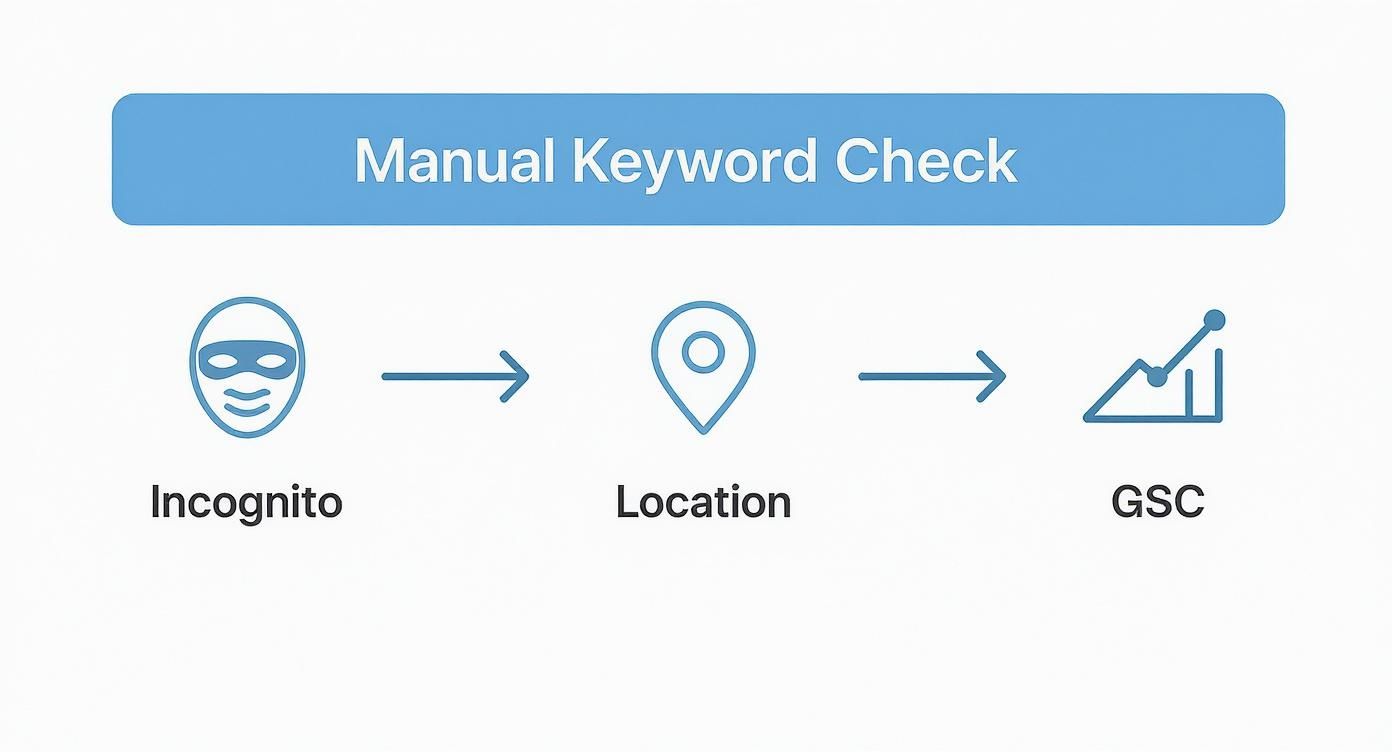
While it's a handy way to do a quick spot-check, it’s also a great reminder of why automation is so crucial for gathering reliable data over time.
Fine-Tuning Your Setup for Precision and Alerts
The real magic of these tools is in the settings. You can tell them to track keywords from a specific city or zip code, which means the data you see actually matches what your local customers are seeing. You can—and absolutely should—also track rankings separately for desktop and mobile.
The top three search results get over 54% of all clicks, and that number one spot alone pulls in a massive 39.8% click-through rate. With 63% of web traffic now coming from mobile devices and only 11% of pages ranking the same on both desktop and mobile, you can't afford to ignore device-specific tracking.
Setting up automated alerts is another feature you'll love. You can get an email whenever a key term breaks into the top 10 (or falls out!), or when a competitor starts climbing the ranks. This lets you be proactive without having to stare at your dashboard all day. For more on the technical side of connecting these tools, our article on your analytics tracking ID can help.
Choosing the Right Tool for the Job
With several great options on the market, picking the right one often comes down to budget and specific features. Here’s a quick breakdown of some popular choices.
Comparison of Popular Keyword Rank Trackers
| Feature | Semrush | Ahrefs | SE Ranking |
|---|---|---|---|
| Daily Updates | Yes | Yes (Can be set to daily, 3 days, 7 days) | Yes |
| Local Tracking | Yes (City, ZIP) | Yes (Country, State, City) | Yes (City, ZIP) |
| Mobile vs. Desktop | Yes | Yes | Yes |
| Competitor Tracking | Yes (Up to 20 per project) | Yes (Up to 10 per project) | Yes (Up to 20 per project) |
| Starting Price | ~$129.95/mo | ~$99/mo | ~$55/mo |
| Best For | All-in-one marketing suite | Backlink analysis & keyword research | Agencies & budget-conscious businesses |
Each platform has its strengths, so it's worth checking out free trials to see which interface you prefer.
As you look into these platforms, guides on choosing affordable SEO software can be a huge help in finding the best fit for your budget. By investing in a solid automated system, you’re not just watching numbers go up and down; you’re building a foundation for smarter, faster decisions.
Turning Ranking Data Into Actionable Insights
Collecting keyword data is one thing. Actually using it to make smarter business decisions is a completely different ballgame.
It's easy to get caught up in the raw numbers. Seeing a keyword jump from position #7 to #5 feels good, but what does it really mean? The real value comes when you start asking, "So what? How does this shift actually impact my bottom line?"
This is where you graduate from simply checking rankings to actively interpreting them. Think of yourself as a detective. Every little fluctuation in the search results, every new competitor that pops up, every piece of content that climbs the ladder—it's all a clue. Your job is to connect the dots and see the bigger picture of your online footprint.
For example, knowing you rank #3 for "commercial walk-in coolers" is a great start. But the real insight comes from noticing that this ranking has been slowly bleeding, slipping from #2 over the last six weeks. A gradual decline like that is a classic symptom of content decay. It's a huge red flag that your page is losing its edge against fresher, more detailed competitor content.
Connecting Actions to Ranking Shifts
The best way to make sense of your data is to tie it directly to your own marketing efforts.
Just published a massive, in-depth guide on choosing the right commercial ice machine? Now's the time to watch your rankings for "commercial ice machine," "types of ice makers," and related terms like a hawk. If you see a positive jump over the next few weeks, you've just proven that your content strategy is on the right track.
The same goes for technical fixes. Let's say you just spent a week improving your site speed and squashing a bunch of broken internal links. If you see a broad lift across your keyword profile afterward, you've just validated that entire project. This feedback loop is what separates guessing from strategy. It shows you what’s working so you know exactly where to double down.
The goal isn't just to see if rankings went up or down. It's to understand why they moved. This helps you build a repeatable process for SEO success instead of just hoping for the best with each new piece of content you create.
Spotting Competitor Moves and Market Trends
Your ranking reports are also an incredible source of competitive intelligence.
Did a new rival suddenly storm onto page one for a handful of your most valuable keywords? That's a signal you can't ignore. Dig in. Did they launch a new product line? Did they publish a 10,000-word "ultimate guide"? Or maybe they just kicked off a big link-building campaign?
Investigating these new players can expose weaknesses in your own game plan. If a competitor’s brand-new blog post on "restaurant kitchen ventilation requirements" is already outranking your two-year-old article, it’s a clear sign you need to get back in there and update your page with more current, helpful information.
When you sit down to review your ranking data, here are the key questions you should be asking:
- What are the long-term trends? Look past the daily noise. Are you seeing a sustained upward or downward trajectory over weeks or months?
- Is this an isolated change or a pattern? Did just one keyword move, or is an entire topic cluster (like everything related to "commercial refrigeration") on the move?
- What did we do recently? Connect the dots between ranking changes and your recent content updates, new backlinks, or technical site improvements.
- Who is beating us and why? Pull up the top-ranking pages. Are they more comprehensive? Is their user experience better? Do they load faster? Be honest.
Turning raw numbers into a strategic roadmap is everything. To dig deeper into connecting these data points to your bigger business goals, check out our complete guide on how to measure SEO performance. It lays out a framework for turning insights like these into measurable growth.
Don't Let These Rank Tracking Mistakes Sink Your SEO

Knowing how to check your keyword rankings is one thing. Knowing how to interpret that data and avoid the common traps is another entirely. I’ve seen even experienced teams make simple errors that muddy their data and lead them down the wrong path.
It’s not just about tracking numbers; it's about tracking the right numbers, the right way. Let's walk through some of the most common pitfalls I see and how you can steer clear of them.
Obsessing Over "Vanity" Keywords
One of the biggest mistakes is fixating on a few high-volume, generic keywords. Sure, it feels incredible to see your site rank for "restaurant supplies." It's a huge term! But what does it actually do for your bottom line?
These big, broad terms often have very low purchase intent. They attract people who are just browsing, not ready-to-buy customers. In the process, you might be completely ignoring the long-tail keywords that actually drive sales.
Think like your customer for a second. The person searching "restaurant supplies" is probably just starting their research. But the person who types in "24-inch gas countertop griddle with thermostatic controls"? They know exactly what they need. They’re much closer to making a purchase. Ignoring these super-specific, high-intent searches is like turning your back on a customer who's at the checkout with their credit card in hand.
Ignoring Crucial Keyword Segments
Throwing all your keywords into one giant, messy list is another classic mistake. It gives you a chaotic, confusing snapshot of your performance, making it impossible to see what's really working.
To get any real insight, you have to segment your keywords based on searcher intent—what the person actually wants to accomplish.
At a minimum, I recommend breaking your list into these groups:
- Transactional Keywords: These are your money terms. Think "buy commercial deep fryer online" or "walk-in freezer for sale."
- Informational Keywords: These attract customers in the learning phase. For example, "how to clean stainless steel kitchen surfaces" or "what size convection oven do I need."
- Branded Keywords: These are searches for your business, like "John's Restaurant Supply reviews."
- Local Keywords: Absolutely vital for driving local business. Think "restaurant equipment store near me" or "commercial kitchen installation Boston."
When you track these groups separately, you can finally get clear answers. Is your blog content pulling in new people? Are your product pages converting customers who are ready to buy? You won't know unless you segment.
The Mobile vs. Desktop Blind Spot
This might be the most critical oversight in today's market. Many businesses still only track their desktop rankings, completely ignoring mobile. This is a massive blind spot. B2B buyers are researching on their phones more than ever, and your performance on mobile can be wildly different.
I've seen it time and time again: a keyword is sitting pretty on page one for desktop searches but is buried on page three on mobile. If you're only looking at desktop data, you have no idea you're losing a huge chunk of your audience.
This isn't just a minor detail; it's a huge gap in your strategy. Most good SEO tools let you set up separate projects or tags to track mobile and desktop rankings for this very reason. By monitoring both, you can spot and fix mobile-specific problems—like a slow-loading page or a clunky design—that are silently tanking your rankings and costing you sales.
Answering Your Top Keyword Ranking Questions
Once you start digging into keyword tracking, a few questions always seem to pop up. Let's tackle some of the most common ones I hear from clients to clear up any confusion and help you stay on the right track.
How Often Should I Really Be Checking My Keyword Rankings?
This is a great question, and the answer isn't "every day." For your most valuable keywords—the ones that drive real revenue, like "commercial convection ovens"—checking in once a week is the sweet spot. It's frequent enough to catch important shifts without making you dizzy from the daily ups and downs.
Of course, there are exceptions. If you've just launched a big promotion or you're fighting for a super competitive term, daily tracking can give you instant feedback. On the flip side, for those less urgent, long-tail keywords, a bi-weekly or monthly check-in is perfectly fine.
The most important thing is consistency. Pick a schedule and stick to it. That's how you'll spot the real trends that matter.
My Advice: Don't obsess over a keyword jumping from #4 to #5 and back again overnight. That's just noise. SEO is a marathon, not a sprint. Look for the sustained trends over weeks and months—that’s where the actionable insights are.
Why Are My Rankings Bouncing Around So Much?
Welcome to the world of SEO! Daily ranking fluctuations are completely normal. Think of all the moving parts: Google is constantly tweaking its algorithm, a competitor might have just published a killer blog post, or user search behavior could be changing with the seasons.
Minor shifts of a position or two are just part of the game. You can safely ignore them.
What you do need to watch for are the big, lasting drops. If your page for "commercial ice machines" plummets from position #5 to #15 and stays there for a week, that’s a red flag. It could point to a technical problem on your site, a new penalty, or a major Google update that didn't favor your page.
My Tool Says One Thing, but My Own Search Shows Something Else. What Gives?
I get this question all the time. The short answer is personalization.
When you search on Google, the results are tailored specifically for you. They're influenced by your past search history, your physical location (down to the city block!), and the device you're on.
A professional rank tracking tool, like Semrush or Ahrefs, works differently. It pulls data from a neutral, depersonalized server in a specific geographic location you set. This strips away all the personal bias and gives you a clean, objective view of where you actually rank for the average user.
Bottom line? Always trust the data from your dedicated SEO tool over a manual check. It's the only way to get an accurate picture of your performance over time.
Ready to stop guessing and start building an SEO strategy that drives real growth? Restaurant Equipment SEO can help you track the keywords that matter and turn those rankings into sales. Learn more about our specialized SEO services and see how we can help you dominate the search results.