
Create a Business Listing on Google Your Definitive Supplier Guide
Before we jump into the nuts and bolts of setting up your Google Business Profile, let's get one thing straight: this isn't just another online directory. For a restaurant equipment supplier, your Google listing is your single most powerful local sales tool. Think of it less like a map pin and more like your primary digital showroom, actively pulling in high-intent local buyers every single day.
Why Your Google Listing Is Your Best Local Salesperson
I’ve seen it time and time again—a well-managed GBP is the critical bridge connecting you to urgent, real-world customer needs. It’s not just a marketing task to check off a list; it’s the core of your local sales infrastructure.
Picture this: a local café owner's commercial espresso machine dies mid-morning rush. What’s their first move? They're not flipping through an old-school catalog. They're grabbing their phone and searching Google Maps for "commercial espresso repair near me." Your profile is what decides whether you get that panicked, high-value call or your competitor does.
The Numbers Don't Lie
This isn't just a hunch; the data is crystal clear. Verified profiles show up in searches a staggering 80% more often and can lead to a fourfold increase in website visits. Accuracy is non-negotiable, too. A whopping 62% of customers will steer clear of a local business if they can't find correct information online.
And what about reviews? We've seen that businesses who actively reply to over 32% of their reviews can experience an 80% higher conversion rate. It’s a direct line between engagement and sales.
Your Google Business Profile is a living, breathing asset. It’s where a new restaurateur vets your credibility through photos, where a caterer checks if you offer delivery, and where a chef confirms your hours before driving to your showroom.
How a Google Business Profile Drives Supplier Sales
A fully built-out profile works like a silent salesperson, 24/7, capturing qualified leads at the exact moment they need you. It’s the bedrock of any successful local SEO strategy for equipment suppliers.
The table below breaks down exactly how these features turn a simple search into a sale.
| Feature | Impact on Business | Example for an Equipment Supplier |
|---|---|---|
| High-Quality Photos & Videos | Builds trust and showcases inventory. | A video walkthrough of your showroom or detailed photos of a new combi oven. |
| Consistent Positive Reviews | Establishes credibility and social proof. | A chef leaves a 5-star review praising your fast delivery of a replacement fryer. |
| Accurate Business Information | Prevents lost sales from frustration. | A caterer finds your correct holiday hours and makes a last-minute purchase. |
| Products & Services Lists | Attracts specific, high-intent searches. | A search for "Hoshizaki ice machine repair" leads directly to your listed service. |
| Click-to-Call/Directions | Reduces friction and drives direct contact. | A restaurant manager clicks "Directions" to visit your store after their fridge fails. |
Simply put, an optimized profile doesn't just put you on the map; it puts you directly in the path of your most valuable local customers.
Learning how to create and manage this profile is your first step toward building a reliable, low-cost customer acquisition machine. To really dig in and squeeze every last drop of value from it, you’ll want to learn how to optimize Google Business Profile for more conversions.
Building Your Profile Foundation From Scratch
Alright, let's get your business on the map—literally. The first step is to create a rock-solid foundation for your Google Business Profile. This isn't just about plugging in data; it's about establishing a single, authoritative source of truth for your business that both Google and your customers can trust implicitly.
Your journey starts on the official Google Business Profile page. When you go to enter your business name, be exact. Use the name your customers actually search for and recognize, like "Main Street Restaurant Supply," not your formal legal entity name like "MSRS LLC." This small but crucial detail avoids confusion and makes sure people find you and not someone else.
The Unbreakable Rule of NAP Consistency
Before you type another character, let’s talk about NAP: Name, Address, and Phone Number. These three pieces of information must be identical everywhere they appear online. I mean character-for-character identical. The NAP on your Google profile has to perfectly match what's on your website's contact page, your Facebook profile, and any other online directory you're listed in.
Think of Google as a meticulous detective. It's constantly piecing together clues about your business from all corners of the web. When your NAP is consistent, it validates your legitimacy and location, giving your local search ranking a serious boost. Inconsistencies, on the other hand, create doubt and can really hurt your visibility.
My Pro Tip: Create a simple master document—a Word doc, a Google Sheet, whatever works for you—with the official, exact version of your business name, address, and phone number. Use this to copy and paste anytime you're creating a new online listing. This one habit will eliminate typos and guarantee consistency.
This consistency is the bedrock of a strong local online presence. For a deeper dive, I'd recommend learning more about how to build local citations to further cement your digital footprint.
Your customers are on a simple journey that almost always starts with a search, and your profile is what connects them to you.
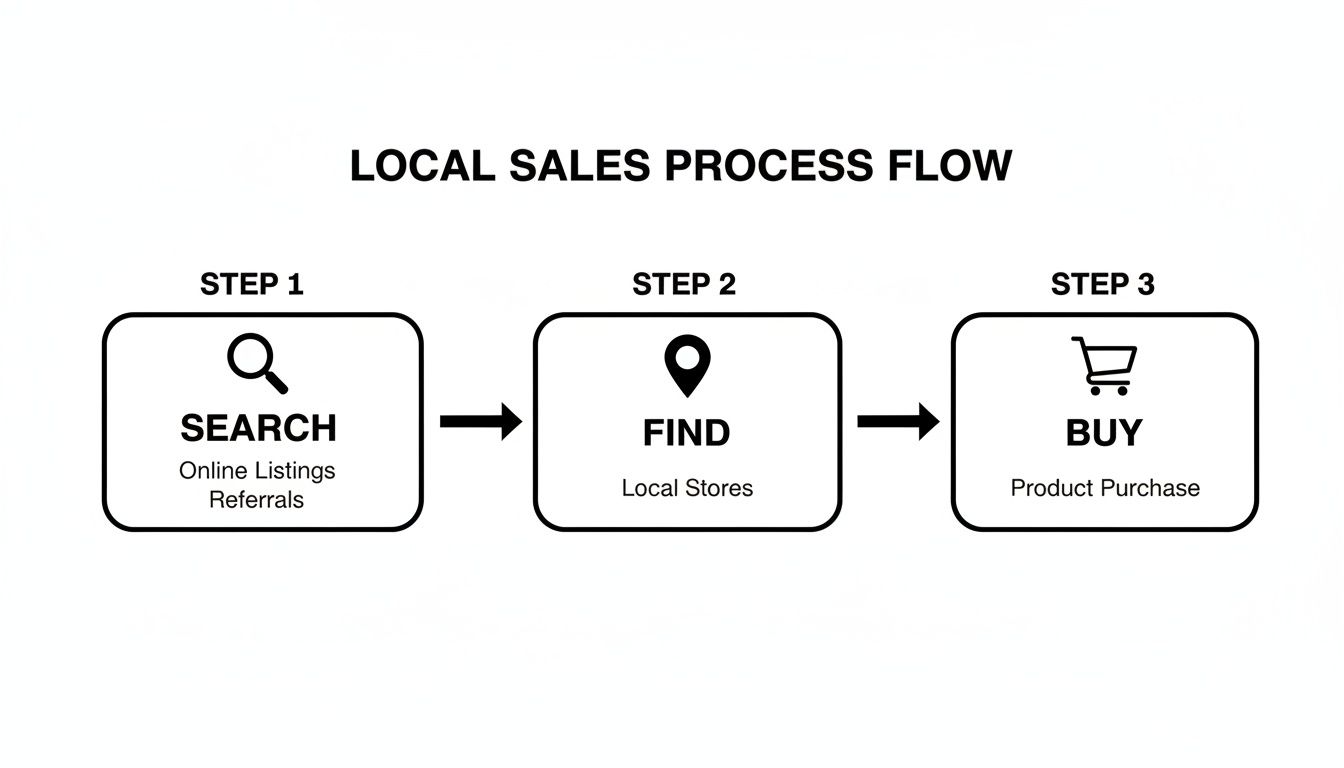
As you can see, that Google Business Profile is the critical bridge that turns a local search into a sale.
Navigating the Verification Process
After you've filled in your core details, Google needs to confirm that your business is real and that you're the one who should be managing it. This verification step is non-negotiable; your profile won't go fully public until it's done. You'll usually be presented with a few options.
Common Verification Methods:
- Postcard Verification: This is the old-school, most common method. Google will mail a physical postcard with a unique code to your business address. You can expect it to arrive in about 5-14 business days.
- Phone or SMS Verification: For some businesses, Google offers a quicker path. You'll get an automated call or text message with a code sent directly to your business phone number. This is often an option for profiles that have been around for a while.
- Video Verification: This is a newer method. You'll need to record a short, continuous video showing your business location, exterior signage, and proof that you work there—like unlocking the front door or showing off some branded equipment in your showroom.
To avoid any headaches, triple-check your address before requesting that postcard. If you're going the video route, do a quick walkthrough first to make sure your signage is clear and you have any necessary business licenses or documents handy.
The entire point of this is to prove you're a real, operating business at the location you claim. Once you're verified, you unlock all the powerful features of your profile, like responding to reviews and digging into performance insights. This completes the essential first phase of setting up your digital storefront on Google.
Choosing Categories and Attributes That Attract Your Ideal Customers
Once you’ve got the basics of your profile plugged in, it’s time for the real strategy. This is where you tell Google—and, more importantly, the restaurant owners in your area—exactly who you are and what you sell. Nailing your categories and attributes is the single most effective way to stand out from a generic home improvement store or a big-box retailer that just happens to sell a few pots and pans.
Your primary category is non-negotiable and has the biggest impact on where you show up in search results. Think of it as the main sign hanging over your digital storefront. For just about everyone in this industry, "Restaurant Supply Store" is the one you want. It’s the perfect umbrella term that captures exactly what you do.
But stopping there? That's a rookie mistake. Google lets you add multiple secondary categories, and this is where the magic really happens. These are like the smaller, more detailed signs in your window that catch the eye of someone looking for something very specific.
Digging Deeper with Secondary Categories
Imagine a new pizzeria owner searching for "deck oven supplier near me." If you’ve only listed yourself as a "Restaurant Supply Store," you might show up, maybe. But if you've added "Commercial Kitchen Equipment Supplier," you've given Google a massive clue that you're a much better fit. You're speaking their language.
Here are a few powerful secondary categories I always recommend for restaurant equipment suppliers:
- Commercial Kitchen Equipment Supplier: This is a fantastic catch-all for professional-grade gear.
- Catering Equipment Supplier: Instantly connects you with event companies and caterers.
- Bar Equipment Supplier: This helps you show up for businesses hunting for blenders, ice machines, and underbar sinks.
- Used Restaurant Equipment Store: This is absolutely crucial if you deal in pre-owned inventory. Don't skip it.
By layering these specific categories, you paint a much richer picture for Google's algorithm. It helps you pop up in a much wider array of high-intent searches from people who are ready to buy.
Strategic Category and Attribute Selection
Think of categories as the "what" and attributes as the "how." They work together to tell the full story of your business. This table breaks down how to use each section for maximum impact.
| Profile Section | Best Practice | Example |
|---|---|---|
| Primary Category | Choose the single, most accurate descriptor for your core business. This has the highest ranking value. | Restaurant Supply Store |
| Secondary Categories | Add specific sub-specialties to attract niche customers looking for precise solutions. |
Bar Equipment Supplier, Used Restaurant Equipment Store
|
| Attributes | Select features that answer common customer questions and highlight your operational strengths. |
Delivery Available, Offers Financing, Woman-owned
|
| Services | List every specific, action-oriented service you offer. Use this to rank for service-related searches. |
Walk-in Freezer Installation, Commercial Oven Repair
|
| Products | Showcase individual inventory items with high-quality photos, specs, and links to purchase. | Listing the Blodgett ZEPH-100-E DBL Convection Oven with photo and price. |
By being meticulous here, you’re not just filling out a profile; you're building a highly-targeted magnet for the exact customers you want to attract.
Using Attributes to Seal the Deal
If categories get you found, attributes get you chosen. These are the small, clickable details on your profile that can make all the difference to a busy chef or a general manager on a tight schedule. They answer the practical questions before a customer even has to pick up the phone.
Put yourself in your customer’s shoes. What information would make their day easier?
- Service Options: This is huge. Highlighting things like "Delivery Available," "In-store Shopping," or "Curbside Pickup" is essential in our industry. A contractor whose walk-in just went down needs to know immediately if they can pick up a new compressor right now.
- Payment and Accessibility: Don't underestimate the power of "Offers Financing." For a new restaurant owner staring down a massive upfront investment, that attribute could be the reason they choose you. Simple things like "Wheelchair Accessible Entrance" also build trust.
- Identity Attributes: If they apply to you, definitely use badges like "Woman-owned" or "Veteran-owned." These create a genuine connection with customers who are looking to support businesses that reflect their own values.
Google's local search rankings really boil down to three things: relevance, distance, and prominence. Your categories and attributes are the fuel for relevance. They're your chance to tell Google exactly how well you match what a searcher is looking for. The more complete your profile, the better your shot at ranking for those specific, high-value searches in your service area. For a deeper dive, check out the latest on Google's ranking factors for 2025 at getsomethinggreat.com.
Customizing Your Services and Products
Beyond the standard categories, the "Services" and "Products" tabs are your secret weapons. Seriously. Most people underutilize these. This is where you get to list every single thing you do and sell, turning your profile into a dynamic, searchable catalog.
Instead of just being a "Restaurant Supply Store," you can get incredibly specific with your services:
- Walk-in Freezer Installation: Perfect for targeting new builds or major renovations.
- Commercial Oven Repair: This is how you capture those urgent, high-value service calls.
- Kitchen Design Consultation: Helps you get in on the ground floor with new restaurateurs during their planning phase.
The Products tab is just as powerful. You can upload great photos of that new convection oven or that popular ice machine, add a detailed description, list the price, and even include a direct link to that product's page on your website. Just like that, your Google Business Profile goes from being a simple map listing to a genuine lead-generation machine.
Bring Your Google Listing to Life with Compelling Content
A bare-bones profile is a missed opportunity. Once you've laid the groundwork with accurate categories and your business details, it's time to infuse your listing with content that actually sells. This is where you transform your Google Business Profile from a simple map pin into a dynamic digital showroom that convinces a chef or restaurant owner to choose you over the competition down the street.
First, Write a Description That Connects
That 750-character description box is some of the most valuable real estate you have. Think of it as your elevator pitch. It’s not just a place to list what you sell; it’s where you tell your story.
Naturally weave in the keywords your customers are searching for, like "commercial ovens," "restaurant-grade mixers," and "walk-in freezer installation." But go deeper. Answer the questions a busy restaurant owner is thinking: Why should they trust you? Do you offer expert advice? Do you specialize in equipment for specific kitchens, like bakeries or pizzerias?
My Two Cents: Focus heavily on the first 250 characters. This is the snippet that appears in the main search results before someone clicks "more." It needs to be a powerful, attention-grabbing summary of who you are and what you do.
A Picture Is Worth a Thousand Dollars in Sales
In the restaurant equipment game, visuals are everything. A chef wants to see the gleam on a stainless-steel prep table or the layout of a six-burner range. Your photos and videos are the closest you can get to putting a potential customer right on your showroom floor. I've seen it time and again: profiles rich with high-quality, relevant images get dramatically more calls and direction requests.
Here's a quick visual checklist to get you started:
- Showroom Shots: Take wide, bright photos of your entire showroom. Let people see the sheer breadth of your inventory.
- Product Close-ups: Get detailed, high-resolution shots of specific equipment. Capture control panels, brand logos, and the build quality.
- Team Photos: A picture of your smiling sales team or your experienced technicians builds immediate trust. It puts a human face to the business.
- Your Fleet in Action: A clean, branded delivery truck heading out to a job is a powerful signal of reliability and active service.
- Quick Video Tours: A simple 30-60 second video walk-through of your showroom or a demo of a new piece of equipment can be a game-changer for engagement.
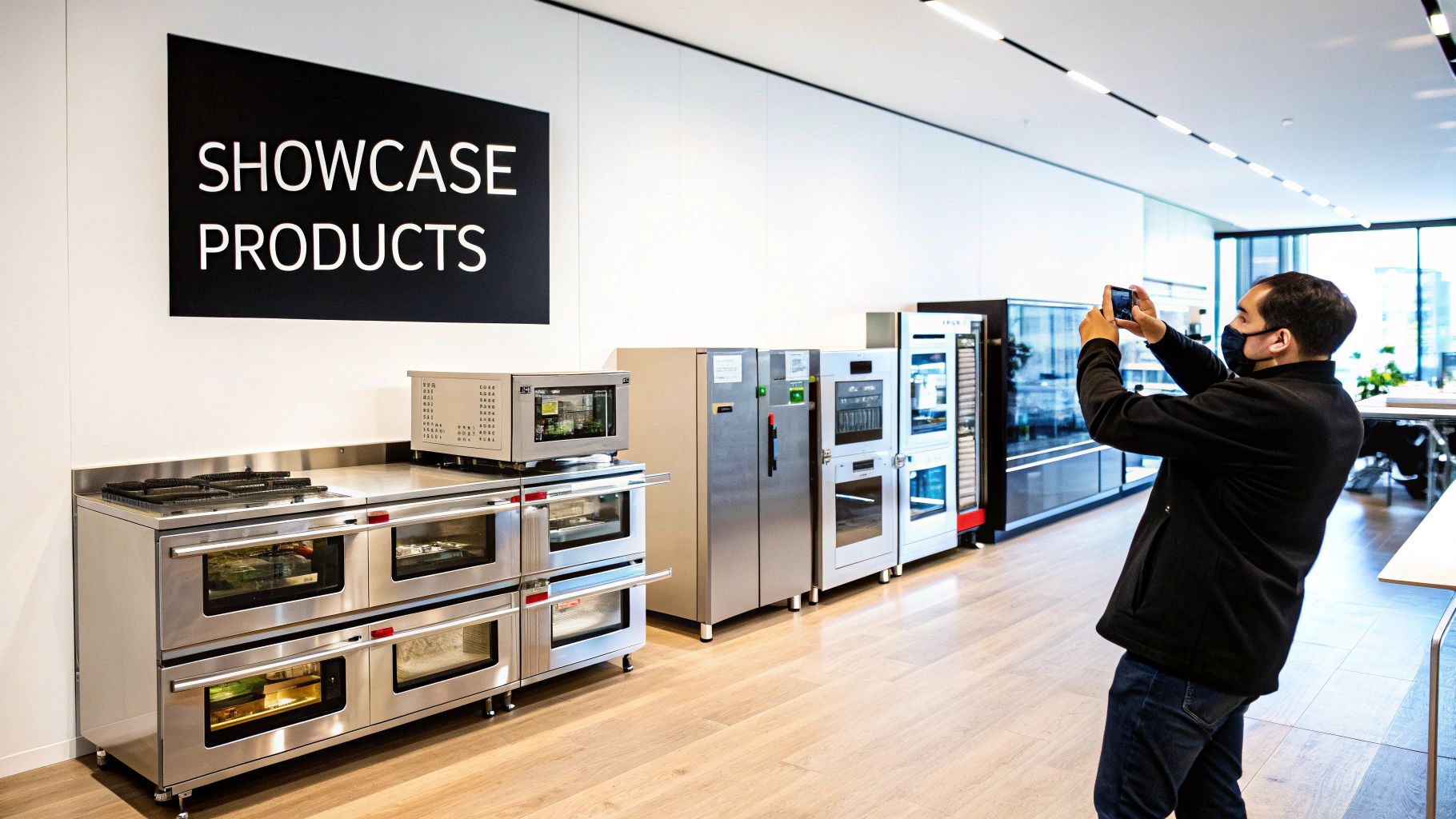
The impact of this isn't just theory. Just look at the data. In 2025, a small business like Austin's Sweet Bloom Bakery saw a 45% increase in web traffic and a 60% jump in direction requests after a thorough profile optimization. Another local business, a dental clinic, boosted their direction requests by 47% and phone calls by 35% in just eight weeks after adding new photos and detailed service descriptions. You can read more about these recent updates to Google Business Profile at link2city.com.
Turn Your Profile Into a Virtual Showroom with the Products Tab
The "Products" tab is a goldmine, yet it's probably the most underutilized feature I see with equipment suppliers. This is where you can create a business listing on google that functions like a mini e-commerce site, right in the search results. Don't just list a generic category; add your individual, high-value items directly to your profile.
For every piece of equipment you add, make sure you include:
- A Sharp, Clear Image: Use a professional photo of the actual product. If you can, avoid using the generic manufacturer stock image that everyone else has.
- A Specific Product Name: Don't just say "Mixer." Use the full model name and number, like "Hobart HL200 Legacy Planetary Mixer."
- An Informative Description: Briefly touch on key features, specs, and the benefits that matter to someone working in a professional kitchen.
- Pricing (Optional but Recommended): Being upfront with pricing can pre-qualify leads and saves everyone a lot of back-and-forth.
- A Direct Link to Your Website: This is non-negotiable. The link should take the user directly to that specific product's page on your website, creating a seamless path to purchase.
By diligently building out this section, you’re not just hoping to get found—you’re actively selling before a customer even clicks through to your website. You're meeting them where they are, with the exact information they need to make a decision.
8. Don't Just List—Engage: Mastering Reviews, Posts, and Q&A
Your Google Business Profile isn't a "set it and forget it" tool. Think of it less like a static ad in the phone book and more like a living, breathing extension of your showroom floor. This is your direct line to local customers, where you build trust, prove your expertise, and start conversations that lead to sales.
Reviews are your social proof. Google Posts are your marketing megaphone. And the Q&A section is your front-line customer service. Juggling these elements is what separates a top-ranking profile from one that just blends in with the crowd.
Build a Rock-Solid Review Strategy
Let's be blunt: positive reviews are a massive local ranking signal. They tell Google—and potential customers—that you're a legitimate, trusted supplier. But you can't just cross your fingers and hope they roll in. You need a process.
Make it ridiculously easy for people to leave feedback. Don't just mention it as they're walking out the door. Create a simple handout or a small card with a QR code that links straight to your Google review page. Tuck it into invoices, leave it on the counter, and give a few to your delivery team to hand out after a successful installation.
My Two Cents: Timing is everything. The absolute best time to ask for a review is right after a positive moment. A client just thanked your tech for a speedy repair? That's the moment. A chef is thrilled with the new Vulcan range you just installed? That's your cue. Coach your team to spot these opportunities and make a polite, low-pressure ask.
You Must Respond to Every Single Review
Responding to reviews is non-negotiable. It proves you're listening and that you genuinely care about customer experience. This goes for the glowing five-star praise and the painful one-star critiques.
-
For positive reviews: Thank them by name. If you can, mention the specific equipment they bought. A quick, "We're so glad you're loving the new convection oven, John!" makes the response feel personal and even helps reinforce keywords.
-
For negative reviews: Act fast. A prompt, professional response is key. Acknowledge their frustration, show empathy, and immediately offer to take the conversation offline. "We're very sorry to hear this. Please call me directly at [phone number] so we can make this right." This shows everyone else watching how you handle problems.
Thinking bigger, incorporating broader strategies for improving customer satisfaction scores will naturally lead to better reviews and a stronger online reputation over time.
Use Google Posts as Your Digital Bulletin Board
Think of Google Posts as free mini-ads that show up right on your profile. They’re perfect for shining a spotlight on new inventory, announcing a limited-time deal on refrigeration units, or showcasing a recent kitchen installation you’re proud of.
Use them to share what's happening now. Did a shipment of the latest Blodgett combi ovens just arrive? Snap a great photo, write a quick post about it, and link to the product page on your site. This constant activity signals to Google that your business is open, active, and relevant.
Get Ahead of the Game with the Q&A Section
The "Questions & Answers" feature is a hidden gem that most businesses ignore. Here’s the deal: anyone can ask a question on your profile, but you need to be the one to answer it. Better yet, you can seed the section yourself.
Brainstorm the top 5-10 questions your sales team gets every single day. Go to your own profile, post those questions, and then answer them yourself immediately. This builds a permanent, helpful FAQ right on your listing.
Get started with these common questions:
- Do you offer financing options?
- Can you help with kitchen layout and design services?
- What's the warranty on your refurbished equipment?
- Do your prices include delivery and installation?
By answering these upfront, you're not just providing information; you're removing friction from the buying process. You’re showing your expertise and giving a potential customer the confidence to take the next step before they've even picked up the phone.
Solving Common Google Business Profile Headaches
Even the most meticulously managed profile can run into trouble. It happens. You might log in one day to find your listing suspended or see incorrect information popping up that you didn't add. Knowing how to handle these moments is key to protecting your online presence. The most important thing is to stay calm and work through the problem methodically.
One of the most heart-stopping problems is seeing that your profile has been suspended. This can happen for a number of reasons, from stuffing keywords into your business name (e.g., "Joe's Restaurant Supply - Ovens & Fryers") to using a P.O. Box instead of a physical storefront address.
If you get suspended, your first instinct might be to panic and create a new profile. Don't do it. Your best bet is to carefully read through Google's guidelines, figure out what you did wrong, and fix it. Then, submit a reinstatement request with solid proof, like a clear photo of your permanent storefront sign.
Handling Incorrect Information and Duplicates
It’s not always a major issue like a suspension. Sometimes, Google or a well-meaning (or not-so-well-meaning) user will suggest an edit to your profile. They might try to change your hours or list a wrong phone number. This is why you need to check your dashboard regularly and immediately reject any incorrect suggestions before they go live and start misleading customers.
If you notice your business just isn't showing up where it should be, our guide on why your business isn't showing up on Google has some deeper troubleshooting steps you can take.
Another classic headache is the dreaded duplicate listing. This is surprisingly common, especially if someone at your company created a profile years ago and forgot all about it. Having two profiles for the same business is a real problem—it splits your reviews, confuses customers, and dilutes your ranking power in Google’s eyes.
To fix a duplicate, you need to figure out which profile is the "main" one (it's usually the older one or the one with more reviews). Once you've identified it, contact Google support and ask them to merge the two. A successful merge will consolidate all your hard-earned reviews onto one powerful, authoritative listing.
In some rare and unfortunate cases, a competitor might try to sabotage your listing by suggesting malicious edits. This is dirty pool, but it happens, and it underscores just how important active, hands-on management is.
Quick Troubleshooting Checklist:
- Check your profile regularly: Make it a weekly habit to scan for unauthorized changes or new questions from customers.
- Keep your NAP consistent: Your Name, Address, and Phone number must be absolutely identical everywhere online. No exceptions.
- Play by the rules: Don’t try to outsmart Google. Avoid any tactic that feels like you're trying to game the system, because it will eventually backfire.
By staying on top of your profile, you can catch most problems early and protect the valuable digital asset you’ve worked so hard to build.
Your Top Google Business Profile Questions Answered
When you're knee-deep in managing your online presence, a few questions always seem to pop up. Getting these sorted out is key to making your profile work for you, not against you. Let's dig into some of the most common things I hear from other restaurant equipment suppliers.
How Long Does It Take to Show Up on Google Maps?
This is the big one. You've done the work, you've submitted your details, and now... you wait. It's a bit nerve-wracking, I get it.
Once you’ve finished the verification step (postcard, video, or whatever method Google gives you), it usually takes just a few business days for your listing to go live. Sometimes, it can stretch to a full week. My advice? Be patient. Don't go in and start making a bunch of changes, because that can restart the whole verification timer. If a week goes by and you're still MIA, that's when you should start looking into potential issues or guideline violations.
Can I Have a Listing if I Don’t Have a Showroom?
Yes, you absolutely can. This is a game-changer for suppliers who are delivery-only or have technicians visiting client sites. When you first create a business listing on google, Google will ask if you have a physical location customers can visit.
If you say no, you can define yourself as a service-area business. Instead of a single pin on the map pointing to your warehouse, Google will show a shaded region representing all the areas you serve. This is perfect for showing customers that you come to them.
Quick tip: Make sure you select the option to hide your physical address during setup if you don't have a public-facing storefront. This keeps your warehouse or office address private while still making sure you show up for local searches like "commercial refrigeration repair in Phoenix."
How Often Should I Actually Update My Profile?
Think of your Google Business Profile less like a static phone book entry and more like a dynamic social media profile. It's not a set-it-and-forget-it tool. The more active you are, the more Google's algorithm will favor you.
Here's a good rhythm to get into:
- Weekly: Hop in to reply to any new reviews (good or bad!) and answer questions in the Q&A section.
- Weekly: Add a new Google Post. It can be as simple as highlighting a new convection oven in stock or a special on maintenance services.
- Quarterly: Refresh your photos. Did you get a big shipment in? Rearrange the showroom? Snap a few new pictures to keep things looking current.
Consistent activity signals to Google that you're an engaged, operational business worth showing to potential customers.
Ready to turn your online presence into a powerful sales engine? Restaurant Equipment SEO has the expertise to optimize your profile and attract high-intent local buyers. Visit us at https://restaurantequipmentseo.com to see how we can help you dominate local search.