
How to Find Inbound Links to a Page
So, how do you actually find all the inbound links pointing to a specific page on your site? You can start with free tools like Google Search Console to see what Google knows about, or you can get serious with paid SEO platforms like Ahrefs or Semrush for a much deeper dive into your own backlink profile and your competitors'. Digging into this data is fundamental for figuring out your site's authority and spotting new ways to grow your search traffic.
Why Finding Inbound Links Matters for Your SEO

Let's get past the basics. Finding your inbound links isn’t just an exercise in counting. It’s about understanding your digital reputation—think of each link as a vote of confidence from another website. When you analyze these links, you start to see who’s talking about your brand, what kind of content really connects with people, and how your competitors are building their own authority.
For a niche business like a restaurant equipment supplier, this information is pure gold. You might uncover potential partners in the food blogging world or notice that industry publications are linking to your guides on commercial kitchen layouts. Suddenly, a routine SEO task becomes a powerful tool for business development.
The Foundation of Digital Authority
Every single inbound link adds to how authoritative your website looks to search engines like Google. A healthy backlink profile tells them your content is credible and valuable, which directly helps you rank higher for the keywords that matter. But before you can improve your profile, you need a clear picture of where you are right now.
Understanding where your links are coming from helps you:
- Pinpoint your best content: Discover which pages are link magnets so you can create more of what works.
- Uncover partnership opportunities: See which brands, bloggers, or publications are already linking to you and your competitors.
- Benchmark against the competition: Analyze where your rivals are getting their links to reverse-engineer their strategy and find new targets for your own outreach.
The Growing Importance of Link Analysis
Analyzing inbound links has always been a cornerstone of good SEO, and it's only getting more important. The global market for SEO services is expected to hit $143.9 billion by 2030, and a huge part of that is driven by the power of backlinks. The data doesn't lie: pages ranking #1 on Google have, on average, 3.8 times more backlinks and 3.2 more referring domains than pages in positions two through ten. You can see more data like this in recent SEO statistics research from Exploding Topics.
The big takeaway? Link quantity and quality aren't just abstract ranking signals. They are direct proof that your content strategy is hitting the mark. The more high-quality, relevant sites that link to you, the more authority you build.
To really make sense of all this, you need to know the lingo. It’s essential to understand what referring domains are and how they contribute to SEO before you go any further. Each unique website linking to you is a separate vote of confidence. It's also helpful to have a solid grasp on the basics, so check out our guide on https://restaurantequipmentseo.com/blogs/restaurant-equipment-seo-blog/what-is-an-external-hyperlink if you need a refresher. This knowledge is what allows you to look at your backlink data and make truly smart decisions.
Uncovering Your Backlinks with Free Tools

You don't need to break the bank on expensive subscriptions to start digging into your backlink profile. Honestly, some of the most powerful ways to find inbound links to a page are completely free and probably already at your fingertips. These tools give you data straight from the source—the search engines themselves.
Let’s say you run a restaurant equipment supply company. Last month, your content team put out a killer "Commercial Pizza Ovens Buying Guide." Now you need to know if anyone is actually linking to it. This is exactly where platforms like Google Search Console and Bing Webmaster Tools shine.
Navigating Google Search Console for Link Data
If you do nothing else, get comfortable with Google Search Console (GSC). It’s the definitive source for understanding how Google sees your website, and since it’s Google’s own data, you know it’s what matters for your rankings there.
Once you’re logged in, look for the “Links” report in the sidebar. This is your command center for everything related to your link profile.
You’ll want to focus on the “External links” section. It’s neatly organized into a few critical reports:
- Top linked pages: This report shows which pages on your site are getting the most love from other websites. In our example, you'd scan this list to see if your new pizza oven guide has started to attract any links.
- Top linking sites: Here, you'll see the domains that link to you most often. It’s a great way to spot your biggest fans and potential partners for future collaborations.
- Top linking text: This shows the actual anchor text people use when linking to you. It offers fantastic insight into how other sites perceive your content and what they associate your brand with.
By clicking into any of these reports, you can get much more granular. Selecting your pizza oven guide from the "Top linked pages" list will reveal every single website GSC knows about that links to that specific URL. You can easily export this data to dig into it further.
For a more detailed walkthrough, our guide on how to check backlinks on Google breaks down every step.
Why Bing Webmaster Tools Is Your Secret Weapon
Look, Google has the lion's share of the search market, but ignoring Bing is a mistake. Bing Webmaster Tools offers its own surprisingly powerful backlink report, and I've often found it surfaces links that GSC hasn't picked up yet.
Getting set up is a breeze; you can import your site directly from Google Search Console and be ready to go in minutes. Once you're in, head over to the "Backlinks" section.
Getting a second opinion on your backlink profile is always a smart move. Bing's index is different from Google's, meaning it can uncover unique links and provide a more complete picture of your online authority.
The reports are similar to GSC's, letting you see linking domains, specific pages, and anchor text. The real magic happens when you compare the data from both. You might discover that a niche food service forum linked to your pizza oven guide, an opportunity that only showed up in Bing’s report. That’s a new community you can now engage with.
Comparison of Free Backlink Analysis Tools
Both Google Search Console and Bing Webmaster Tools are non-negotiable for anyone serious about SEO. They give you direct, reliable data without costing a dime. To help you decide where to focus your efforts, here’s a quick comparison.
| Feature | Google Search Console | Bing Webmaster Tools |
|---|---|---|
| Data Source | Google's own index, highly accurate for Google search | Bing's own index, provides a different data set |
| Primary Use | Monitoring performance and links within the Google ecosystem | Gaining a second perspective and finding links Google may miss |
| Interface | Clean, modern, and integrated with other Google products | Robust and feature-rich, with excellent competitor analysis tools |
| Key Advantage | The most accurate source of truth for what Google sees | Can uncover backlinks not reported in GSC |
Ultimately, using these free tools together is the best strategy. Start your analysis in GSC, as it represents the majority of search traffic. Then, pop over to Bing Webmaster Tools to cross-reference the data and fill in any gaps. This two-pronged approach gives you the most complete picture possible before you move on to deeper analysis.
Using SEO Platforms for a Deeper Analysis
https://www.youtube.com/embed/BHxu6et7wxo
While free tools like Google Search Console are a fantastic starting point, they only show you a small corner of the full picture. When you're ready to get serious about link building and really understand your competitive landscape, paid SEO platforms are an essential investment. They give you a far more complete and actionable view of who is linking to whom and why.
Think of it this way: GSC shows you the links Google has found pointing to your site. Platforms like Ahrefs, Semrush, and Moz are designed to map out the entire link graph of the internet. This lets you not only check your own links but strategically deconstruct what's working for everyone else.
Going Beyond Your Own Backlink Profile
The biggest advantage of these tools is their massive, privately-owned link indexes. They have armies of bots crawling the web around the clock, discovering new links almost as they happen. This opens up a world of data you simply can't get for free.
With a premium tool, you can immediately:
- Find New and Lost Links: Get alerts the moment you gain a great new link or lose an important one, letting you respond right away.
- Analyze Link Quality: See authoritative metrics like Domain Rating (DR) or Domain Authority (DA) for every linking website, helping you spot the high-value opportunities.
- Track Link Velocity: See how quickly you and your competitors are earning new links, which tells you who is actively building links and how aggressive they are.
The real power here isn’t just in finding your own inbound links. It's in seeing every single link pointing to any page on a competitor's website. This turns a simple link audit into a competitive intelligence goldmine.
A Real-World Example: Uncovering a Competitor's Strategy
Let’s go back to our restaurant equipment supplier. Suppose a major competitor has a guide titled "The Ultimate Guide to Walk-In Freezer Maintenance," and it's ranking on page one. You need to know how they pulled that off.
Using a tool like Ahrefs' Site Explorer, you'd just plug that competitor's URL into the search bar. In seconds, you can pull up the "Backlinks" report and see a full list of every single site linking to that specific guide.
This is where you strike gold. You might discover:
- They landed guest posts on five popular restaurant management blogs.
- Their guide was featured in a newsletter from a big food service industry association.
- A handful of top culinary schools added it to their online resource pages.
Suddenly, you're not just looking at a list of links—you're seeing their entire promotion playbook. You now have a concrete list of highly relevant websites to target for your own content. This is how you find inbound links to a page in a way that creates a direct, actionable roadmap for your own marketing.
Choosing the Right SEO Platform
Ahrefs, Semrush, and Moz are often called the "big three," but they each have their own personality and strengths. The best one for you really depends on your budget and what you're trying to accomplish.
| Platform | Key Strength | Best For |
|---|---|---|
| Ahrefs | Largest and freshest backlink index | Businesses that need the most comprehensive and up-to-the-minute link data for deep competitive analysis. |
| Semrush | All-in-one marketing toolkit | Teams looking for a single platform that combines strong backlink tools with keyword research, PPC, and content features. |
| Moz | User-friendly interface and classic metrics | Beginners or anyone who prioritizes ease of use and the well-established Domain Authority (DA) metric for quick quality checks. |
It's also worth noting how much the game has changed. Today, content marketing is considered the top method for building organic links by 40.7% of marketers, signaling a big shift toward creating assets people want to link to. The data backs this up: long-form content over 2,000 words generates 77.2% more links than shorter articles. While the average cost of buying a link is around $83, this can swing wildly, which really highlights the value of earning them naturally. You can discover more insights about these link building statistics.
Ultimately, paying for a platform is about saving time and getting deeper insights. It cuts out countless hours of manual digging and gives you the data needed to make smart decisions, allowing you to move from just managing your own links to proactively building a better backlink profile based on proven strategies.
Advanced Tactics for Finding Hidden Links
The standard tools are fantastic, but they only show you what their automated crawlers have indexed. To find every inbound link to a page—especially the newer ones or those from less conventional sources—you have to think like a digital detective. This means getting your hands dirty and stepping outside the usual dashboards.
These deeper dives are where you often find the best opportunities, like unlinked brand mentions that are just waiting to be turned into valuable backlinks. By piecing together clues from a few different places, you can build a far more complete map of your link profile.
Mastering Google Search Operators
Forget basic keyword searches. Google’s advanced search operators are your secret weapon for serious link prospecting. They let you filter and refine search results to uncover specific mentions of your brand or content that the big backlink tools often miss.
Here are a few of my go-to search strings for the restaurant equipment space:
-
Find Unlinked Brand Mentions: Try this query:
"Your Brand Name" -site:yourdomain.com. This command hunts for your exact brand name across the web but filters out any pages from your own site. What you're left with is a list of every time someone mentioned you. Scan these pages—if they're talking about you but haven't linked, that’s a warm outreach opportunity just waiting for you. -
Discover Guest Post Opportunities: A search like
"commercial refrigeration" intitle:"write for us"will instantly show you industry blogs and publications actively looking for guest writers. It's a direct route to building relevant, authoritative links. -
Analyze Competitor Content: Pop this into the search bar:
related:competitor.com. Google will show you all the websites it considers similar to your competitors. This can be a goldmine for discovering new communities and potential link partners you never knew existed.
The real power of search operators is their precision. Instead of scrolling through thousands of results in a backlink tool, you're crafting laser-focused queries that take you straight to actionable opportunities. Honestly, this is how many of the best, most authentic links are found.
For a deeper look into leveraging this kind of data, our guide on how to do SEO competitor analysis provides a structured framework you can follow.
Digging into Server Referral Logs
If you're comfortable getting a bit more technical, your website's server logs contain a trove of raw, unfiltered data. Every single time a visitor lands on your site by clicking a link, their browser tells your server where they came from. This "referrer" data is logged.
Unlike SEO tools that depend on crawlers, server logs show you actual traffic sources in near real-time. This is how you can spot inbound links from places that might block SEO bots, such as:
- Private forums or membership sites
- Links shared in email newsletters
- Traffic from social media apps that's tough to track otherwise
You'll usually need to log into your hosting cPanel or ask your web developer for help to get this data. The logs can look intimidating at first, but you're just looking for entries in the "Referer" column. By filtering that data, you can see every single external URL that sent at least one visitor your way. It’s the most direct way to see who is really sending you traffic.
How to Analyze and Act on Your Link Data
Finding the links pointing to your pages is a great start, but it’s what you do with that information that truly makes a difference. A raw list of URLs is just data; the real magic happens when you analyze it and build a concrete plan of action. This is where you separate the good from the bad and start making smart, strategic decisions.
For a business selling restaurant equipment, this means seeing the world of difference between a link from a small-time food blogger and one from a major industry publication like Foodservice Equipment & Supplies. Both have their place, but they carry vastly different weights in Google's eyes. Knowing how to tell them apart is key to building real authority.
This process shifts the goal from just finding inbound links to a page to building a forward-thinking strategy for earning more of the right ones.
Evaluating the Quality of Each Inbound Link
Let's be clear: not all links are created equal. Once you've got your list of backlinks from GSC or Ahrefs, you need to roll up your sleeves and assess their quality. This means looking past the simple number of links and digging into the metrics that signal real authority and relevance to search engines.
Here’s what I always look for in every link:
- Domain Authority (DA) or Domain Rating (DR): These are industry-standard scores from Moz (DA) and Ahrefs (DR) that estimate a site's ranking power on a 0-100 scale. A link from a high-DR site packs a much bigger punch than one from a site with a low score. It's a quick and easy first filter.
- Page Relevance: This is just common sense. How closely related is the linking page to your content? A link from an article on commercial kitchen ventilation pointing to your guide on exhaust hoods is a perfect match. A link from a random article about car repair? Not so much, even if the site has a high DA.
- Anchor Text: Look at the actual words used in the hyperlink. The anchor text gives Google critical context about your page. Descriptive text like "commercial ice machines" is a strong, positive signal, while generic text like "click here" is far less helpful.
Creating a Clear Action Plan
After you’ve sorted your links by quality and relevance, it's time to build your action plan. The goal is to use what you’ve learned to actively improve your link profile. This usually boils down to three core activities: replicating good links, reclaiming lost ones, and getting rid of harmful ones.
This flowchart breaks down how you can combine different methods to get a complete picture of your backlink profile.
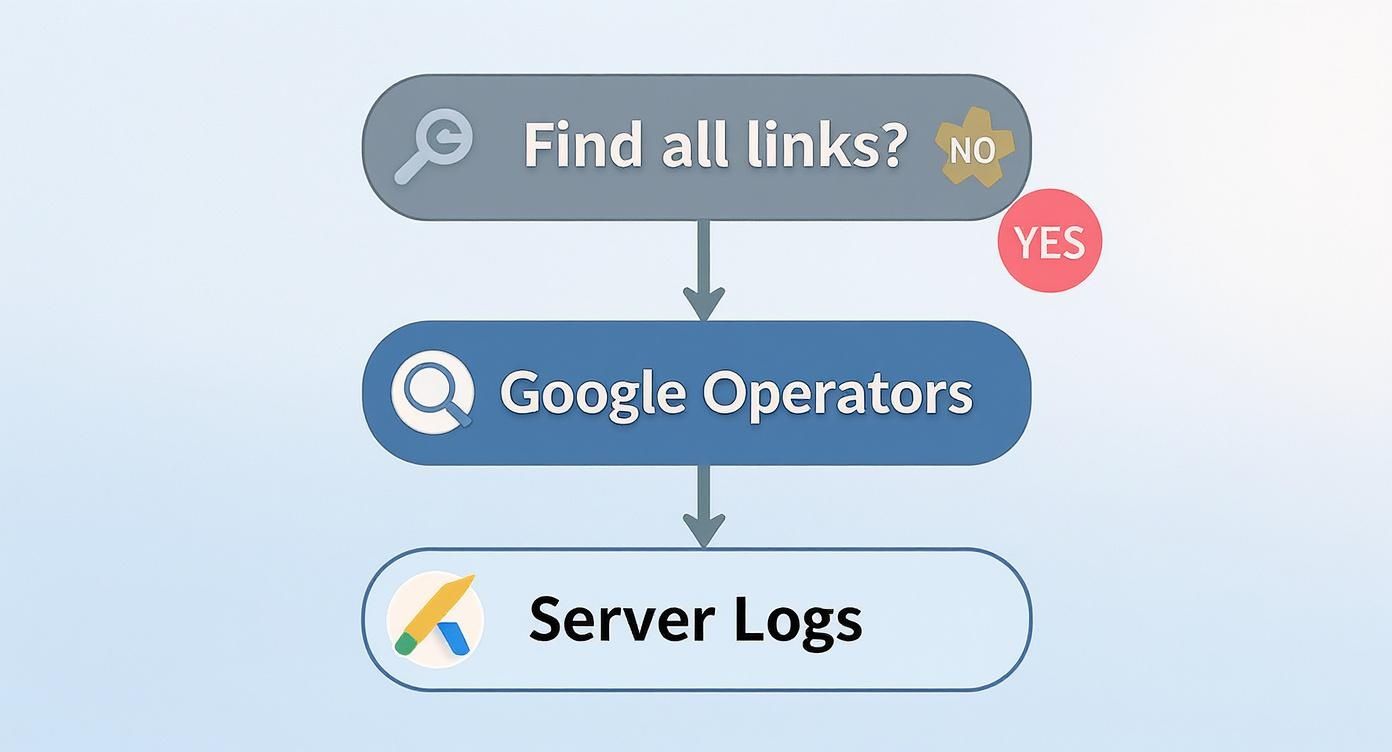
As you can see, a thorough approach often means using automated tools alongside manual methods like search operators and even server log analysis to uncover every last link.
Replicate Your Competitors' Best Links
The competitor analysis you did earlier isn't just for show—it's a treasure map. Sift through their backlink profiles and pinpoint their highest-authority, most relevant links. Then ask yourself a simple question: if this site linked to them, why wouldn't they link to me?
You probably won't get a link to the exact same page. The trick is to create a better resource—a more in-depth guide, a slicker infographic, or a more current case study—and then reach out to those same websites with your superior content. Honestly, this is one of the most effective and scalable link-building tactics out there.
Reclaim Lost Links
Links break. It happens all the time. Pages get deleted, sites get redesigned, and URLs change. Using a tool like Ahrefs or Semrush, you can set up alerts that email you the moment a link to your site disappears.
When you lose a valuable link, move fast. A quick, polite email to the site owner is often all it takes to get it restored. This is the definition of low-hanging fruit, and you can't afford to let it go.
Identify and Disavow Toxic Links
Every now and then, you'll find sketchy websites linking to you—spammy, low-quality, or just plain weird. These "toxic" links can potentially hurt your rankings. While Google's algorithm is pretty good at ignoring them these days, you may need to step in if you see a clear pattern of manipulative links.
The solution is to create a "disavow file," which is just a simple text file listing the domains you want Google to ignore. You then submit this file through Google Search Console. This should always be a last resort, but it's a vital tool for cleaning up a messy link profile.
Once you've analyzed your links, it's crucial to see how this work fits into your broader link building strategy. After all, this isn't just a one-off task. A staggering 52.3% of digital marketers find link building to be the most difficult part of SEO, and 48.6% of experts agree that digital PR is the most effective way to earn those coveted high-quality links. This really highlights why a strategic, ongoing approach to managing your inbound links is so important.
Common Questions About Finding Backlinks
Once you start digging into your site's inbound links, a few questions always seem to pop up. It's easy to get lost in the weeds with all the data coming from different tools, but understanding a few key concepts can help you turn that information into a winning strategy.
What's the Difference Between Backlinks and Referring Domains?
This one trips a lot of people up, but it's a crucial distinction. A referring domain is the website linking to you. A backlink is the actual, individual link on that website.
Let's say a popular food service blog writes an article and links to your "Commercial Pizza Ovens Guide" five different times in that post. In that scenario, you've just earned:
- 5 backlinks (the five separate hyperlinks)
- 1 referring domain (the blog's website)
Search engines place a much higher value on the number of unique referring domains than on the total backlink count. Getting one link each from ten different high-quality websites is way more powerful than getting ten links from a single site.
Why Do All My Tools Show Different Backlink Numbers?
So, you ran reports in Google Search Console, Ahrefs, and Semrush, and none of the numbers line up. Don't worry, this is completely normal.
Each of these platforms runs its own army of web crawlers, constantly indexing the internet to build its own database. They all operate on slightly different schedules and have different priorities.
- Google Search Console only shows you the links Google has found and deems worthy of consideration for its rankings.
- Ahrefs has one of the most aggressive crawlers out there and often spots new links before anyone else.
- Semrush maintains its own massive index and will sometimes find links the others miss, and vice versa.
The trick is to stop worrying about the exact number from any single tool. Your goal is to combine the data from all of them to get the most complete picture of your link profile. Focus on the high-quality links that show up across multiple reports—those are the ones that matter most.
How Long Until a New Link Shows Up in My Reports?
In SEO, patience is key. When a new link to your site goes live, it can take anywhere from a few days to a few weeks for crawlers to find it and for it to appear in your reports.
It really depends on the linking site. A link from a major, high-authority website that Google crawls constantly might get indexed within a day. On the other hand, a link from a small, brand-new blog could take a month or more to get discovered. This is another reason why using multiple tools is so helpful; one might just pick it up faster than the others.
Should I Care About "Nofollow" Links?
A "nofollow" link has a little tag on it that basically tells search engines, "Don't pass any ranking power through this link." While standard "dofollow" links are the ones that give you that direct SEO boost, nofollow links are far from useless.
They can still drive a ton of valuable referral traffic, build brand awareness, and help create a backlink profile that looks natural to Google. Think about it: a profile with 100% dofollow links would look pretty suspicious. A healthy, organic mix is what you're after, so never dismiss a link just because it's nofollow.
At Restaurant Equipment SEO, we help businesses like yours turn confusing data into real-world growth. If you're ready to build a powerful backlink profile that actually drives sales, we're here to help. Learn more about our specialized SEO services.