
How to Do a 301 Redirect for SEO
A 301 redirect is a server-side command that permanently sends users and search engines from an old URL to a new one. In practice, this usually means editing a server configuration file, like .htaccess on an Apache server, or just using a plugin if you're on a platform like WordPress. The whole point is to make sure every ounce of SEO value from the old page gets passed on to the new one.
What 301 Redirects Are and Why They're So Important for SEO
Think of a 301 redirect like setting up a permanent mail forwarding service with the post office. When someone sends a letter to your old address, it doesn't get lost; it's automatically sent to your new home. A 301 redirect does the same thing for your web pages, telling browsers and search engines that a page has moved for good and pointing everyone to its new location.
This isn't just about being helpful—it's a critical part of technical SEO. The official name for this is the HTTP status code "301 Moved Permanently," and it's a direct instruction. It prevents visitors from hitting those frustrating "404 Not Found" errors, which keeps them on your site longer. But more importantly, it protects your website's hard-earned authority.
Protecting Your Link Equity
Over time, your site builds authority through backlinks—links from other websites pointing to your pages. This collection of backlinks creates what we call link equity, and it’s a huge factor in how Google decides to rank your content. When you change a URL or delete a page without setting up a proper redirect, all the authority that page has built up just disappears. Poof. Gone.
A 301 redirect is the bridge that carries that link equity from the old URL to the new one. It passes the vast majority of the ranking power, ensuring the authority you've gained from countless other sites isn't wasted.
A 301 redirect essentially tells search engines: "See all the trust and authority this old page had? It all belongs to this new page now."
Common Scenarios Where 301 Redirects Are a Must
You'll find yourself needing to set up 301 redirects in a few key situations. Getting these right is crucial for keeping your site healthy and your SEO strong.
-
Redesigning or Restructuring Your Site: If you're changing your URL structure (like from
/blog/post-nameto/articles/post-name), every single old link needs to be redirected. - Merging Similar Content: Got a few articles on the same topic? Combine them into one definitive guide and redirect the older, weaker pages to your new powerhouse piece.
- Changing Domain Names: Moving to a new domain is a major project. A site-wide 301 redirect plan isn't just a good idea; it's absolutely essential.
- Updating Product Pages: In e-commerce, when a product is gone for good, don't just delete the page. Redirect it to a similar product or the main category page to provide a better user experience.
One of the most critical times for 301 redirects is during a website migration. Skipping this step can wipe out years of SEO work overnight. For more on this, check out our guide on how to build domain authority.
When to Use a 301 Redirect vs Other Redirects
While the 301 is the most common redirect for SEO, it's not the only tool in the box. It's important to know when to use it versus other types, like a 302 temporary redirect. This quick table breaks it down.
| Redirect Type | Common Use Case | SEO Impact |
|---|---|---|
| 301 Moved Permanently | A page has moved for good, domain changes, or site restructuring. | Passes almost all link equity to the new URL; the old URL is de-indexed. |
| 302 Found (Temporary) | A/B testing a page, running a temporary promotion, or redirecting for maintenance. | Does not pass link equity; tells search engines the original page will return. |
| Meta Refresh | Sometimes used on "Thank You" pages after a form submission. | Not recommended for SEO. Can be slow and may not pass link equity reliably. |
Ultimately, if the change is permanent, a 301 is almost always the right choice. It solidifies your site structure and ensures you don't lose the SEO value you've worked so hard to build.
Setting Up 301 Redirects on Your Server
Alright, let's get our hands dirty. Moving from theory to practice, the best place to implement 301 redirects is directly on your server. This approach gives you maximum control and is almost always the fastest, most efficient method. If you're comfortable getting a bit technical, this is where the real magic happens. It all comes down to editing a few core configuration files that tell your server exactly how to handle requests for old URLs.
We’re going to walk through the two most common server environments out there: Apache and Nginx. But before you even think about touching a single line of code, here’s my most critical piece of advice: always create a backup of your configuration file. A simple typo in .htaccess (for Apache) or nginx.conf (for Nginx) can bring your entire website down. A quick backup is your safety net.
Think of a 301 redirect as a permanent change of address notice for your web pages. This diagram breaks down how it works to preserve your hard-earned SEO value.
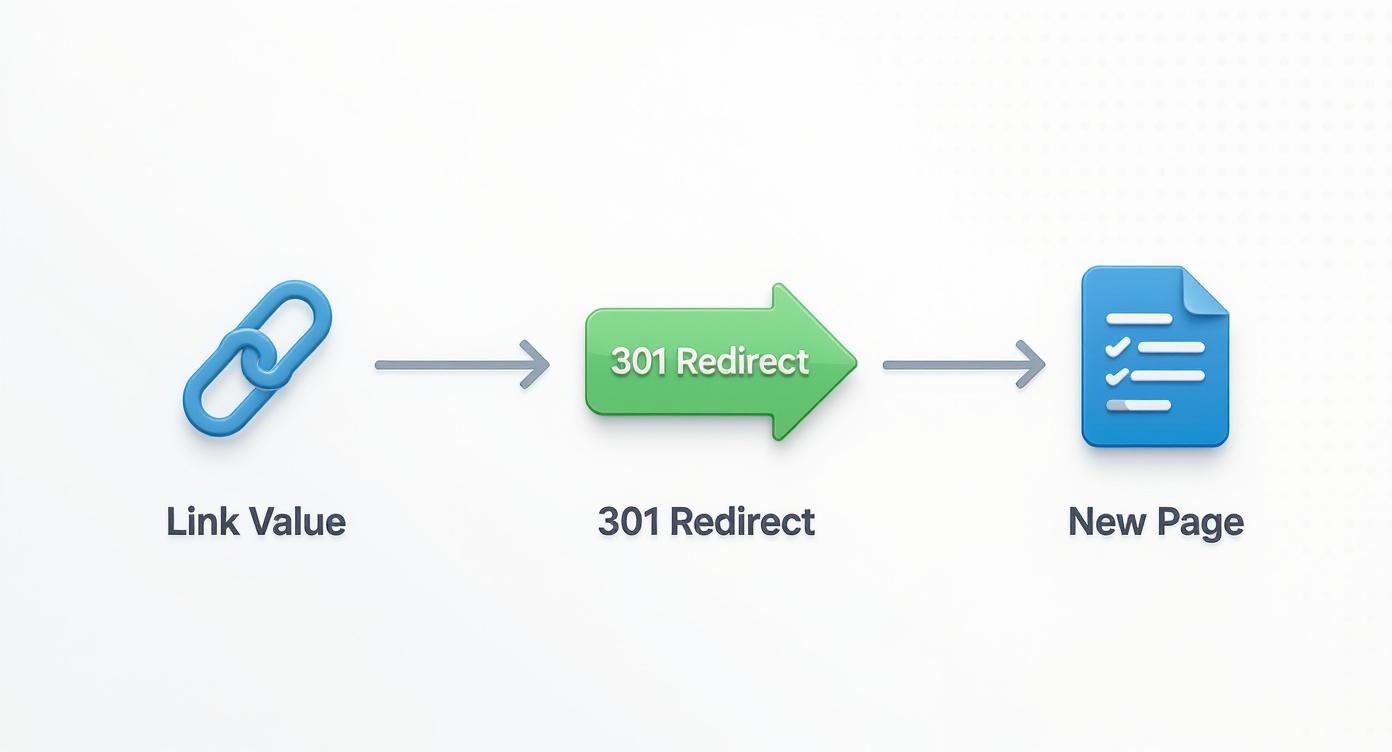
As you can see, the redirect acts as a vital bridge. It ensures all the authority and "link juice" from the original page isn't lost—it's passed directly to its new home.
Working with Apache and .htaccess
If your site is hosted on an Apache server, which still powers a huge chunk of the web, your go-to tool for redirects is the .htaccess file. This is a powerful little configuration file that lives in the root directory of your website. You can pop it open and edit it with any basic text editor.
The most straightforward redirects on Apache are handled with a simple directive. For a one-to-one redirect, you’d use something like Redirect 301 /old-page/ /new-page/. For sites running on PHP, you can also handle this within the script itself using a header function like header("Location: https://www.example.com/new-url/", true, 301); exit();. While you can use JavaScript for redirects, I strongly advise against it for SEO purposes; server-side methods are what search engines prefer for passing along link equity. You can find more practical tips for implementing 301 redirects on HostPapa.com.
Let’s look at a couple of real-world scenarios.
-
Redirecting a Single Page
This is by far the most common situation. You've updated an old product page or combined two blog posts, and now you need to point the old URL to the new, improved one.Redirect a single page
Redirect 301 /old-product-page.html https://yourdomain.com/new-product-page.html
-
Redirecting an Entire Directory
Say you’ve overhauled your site’s structure and decided to move your blog from/blog/to a new/articles/section. This single line of code will take care of the entire folder and everything inside it.Redirect an entire directory
RedirectMatch 301 ^/blog/(.*)$ https://yourdomain.com/articles/$1
Pro Tip: See that
RedirectMatch? It uses a bit of regex ((.*)) to give you more power than a simpleRedirect. It cleverly captures everything after/blog/in the original URL and appends it to the new destination. This makes sure deep links like/blog/my-awesome-postcorrectly land on/articles/my-awesome-post.
Configuring Redirects on Nginx
Nginx is the other major player, known for its incredible performance and efficiency. With Nginx, you won't find an .htaccess file. Instead, you'll need to edit the main server configuration file, which is usually nginx.conf or a specific site file located in the /etc/nginx/sites-available/ directory. One key difference is that after saving your changes, you have to reload the Nginx service for them to take effect.
Here’s how you’d tackle the same scenarios on an Nginx server.
-
Redirecting a Single Page
In your Nginx config, you’ll add alocationblock for the old URL and use thereturn 301directive. It's clean and incredibly fast.Redirect a single page in Nginx
location = /old-product-page.html {
return 301 https://yourdomain.com/new-product-page.html;
} -
Redirecting non-WWW to WWW
This is a classic SEO best practice. You need to pick one version of your domain (either with or without the "www") and stick with it. This Nginxserverblock handles that beautifully.Redirect non-WWW to WWW traffic
server {
server_name yourdomain.com;
return 301 https://www.yourdomain.com$request_uri;
}
This snippet listens for any traffic hitting the non-WWW version and permanently sends it to the www. version, making sure to carry over the rest of the URL path with $request_uri.
Sitewide rules like this are crucial for preventing duplicate content headaches. Nailing these server-level configurations is a cornerstone of solid technical SEO and works hand-in-hand with a well-planned site architecture for SEO. By managing redirects at the source, you're building a more robust and efficient website for both your visitors and search engine crawlers.
Easier Ways to Handle Redirects on Popular Platforms
Let's be honest, not everyone wants to dig into server files to set up a 301 redirect. The good news is, you usually don't have to. Most of the platforms we build websites on today have much simpler, built-in ways to get the job done without touching a single line of code.
These user-friendly tools are a game-changer. Instead of waiting for a developer to fix a broken link or redirect an old product page, you can hop in and do it yourself in a couple of minutes. It puts the power to maintain your site's SEO health right in your hands.

Using a Plugin for WordPress Redirects
If you're running a WordPress site, plugins are your best friend for managing redirects. They give you a simple interface where you just paste the old URL in one box and the new one in another. That’s it.
I usually point people toward two types of plugins:
- All-in-one SEO Plugins: Tools like Rank Math or Yoast SEO often bundle a redirect manager into their premium versions. If you're already paying for one of these, it's a seamless solution. You can usually find the redirect feature right in the plugin's main dashboard.
- Dedicated Redirect Plugins: For a free, powerful option, it’s hard to beat the Redirection plugin. It’s been my go-to for years. It’s reliable, tracks 404 "not found" errors, and lets you easily fix those broken links as soon as they pop up.
After you install your chosen plugin, you just find its settings, click "add new," and fill in the "Source URL" (the old link) and "Target URL" (the new one). The plugin takes care of the technical side of things for you.
Managing Redirects on E-Commerce Platforms
E-commerce stores are always in flux—products get discontinued, categories get shuffled, and landing pages come and go. A simple redirect process is absolutely essential to keep customers from hitting dead ends and to protect the SEO value your product pages have earned.
Shopify Redirects
Shopify makes this incredibly easy with a built-in tool. No app needed.
- From your Shopify admin dashboard, head over to Online Store > Navigation.
- Find and click the link for URL Redirects.
- Click the Add URL redirect button.
- In the "Redirect from" field, pop in the old URL (like
/products/old-fryer-model). - In the "Redirect to" field, enter the new destination (e.g.,
/products/new-commercial-fryer). - Hit Save redirect, and you're all set.
This is especially critical when you're making big changes. For instance, if you're changing your Shopify domain name, properly setting up 301s is the key to a smooth transition for both your customers and search engine rankings.
BigCommerce Redirects
BigCommerce has a similar native tool that's just as straightforward.
You'll find it under Server Settings > 301 Redirects. The interface feels a lot like Shopify's, with fields for the old and new URLs. One handy feature is that you can choose between a manual redirect (where you type the URLs) or a dynamic one (where you pick a new product or category from a list).
A Quick Tip: When a product is gone for good, resist the urge to just delete the page. That's a missed opportunity. Instead, redirect it to a similar product or its parent category. This helps you capture that traffic and hold onto the SEO authority the old page built up.
Redirects on Modern Hosting and CDNs
Even if you’re not on a platform like WordPress or Shopify, many modern hosting companies and CDNs (Content Delivery Networks) offer easy redirect tools that keep you out of the server's command line.
-
Cloudflare: If your site runs through Cloudflare, you can set up redirects using Page Rules. You just create a rule that says any traffic going to
your-restaurant-supply.com/old-pageshould be permanently forwarded toyour-restaurant-supply.com/new-page. You get a few free rules with every plan, so it's a great option. -
Netlify and Vercel: For developers using platforms like Netlify or Vercel, redirects are typically handled in a simple text file. With Netlify, you create a
_redirectsfile and just add a line like/old-path /new-path 301. It’s clean, version-controlled, and incredibly fast.
These platform-level solutions are efficient and keep your redirect rules separate from your website's main code, which is just a cleaner, more organized way to work.
Common 301 Redirect Mistakes and How to Avoid Them
https://www.youtube.com/embed/PJiFEkCiDw8
Setting up a 301 redirect is a powerful SEO tool, but a botched implementation can do more harm than good. I've seen it happen time and again: a simple mistake quietly undoes months of hard work, confusing search engines and frustrating users.
Think of a good redirect as a clean, non-stop flight. A bad one is a journey with endless layovers, a lost ticket, or a plane that lands at the wrong airport entirely. Let's make sure you're avoiding that turbulence.
The Problem of Redirect Chains
One of the most common issues I run into is the redirect chain. This is when Page A redirects to Page B, which then redirects to the final destination, Page C.
Each "hop" in that chain can dilute a bit of your link equity. More critically, it slows things down for your users and eats up your crawl budget—the finite number of pages Googlebot will crawl on your site at any given time. Don't make the bots do extra work.
Key Takeaway: A clean redirect is a single hop from the old URL to the new one. Always audit your site for chains and update any old redirects to point directly to the final destination.
The fix is straightforward. Find the original source of the redirect (Page A) and point it straight to the end of the line (Page C). This creates one efficient redirect that keeps as much SEO value as possible.
Avoiding Infinite Redirect Loops
Even worse than a chain is a redirect loop. This is a digital dead-end where Page A points to Page B, and for some reason, Page B points right back to Page A. It creates an infinite circle that traps both users and search engine crawlers.
Your visitors will see a frustrating error message like "ERR_TOO_MANY_REDIRECTS." Google's crawler will see a broken site, abandon its attempt to crawl the page, and might even de-index both URLs.
This mistake often pops up by accident during a site migration or when two redirect rules on your server conflict with each other. Running your URLs through a tool like Redirect Checker is a quick way to catch these loops before they cause real damage.
Redirecting to an Irrelevant Page
This one is subtle but can be just as costly. Let's imagine you run a restaurant equipment site and you stop selling a specific model of commercial deep fryer. The seemingly easy fix is to just redirect that old product URL to your homepage.
This is a bad move. While it avoids a 404 error, it creates a terrible user experience. Someone who was looking for a deep fryer is now on your homepage, confused and likely to leave.
Google is smart enough to see this, too. It understands that your homepage isn't a replacement for a specific product. This is often treated as a soft 404, meaning the redirect exists, but it's not seen as a true equivalent. As a result, almost none of the original page's authority gets passed along.
Always follow the rule of relevance. Here’s how to handle it correctly:
- Best Option: Redirect the discontinued product URL to its direct replacement or a nearly identical model. This is a perfect match.
-
Good Option: If there's no direct replacement, send users to the most specific category page possible (e.g.,
/commercial-deep-fryers/). - Last Resort: If a specific category doesn't exist, a higher-level category is still a much better choice than the homepage.
By redirecting with care and sidestepping these common pitfalls, you can ensure every redirect you create is a positive signal that supports your SEO, rather than undermining it.
Don't Just Set It and Forget It: How to Test and Monitor Your Redirects
Putting a 301 redirect in place is just the first half of the job. Honestly, skipping the testing phase is like building a new walk-in freezer and never checking the temperature. You need to be absolutely sure your redirect is sending both users and search engines to the right destination with the correct 301 status code.
It's a small final step, but it's crucial. A tiny mistake can go unnoticed for weeks, quietly leaking link equity and frustrating users. A solid testing and monitoring routine is what separates a sloppy redirect implementation from a professional one.

Quick Checks with Online Tools
The quickest way to get an initial "all clear" is by using a free online redirect checker. Just pop in your old URL, and the tool will trace its path, showing you exactly what happens behind the scenes.
This is your first-line defense and instantly confirms two key things:
- The Right Status Code: Does the tool report a 301 Moved Permanently status? If you see a 302 or something else, you know your configuration isn't quite right.
-
The Correct Destination: Does it land on the exact new page you intended? A simple typo in your
.htaccessfile can easily send traffic to the wrong place.
These tools provide a simple pass/fail result in seconds. I make it a habit to run this check immediately after setting up any new redirect.
A Deeper Dive with Browser Developer Tools
For a more granular, hands-on look, your browser's built-in developer tools are perfect. This method shows you the redirect precisely as a browser sees it, complete with all the technical details.
In Google Chrome, just hit F12 (or Ctrl+Shift+I on Windows, Cmd+Option+I on Mac) to open Developer Tools. Click on the "Network" tab and check the "Preserve log" box. Now, type the old URL into your address bar and hit enter. You'll see the browser's request for the old URL, which should show a 301 status, followed immediately by a request for the new URL.
This is my go-to for troubleshooting tricky issues like redirect chains. You can literally watch each "hop" in the Network tab, making it incredibly easy to pinpoint where the process is breaking down.
Keeping an Eye on Things with Google Search Console
Manual checks are great for instant validation, but the real test is whether Google understands and honors your redirects. For this, Google Search Console is your best friend.
The URL Inspection Tool is fantastic for spot-checks. Enter an old, redirected URL, and Google will show you what it sees. The ideal result is a message saying the URL is not on Google, but the "Declared canonical" is your new destination page. That’s your confirmation that Google has processed the 301 correctly.
For long-term health, you need to monitor the Coverage report (found under the "Indexing" section). Keep an eye out for any sudden spikes in "Not found (404)" errors, as this could point to broken redirects.
To put it all together, I’ve created a quick checklist to help you stay on top of your redirect testing and monitoring.
301 Redirect Testing and Monitoring Checklist
This checklist walks you through the essential steps to make sure your redirects are working perfectly from day one and continue to do so over time.
| Check | Tool to Use | What to Look For |
|---|---|---|
| Immediate Redirect Verification | Online Redirect Checker | The redirect returns a 301 status code and lands on the correct final URL. |
| In-Depth Technical Inspection | Browser Developer Tools (Network Tab) | No redirect chains or loops. The headers for the original URL show a 301 Moved Permanently status. |
| Check Google's Understanding | Google Search Console (URL Inspection Tool) | Google recognizes the old URL's "Declared canonical" as the new destination page. |
| Ongoing Error Monitoring | Google Search Console (Coverage Report) | A stable or decreasing number of "Not found (404)" errors. No unexpected spikes. |
| Comprehensive Site Health | Full Site Audit Tool (e.g., Screaming Frog) | No internal links pointing to old, redirected URLs. All links should point directly to the final destination. |
| User Experience and Analytics | Google Analytics | Traffic patterns remain stable or improve for the new pages. No unusual drop-offs or high bounce rates. |
This kind of proactive monitoring is a core part of good technical SEO. It ensures your redirects are always supporting your SEO goals, not undermining them. To learn more about this process, check out our complete guide on how to perform a website audit.
Common Questions We Hear About 301 Redirects
Even when you know the "how," the "why" and "what if" can still trip you up. I get these questions all the time, so let's clear the air on some of the most common points of confusion around 301 redirects. Think of this as the stuff you learn from experience, not just from a textbook.
How Long Should I Keep a 301 Redirect in Place?
The short answer? For at least a year. The real answer? Forever.
Think of it this way: Google needs time to find the old URL, see the redirect, follow it to the new page, and then update its index. This doesn't happen overnight. It can take multiple crawls over many months for the full authority to transfer.
Pulling the plug too early is a rookie mistake that can undo all your hard work. Plus, you never know who has that old URL bookmarked or linked from a forgotten forum post. Keeping the redirect live is just good practice for both your users and your SEO.
Can I Redirect Multiple Old URLs to One New Page?
Yes, and when done right, it's a powerful SEO move. I see this work wonders when clients are consolidating thin or outdated content. Maybe you have three separate blog posts on "commercial oven maintenance," "convection oven cleaning," and "oven calibration." You could combine them into one definitive guide.
This is a perfect scenario for redirecting those three old URLs to your new, comprehensive resource. You're essentially funneling all their combined authority into a single, much stronger page.
But here's the golden rule: it has to make sense.
- Good: Redirecting those three oven articles to a new, ultimate "Commercial Oven Care Guide."
- Bad: Redirecting those same articles to your homepage just because.
Google is smart. If the destination isn't a logical replacement for the original, it'll likely treat the redirect as a "soft 404," and you'll lose any link equity you were trying to save.
What Is the Difference Between a 301 and a Canonical Tag?
This one trips people up all the time. The easiest way to think about it is a command versus a suggestion.
A 301 redirect is a command. It tells browsers and search bots, "This page is gone. Go here instead, permanently." The user is physically moved from URL A to URL B.
A canonical tag (rel="canonical"), on the other hand, is a suggestion for search engines. It says, "Hey Google, there are a few versions of this page floating around, but this is the one I want you to rank." Users can still land on any of the variations, but you're telling search engines which one is the master copy.
Use a 301 when a page has permanently moved. Use a canonical when multiple similar pages need to exist (like for print views or tracking parameters), but you only want one to be indexed.
Does a 301 Redirect Pass 100 Percent of Link Equity?
The old SEO rumor was that a 301 redirect lost a bit of "link juice," maybe around 15%. That's old news. Google themselves have confirmed that, in a like-for-like redirect, the full value of the ranking signals gets passed along.
The key is doing it correctly. A clean, one-to-one redirect from an old page to its new, relevant home will preserve that value. Where you run into trouble is with sloppy implementation—things like redirect chains or pointing an old page to an irrelevant new one. That's when you start to see the benefits get diluted or lost entirely.
At Restaurant Equipment SEO, we live and breathe the technical details that help food service businesses grow. If you want to make sure your website is built on a rock-solid SEO foundation, we're here to help. Find out more about what we do at https://restaurantequipmentseo.com.