
How to Do a Website Audit for Restaurant Equipment Sellers
Before you even think about running a crawl or digging into your analytics, let's talk about the most important step: figuring out what you actually want to achieve. A website audit without a clear purpose is just a long list of technical tasks. A strategic audit, on the other hand, is a roadmap to growing your business.
Setting Clear Goals for Your Website Audit

Diving into an audit without a goal is like starting a kitchen remodel without a blueprint. Sure, you can fix a leaky faucet or patch some drywall, but you're not going to end up with a functional, profitable kitchen. For a restaurant equipment seller, this audit needs to be laser-focused on connecting your website's health directly to your bottom line.
So, before you open a single tool, ask yourself why you're doing this. The answer is your North Star—it will guide every decision you make from here on out.
Define Your Primary Business Objective
Let's cut through the noise with one simple question: What's the number one thing you want a visitor to do on your website?
For a restaurant equipment supplier, your answer will probably fall into one of these buckets:
- Selling more of a specific product line: Maybe you want to move more commercial refrigerators or clear out last season's high-margin convection ovens.
- Getting more qualified leads: This isn't just about form fills; it's about getting more quote requests for custom kitchen installations or serious inquiries about financing.
- Driving local service calls: If you offer equipment repair, your goal is to get your phone ringing with service requests from local restaurants.
- Becoming the go-to expert: Your aim might be to build authority by being the best source for information on commercial kitchen compliance or energy efficiency.
Pick one. Just one primary objective. This single focus will act as a filter, helping you evaluate every page, link, and piece of content on your site.
Translate Goals into Measurable KPIs
Okay, you've got your objective. Now, we need to attach some real numbers to it. A vague goal like "get more traffic" is useless because you can't measure it effectively. To get anywhere, you need specific, measurable Key Performance Indicators (KPIs). And if you're new to this, it’s worth taking a moment to understand what Search Engine Optimization (SEO) entails, as it’s the engine behind many of these metrics.
A goal without a number is just a wish. Your audit's success depends on defining precise KPIs that connect directly to your business objective, turning abstract ambitions into a clear, data-driven mission.
Let’s get practical. If your main goal is to generate more leads for custom kitchen installations, your KPIs could look something like this:
- Increase organic traffic to our "Custom Kitchen Design" service page by 25% within the next three months.
- Boost the conversion rate on the "Request a Quote" form to 5%.
- Rank in the top 3 spots on Google for local searches like "restaurant kitchen installation in [Your City]".
See the difference? These KPIs give you a crystal-clear definition of what success looks like. They transform your audit from a passive technical review into an active strategy designed to deliver tangible business results. With this clarity, every minute you spend will be on fixes that actually move the needle.
Getting Under the Hood: Fixing Technical SEO Issues That Harm Your Rankings

Technical SEO is the engine that powers your entire website. If that engine isn't running smoothly, it doesn’t matter how fantastic your product pages for commercial mixers or convection ovens look—your customers will never find them. For a restaurant equipment seller, a seemingly small technical glitch can make your entire inventory invisible to search engines.
Think of Google's crawlers as digital inventory clerks. Their job is to visit your site, figure out what you sell, and file it correctly so chefs and restaurant owners can find it when they search. If your digital doors are locked (crawlability issues) or the aisles are a total mess (poor site structure), they'll just give up and move on to a competitor.
This part of the audit is where we get our hands dirty. We're going to make sure your site’s foundation is solid, secure, and built for speed.
Can Search Engines Even Find Your Products?
First thing's first: we have to make sure search engines can both crawl (get to) and index (store and categorize) your pages. If a key product page for a best-selling ice machine isn't indexed, it simply doesn't exist in Google's world.
A huge piece of this puzzle is site security. Before anything else, you need to understand the critical difference between HTTP and HTTPS. An unsecured site is a massive red flag for both search engines and potential buyers about to enter their credit card information.
Your best friend for this investigation is Google Search Console. It's a free tool that gives you a direct line of sight into how Google sees your site's health.
- Dive into the Coverage Report: This report is a gold mine. It tells you exactly which pages are indexed, which have warnings, and which are flat-out excluded with errors.
- Look for "Crawled - currently not indexed": I see this a lot. It often means Google found the page but decided it was low-quality. This can be a common problem for pages selling small accessories or replacement parts.
- Hunt down 404 "Not Found" errors: These are dead ends. If a potential buyer clicks a link from another site to a discontinued fryer and hits a 404 page, you've just lost a sale and created a frustrating experience.
Keeping a regular eye on these reports helps you catch problems before they cause a serious drop in traffic and sales. For a much deeper dive, our guide offers a complete technical SEO audit for restaurant equipment sellers.
Is Your Site Speed Costing You Sales?
In e-commerce, speed is money. It’s that simple. Research shows that 40% of visitors will bounce if your site takes more than three seconds to load. For a busy chef trying to research a new range on their phone between services, patience is not a virtue they have time for.
A slow site doesn’t just frustrate people; it actively hurts your search rankings. Site speed is a confirmed ranking factor.
A one-second delay in page load time can lead to a 7% reduction in conversions. For a site selling high-ticket items like walk-in coolers, that single second could be the difference between a five-figure sale and losing a customer to a faster competitor.
Use a tool like Google's PageSpeed Insights to test your most important pages—your homepage, main category pages, and a few of your top-selling products. The tool will give you a score and, more importantly, a list of specific fixes, which almost always include:
- Optimizing Images: Huge, uncompressed photos of commercial refrigerators will absolutely kill your load time. Make sure every image is compressed without sacrificing the quality your customers need to see.
- Minifying Code: This is just a fancy way of saying you need to remove unnecessary spaces and characters from your site's code (HTML, CSS, JavaScript) to make the files smaller and faster.
- Leveraging Browser Caching: This technique stores parts of your website on a visitor's browser, so when they come back, it loads almost instantly.
Tackling these speed bumps creates a much better experience for your users and sends all the right signals to search engines.
Essential Technical SEO Audit Checklist
To keep things organized, I always rely on a checklist. Here are the core areas I examine in every technical audit for a restaurant equipment dealer. This isn't exhaustive, but it covers the big-ticket items that have the most impact.
| Audit Area | Tool to Use | What to Check For |
|---|---|---|
| Indexation Status | Google Search Console | "Valid" vs. "Excluded" pages in the Coverage report; noindex tags. |
| Crawlability | Screaming Frog, Robots.txt Tester | Misconfigured robots.txt files, crawl errors, broken internal links (404s). |
| Site Security | Your Browser's URL Bar | Ensure HTTPS is active sitewide, not just HTTP. |
| Mobile-Friendliness | Google's Mobile-Friendly Test | Check for responsive design, tap targets, and legible font sizes. |
| Site Speed | PageSpeed Insights, GTmetrix | Core Web Vitals scores, large image files, render-blocking resources. |
| XML Sitemap | Google Search Console | Sitemap is submitted, error-free, and includes all important URLs. |
| Schema Markup | Schema.org Validator | Correct implementation of Product, Organization, and Review schema. |
| Duplicate Content | Siteliner, Screaming Frog | Check for duplicate meta tags, H1s, or entire pages from faceted navigation. |
Using this checklist ensures you don't miss any foundational issues that could be secretly sabotaging your SEO efforts. Once you've run through these checks, you'll have a clear picture of your site's technical health.
Making Your Products Shine with Schema Markup
Schema markup is special code you add to your website to help search engines understand your content on a deeper level. For an e-commerce site selling foodservice equipment, this is a massive, often-missed opportunity.
By implementing Product schema, you can explicitly tell Google crucial details about your inventory, such as:
- Price: Displaying the cost of a prep table directly in the search results.
-
Availability: Showing whether that commercial dishwasher is
InStockorOutOfStock. - Reviews: Showcasing your 5-star rating for a popular pizza oven.
This extra information powers "rich snippets" in search results, making your listings far more eye-catching and useful than your competitors'. Think about it: a chef searching for a "six-burner gas range" is much more likely to click on a result that shows the price and a great rating right away. This simple technical tweak can directly boost your click-through rate, driving more qualified buyers straight to your product pages.
Auditing Your Content and Keyword Strategy
You can get all the technical SEO right, but if your content doesn't connect, you won't make the sale. It’s that simple. For anyone selling restaurant equipment, your content is what turns a chef idly researching specs into a customer ready to request a quote.
A proper content audit goes way beyond just checking for typos. We're diving deep to see if your product pages, category pages, and blog posts are actually answering the real-world questions your customers have—and, more importantly, if they're pushing them toward a purchase.
Great content speaks the language of the kitchen. A chef isn’t just typing "commercial oven" into Google. They’re getting specific: "half-size convection oven for a small bakery" or "deck pizza oven with stone hearth." Your job is to meet them right there, with the exact information they need.
Are Your Core Pages and Product Descriptions Pulling Their Weight?
Let’s start with your most important pages: the ones for your products and categories. This is your digital sales floor. If a description is vague or a page tries to be everything to everyone, you’re losing customers.
The goal here is to ruthlessly check for clarity, specificity, and the right keywords.
- Product Pages: Look at a page for a 'commercial planetary mixer.' Does it clearly list the bowl capacity in quarts, the motor's horsepower, and exactly which attachments (dough hook, whisk, etc.) are included? You're selling to pros who live and die by these details. A downloadable spec sheet is a must.
- Category Pages: Your 'Commercial Refrigerators' page can't just be a wall of products. It needs to guide the user. Help them understand the practical differences between a walk-in cooler, an undercounter unit, and a reach-in model. Who needs which, and why?
- User Intent: Does a page targeting "commercial ice machine" cater to someone looking to buy one, or is it a long-winded article on the history of ice makers? This is a huge mistake I see all the time. A buyer doesn't have time for a history lesson; they need specs and pricing. High bounce rates are a dead giveaway that you've got this wrong.
More often than not, this process reveals that your pages are trying to do too much. Instead of one massive "Ovens" page, you probably need separate, highly-optimized pages for convection ovens, conveyor ovens, and deck ovens. Each one needs to speak directly to the unique needs of the pizzeria, bakery, or high-volume kitchen that buys it.
Mastering Keyword Mapping to Avoid Cannibalization
Keyword cannibalization is a silent killer for e-commerce sites. It’s what happens when several of your pages are all competing for the same search term, which just confuses Google and splits your authority. You can't have five different pages all fighting to rank for "commercial deep fryer." It's a race to the bottom.
The fix is a keyword map. It's a straightforward spreadsheet where you assign one primary keyword to every single important URL on your site.
Think of keyword mapping like merchandising a store. You wouldn't put the milk in the bread aisle. In the same way, you shouldn't target 'deck pizza oven' on your conveyor oven page—it just confuses Google and your customers.
Here’s a quick example of what that looks like in practice:
| URL | Primary Keyword | Secondary Keywords |
|---|---|---|
/ovens/deck-pizza-ovens |
deck pizza oven | stone hearth pizza oven, commercial pizza oven |
/ovens/conveyor-pizza-ovens |
conveyor pizza oven | high volume pizza oven, automatic pizza oven |
/mixers/planetary-mixers |
commercial planetary mixer | bakery dough mixer, 60 qt planetary mixer |
Going through this exercise forces you to build a logical site structure. It stops you from accidentally sabotaging your own rankings and gives every page a single, clear job to do. This is a critical first step in creating an SEO content strategy for restaurant equipment sellers that actually works.
Finding Content Gaps and New Opportunities
The last step is to figure out what’s missing. What are the questions your potential customers are asking that you simply aren't answering? These content gaps are pure gold—they're your chance to attract new buyers and establish your expertise.
Look for topics your competitors are either ignoring or covering poorly. Here are a few ideas to get you started:
- Comparison Guides: Create a detailed breakdown comparing a gas fryer vs. an electric fryer. Go deep on energy costs, recovery times, and maintenance tips.
- Buying Guides: Write the ultimate "How to Choose the Right Commercial Ice Machine" guide. Walk a new restaurant owner through calculating their daily ice needs based on their bar and seating capacity.
- Maintenance & Troubleshooting: Publish articles on common problems like "How to Calibrate Your Commercial Oven." This captures traffic from people who already own equipment, positioning you as the go-to expert when it's time for them to upgrade.
By systematically auditing your content, mapping your keywords, and hunting for these gaps, you'll transform your website from a simple catalog into an essential resource for the entire food service industry.
Winning Local Search with a Focused SEO Audit
For most restaurant equipment suppliers, local search isn't just part of the strategy—it's the entire game. The independent restaurants, bakeries, and bars in your service area are your bread and butter. They’re the ones searching for everything from emergency ice machine repairs to full kitchen fit-outs. This is exactly why a sharp, focused local SEO audit is so critical; it’s about driving real, high-intent customers to your door and your phone lines.
Too many businesses claim their Google Business Profile (GBP), dust off their hands, and call it a day. But that's just the starting line. A real audit digs much deeper, looking at the consistency of your digital footprint across the entire web. You need to make sure that no matter where a local chef finds you, they see the same accurate information.
Auditing Your Digital Storefront Consistency
Think of inconsistent business information online as having the wrong address painted on your storefront window. It instantly kills trust and confuses the heck out of search engines. The absolute foundation of your local audit is checking your NAP (Name, Address, Phone Number) consistency.
And when I say consistent, I mean identical. To Google, "Main St." and "Main Street" are not the same thing. A tiny discrepancy like that can spawn a new, competing listing that splits your local authority in two.
Start your audit by checking your presence on the platforms that matter most:
- Google Business Profile: This is your most important digital storefront. Is the address, phone number, service area, and business category exact?
- Yelp: Still a major player, especially in the foodservice world. Chefs and restaurant owners absolutely check Yelp reviews for suppliers.
- Industry-Specific Sites: What about directories for commercial kitchen contractors or foodservice associations? You need to be there.
- Data Aggregators: Tools like BrightLocal or Moz Local are great for seeing how your info appears across hundreds of smaller, but still important, directories.
Yes, correcting these listings can be tedious work. But the payoff is huge for your local rankings. You're building a clear, trustworthy signal that tells search engines you are exactly who and where you say you are.
Managing Your Reputation and Reviews
Your online reviews aren't just for show; they're a powerful local ranking factor and the ultimate form of social proof. A staggering 94% of consumers say an online review has convinced them to avoid a business. In an industry built on reliability, your reputation is everything.
Your audit should look at both the number of reviews you have and what they're saying. Are you actively asking happy customers to leave feedback? More importantly, how are you handling the negative ones? A thoughtful, professional response to a bad review can often win over more future customers than a dozen five-star ratings.
A proactive review generation system is a necessity, not a luxury. Simply asking for a review via a follow-up email after a successful installation or service call can significantly boost your star rating and local visibility over time.
This part of the audit should give you a clear, repeatable process for managing your online reputation—from soliciting new reviews to responding to every single piece of feedback, good or bad.
Bolstering On-Page Local Signals
Finally, we need to turn the audit inward and look at your website itself. You have to prove to search engines that you're an active, relevant player in the local community you claim to serve. This goes way beyond just listing your address in the footer.
A fantastic way to do this is by creating dedicated service-area pages. Instead of a generic "Equipment Repair" page, get specific with pages like "Commercial Oven Repair in Atlanta" or "Walk-In Cooler Installation in Miami."
These pages allow you to go deep, mentioning local neighborhoods, discussing regional compliance codes, or even showcasing case studies from local restaurants you've partnered with. For a complete game plan on optimizing both your on-site and off-site efforts, our local SEO checklist for equipment sellers provides a step-by-step guide. By weaving these local signals naturally into your website, you prove your relevance to local searchers and capture those high-intent customers who are ready to buy right now.
Checking Your Site's Reputation and User Experience
A technically perfect website with killer content is a great start, but it's only two-thirds of the battle. The final, crucial piece is understanding how other sites see you (your reputation) and how real customers actually feel when they use your site (the user experience).
Think about it: a strong backlink profile is like a respected chef giving your business a public endorsement. Search engines see that and trust you more. At the same time, a smooth, intuitive user experience (UX) is what convinces that same busy chef, browsing on their phone between services, to hit the "Request a Quote" button instead of bouncing to a competitor. These two things—reputation and usability—are completely intertwined.
What’s Your Digital Reputation? A Look at Your Backlinks
Backlinks are essentially referrals from other websites. When a major industry publication like Foodservice Equipment & Supplies links to your page on commercial convection ovens, they're vouching for you. Google takes notice of these high-quality referrals and rewards your site with more authority, which leads to better rankings.
On the flip side, getting links from spammy, irrelevant websites can be toxic. These are the digital equivalent of a bad reference, and they can drag your rankings down by signaling to Google that your site might not be trustworthy. A backlink audit is simply the process of sorting the good from the bad.
Using a tool like Ahrefs or Semrush, you can pull a complete list of every single website that links to yours. As you go through that list, you need to play detective and ask a few key questions:
- Is the site relevant? A link from a food industry blog is gold. A link from a random gambling site? That's a huge red flag.
- What's the site's authority? These tools use metrics like Domain Rating (DR) or Domain Authority (DA) to score a site's credibility. While they aren't perfect, they give you a quick way to gauge if a link is coming from a heavyweight or a nobody.
- What’s the context? Is your business mentioned favorably in an article about choosing the right commercial mixer? Or is your company name just shoehorned into an unrelated paragraph? The context matters.
Identifying and disavowing those toxic links is a critical defensive move. But the real gold is in analyzing your good backlinks. Seeing who already trusts you can uncover fantastic partnership opportunities and show you exactly what kind of sites you should be reaching out to next.
Walking in Your Customer’s Shoes: The UX Audit
Alright, let's shift gears from how search engines see your site to how people see it. A user experience audit is all about putting yourself in your customer's shoes to find and fix anything that causes frustration. You'd be shocked at how quickly potential buyers will leave—a staggering 88% of users are less likely to return to a site after a bad experience.
Your goal is to make the journey from "I think I need a new fryer" to "My quote is submitted" as smooth and painless as possible.
A UX audit isn't about what you think is easy to navigate. It's about watching what your customers actually do. Tiny friction points, like a spec sheet that’s hard to find or a confusing checkout form, can absolutely crater your conversion rates.
Start by trying to use your own website as if you’ve never seen it before. Give yourself a few common tasks to complete:
- Find the product page for a specific model, like a "60 qt planetary mixer."
- Locate and download the PDF spec sheet for that mixer.
- Add the product to a quote request or shopping cart.
- Begin the checkout or quote submission process.
Document every single moment you felt even a hint of confusion. Was the "Request a Quote" button buried below the fold? Were the financing options unclear? These are the little hurdles that are costing you sales.
Don't Forget the Mobile Experience
Let's be real: your customers are rarely sitting at a desk. They're on the floor of a busy kitchen, visiting a job site, or walking through a competitor's restaurant. They're doing research on their phones.
In the restaurant equipment industry, where buyers are always on the move, a clunky mobile site isn't just an annoyance—it's a guaranteed way to lose business. Failing to optimize for mobile means you're practically invisible to a huge chunk of your market. To fully grasp the impact, you should explore additional key SEO statistics that highlight just how dominant mobile has become.
Your UX audit must have a "mobile-first" mindset. Pull up your site on your phone and be brutally honest about these common problems:
- Tiny Buttons: Can you easily tap "Add to Cart" with your thumb, or is it a frustrating game of pinch-and-zoom?
- Unreadable Text: Is the font big enough to read comfortably, or do you have to hold the phone up to your face?
- Aggressive Pop-ups: Does a "Sign Up for Our Newsletter!" pop-up take over the whole screen, with a close button that's impossible to find?
A bad mobile experience will send potential customers running straight to your competitors. By building a site that is trusted by search engines and genuinely easy for customers to use—especially on their phones—you create a powerful engine for growth.
Building Your Action Plan from Your Audit Findings
Let's be honest: a website audit that just ends up as a PDF gathering digital dust in a shared drive is completely useless. The real magic happens when you turn all that data and those careful observations into a clear, prioritized roadmap for what to do next. This is where you move from analysis to action.
Without a solid plan, it's incredibly easy to get overwhelmed. You might be staring at a list with dozens of technical snags, content gaps, and clunky user experience issues. The trick is to resist the urge to fix everything at once. Instead, you need to focus on the changes that will make the biggest difference, fast.
Prioritizing Your Fixes with an Impact vs. Effort Matrix
I’ve found one of the most effective ways to sort through the chaos is a simple impact vs. effort matrix. This framework is perfect for separating the quick, high-value wins from the bigger, more resource-intensive projects.
You'll essentially dump every finding into one of four buckets:
-
High-Impact, Low-Effort (Quick Wins): These are your immediate priorities. Think of fixing a broken link on your best-selling commercial fryer page or adding a clear "Get a Quote" button that's visible without scrolling. These are the fixes you knock out first.
-
High-Impact, High-Effort (Major Projects): These are the game-changers, but they require serious planning and resources. This could be a complete content overhaul for your walk-in cooler category or migrating the entire site to a faster host.
-
Low-Impact, Low-Effort (Fill-In Tasks): These are the "nice-to-haves" you can tackle when you have a bit of downtime. Maybe it's updating the alt text on a few old blog images or cleaning up some meta descriptions.
-
Low-Impact, High-Effort (Re-evaluate Later): These are the time-sucks. For the most part, you should just avoid them. They burn through your budget and team's energy for very little payoff.
Using this matrix transforms a messy, intimidating list into a strategic, step-by-step plan. It ensures you're always putting your energy where it will actually move the needle.
From Analysis to Actionable Steps
Once your priorities are straight, it’s time to create concrete tasks. A vague note like "improve site speed" isn't an action plan; it's a wish. A real task sounds like this: "Compress all product images on the commercial refrigerators page to under 100kb by Friday." See the difference? It's specific, measurable, and has a deadline.
This is especially critical in the restaurant equipment world. Your customers—chefs, GMs, and restaurant owners—are often researching on their phones between shifts or while standing in a half-finished kitchen. If your site is slow, you lose them. Making sure your website meets Core Web Vitals isn't just a technical box to check; it directly impacts your ability to capture leads. The data on this is pretty clear, as you can see in these vital SEO statistics.
Your action plan should be a living document, probably a simple spreadsheet, that tracks:
- The Issue: A clear, simple description of the problem.
- The Action: The specific steps required to fix it.
- Priority Level: The "Impact vs. Effort" rating you gave it.
- Owner: Who on your team is responsible for getting it done.
- Deadline: A realistic date for completion.
- Status: A way to track progress (e.g., Not Started, In Progress, Complete).
This simple flow chart really captures the essence of the process.
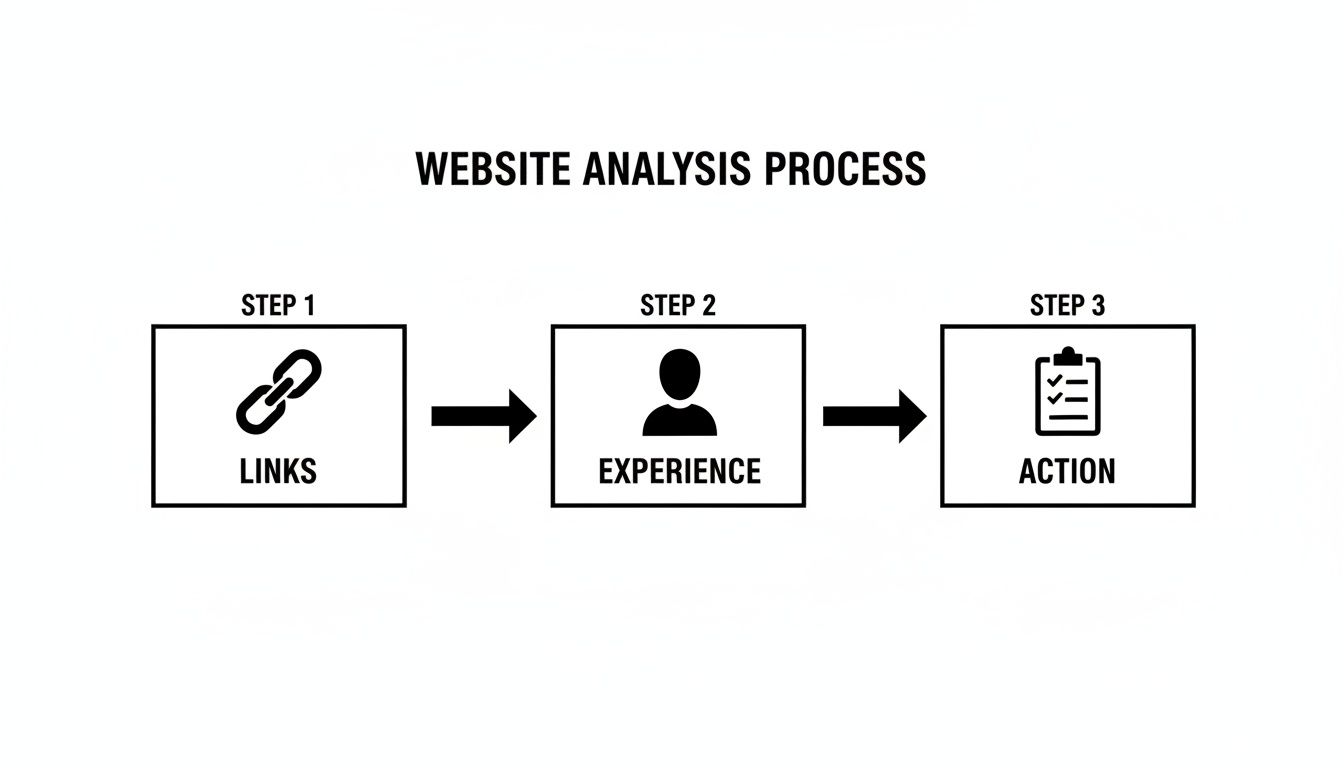
It’s all about connecting every problem you find to a specific, planned solution, creating a cycle of constant improvement for your site.
An audit report is a snapshot in time; your action plan is the motion picture. It's the dynamic tool that drives real change, accountability, and measurable results for your business.
By systematically documenting your findings, prioritizing them with a clear head, and assigning ownership, you turn your audit from an academic exercise into a powerful engine for growth. This is how every fix and improvement starts contributing directly to your bottom line.
Ready to turn your website audit into a powerful growth strategy? The team at Restaurant Equipment SEO specializes in creating and executing data-driven action plans tailored for the food service industry. Let us help you prioritize the changes that will make the biggest impact on your bottom line. https://restaurantequipmentseo.com