
Technical SEO Audit: Practical Guide to Boost Site Performance
Think of a technical SEO audit as a thorough inspection of your website's foundation. It’s all about making sure search engines can easily find, crawl, and understand your content. For a restaurant equipment seller, this is crucial—it ensures that when a chef or manager is looking for a specific commercial freezer or convection oven, your site is set up to be the first one they find.
Your Blueprint for a Profitable Website Audit
Jumping into a technical audit without a plan is like trying to build out a commercial kitchen without blueprints. It’s a recipe for chaos. The real goal isn't to get a perfect score in some automated tool; it's about making smart, targeted fixes that actually boost your sales.
You want to make sure a procurement manager's search for "stainless steel prep tables" lands them directly on your product page, not a competitor's. A vague goal like "improve SEO" won't get you there. You need to get specific and set measurable objectives that matter to your business.
For example, instead of a fuzzy goal, aim for something concrete:
- Increase organic traffic to the 'Commercial Refrigeration' category by 15% within the next quarter.
- Reduce mobile page load time for the top 20 product pages by one second to lower your bounce rate.
- Fix all 404 errors currently showing in Search Console to improve the user experience and recover any lost link authority.
Assembling Your Audit Toolkit
You don't need to break the bank on expensive software to get started. A handful of powerful, and often free, tools can give you everything you need for a deep dive.
Your core toolkit should absolutely include:
- Google Search Console: This is your direct line to Google. It's the ultimate source of truth for how the search engine sees and interprets your website.
- Google Analytics: Essential for understanding how users behave on your site, which helps you identify which pages are most critical to your bottom line.
- A Site Crawler: A tool like Screaming Frog SEO Spider is a must-have. It lets you analyze your entire site structure, hunt down broken links, and spot indexing problems at scale.
This simple flowchart lays out the three key stages for planning your technical SEO audit.
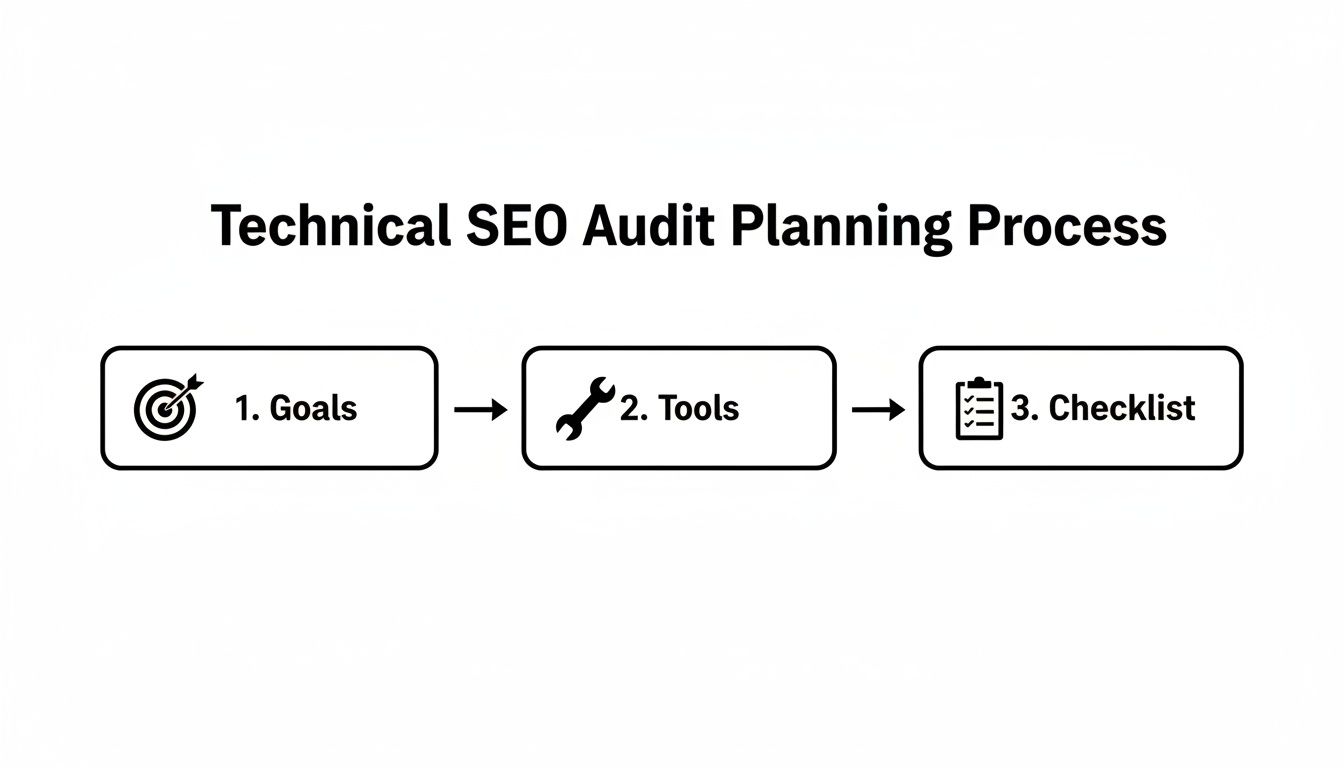
When you start with clear goals, everything that follows—from the tools you choose to the final checklist you build—is perfectly aligned with what will actually move the needle for your business. For a more detailed breakdown of the audit process itself, check out our guide on https://restaurantequipmentseo.com/blogs/restaurant-equipment-seo-blog/how-do-you-audit-a-website.
Key Takeaway: A successful technical SEO audit starts long before you run your first crawl. It begins by clearly defining what success means for your business and then gathering the right tools to measure your progress toward those goals.
To really get your hands dirty and execute this effectively, this guide on how to Master a Technical SEO Audit is an excellent resource. It offers practical steps that build on this blueprint, helping you secure better rankings from the ground up.
Can Google Actually Find Your Products? First-Step Crawl and Indexing Checks
Let's start with the absolute bedrock of technical SEO. If Google’s crawlers can't find and understand your product pages for commercial refrigerators or high-end ranges, nothing else matters. Your products might as well be invisible. This first, crucial step is all about ensuring search engines can crawl (discover your pages) and then index (add them to their massive library) your entire inventory.
Think of your robots.txt file as the bouncer at the front door of your website. It's a simple text file that gives search engine bots their marching orders—telling them which areas are off-limits. A single, seemingly harmless "disallow" command in this file can accidentally block your entire /products/ directory, instantly wiping your catalog from Google's view. It’s a small file with huge power, which is why it's the first place I always look.
You can check yours right now by going to yourwebsite.com/robots.txt. Scan for any overly broad Disallow: rules that might be catching important sections.

Give Google a Clear Roadmap with an XML Sitemap
While robots.txt tells bots where not to go, an XML sitemap does the opposite. It hands them a perfectly organized map of every single page you want them to find. For a restaurant equipment seller with thousands of SKUs, a dynamic sitemap that automatically adds new products and removes old ones isn't just nice to have; it's essential.
A healthy sitemap should:
- Only list clean, indexable URLs. Never include pages that are redirected, blocked by robots.txt, or tagged as "noindex."
- Be submitted directly in Google Search Console. This is like hand-delivering your map to Google and helps get new equipment listed faster.
-
Be linked in your
robots.txtfile. A simple line (Sitemap: https://www.yourdomain.com/sitemap.xml) ensures all crawlers can find it easily.
It’s shocking how often these foundational pieces are overlooked. Industry research shows that a staggering 23% of sites forget to link their sitemap in the robots.txt file, and 15% don't even have a sitemap. Getting this right prevents you from becoming part of the crowd where 93.5% of pages get zero organic traffic because of technical blockers, a statistic highlighted in research from Blacksmith Agency.
To help you get started, here's a quick checklist of the essentials for diagnosing crawlability and indexation issues.
Essential Crawlability and Indexation Checks
This table is a quick-reference guide to make sure search engines can find and properly index your most important pages.
| Check | Tool | What to Look For |
|---|---|---|
robots.txt Review |
Browser / GSC's Tester | Overly broad Disallow: directives that might be blocking key product or category directories. |
| XML Sitemap Health | Screaming Frog / GSC Sitemaps Report | Non-200 status codes, noindexed pages, or pages blocked by robots.txt included in the sitemap. |
| GSC Coverage Report | Google Search Console | High numbers in "Error" or "Excluded" categories, specifically "Crawled - currently not indexed." |
| Meta Robots Tags | Screaming Frog / Browser Tools | The presence of noindex or nofollow tags on pages that should be indexed and passing link equity. |
| Orphaned Pages | Screaming Frog / Sitebulb | Product or category pages that exist on the site but have no internal links pointing to them. |
Running through these checks gives you a solid baseline of your site’s technical health before you dive any deeper.
Playing Detective with Google Search Console
Your best friend for diagnosing these issues is Google Search Console. The Coverage report, tucked under the 'Indexing' menu, is your direct line to Google, showing you exactly how it sees—or doesn't see—your pages.
The report helpfully sorts your URLs into four buckets: Error, Valid with warnings, Valid, and Excluded. I always jump straight to the "Excluded" tab. This is where Google tells you why it decided not to index a page.
You'll often find reasons like:
- Crawled - currently not indexed: This is a big one. Google saw the page but deemed it not worthy of indexing. This often points to thin or duplicate content issues.
- Discovered - currently not indexed: Google knows the URL exists (likely from your sitemap or a link) but hasn't gotten around to crawling it. This can signal crawl budget problems.
- Duplicate, Google chose different canonical than user: This means you've got a canonicalization issue. You're telling Google one page is the master version, but it disagrees and has chosen another.
Expert Tip: A high count of "Crawled - currently not indexed" pages for your product listings is a massive red flag. It often means your product descriptions are too generic, too similar to one another, or lack the unique, helpful details that Google wants to see.
Another classic problem for e-commerce sites is orphaned pages—product pages that are still live but have no internal links pointing to them. This often happens when a category is retired, but the individual product pages are left floating in cyberspace. A crawler like Screaming Frog is perfect for sniffing these out.
For a truly advanced view, you can see exactly what Googlebot is doing on your site by analyzing your server's raw log files. We cover this expert-level technique in our deep dive on log file analysis for SEO. By fixing these core crawl and index issues first, you ensure your entire inventory is on the playing field, ready to be found by customers.
Getting Your Site Architecture Right
When you're selling thousands of pieces of restaurant equipment, your site architecture is everything. Think of it as the invisible framework that guides a busy chef straight to a specific commercial freezer and tells Google which pages are most important. A messy, confusing structure is a fast track to frustrated users and dismal search rankings.
The golden rule here is to create a shallow, logical architecture. What does that mean in practice? It means any product—from a massive ice machine down to a countertop fryer—should be just three or four clicks away from your homepage.
A structure that works time and again for equipment sellers looks like this: Homepage > Category (Refrigeration) > Sub-category (Walk-in Coolers) > Product Page (True T-49G-HC). This clean hierarchy stops your valuable product pages from getting buried deep in the site, where they lose authority and rarely get crawled by search engines.
Taming the Beast of Faceted Navigation
We all know them—those handy filters for brand, price, or capacity. Faceted navigation is fantastic for users, but it can quickly become a technical SEO nightmare by creating thousands of nearly identical URLs.
Imagine a user filtering for "Stainless Steel" and "Under $2000" on a prep table category. This action generates a new, parameterized URL. Without the right controls, Google sees this as duplicate content, which splits your ranking signals and burns through your crawl budget.
The solution is the strategic use of the rel="canonical" tag.
- For single-filter selections: If a filter is truly valuable and search-worthy (like "Brand: Hobart"), you might let it get indexed.
-
For multi-filter combinations: When a user stacks several filters, the resulting URL (
.../prep-tables?brand=true&material=stainless) must have a canonical tag pointing back to the main category page (.../prep-tables).
This sends a clear message to Google: "This filtered view helps my users, but the main category page is the real version you should index."
Key Takeaway: You can't run a modern equipment site without faceted navigation. Your job on the technical side is to master canonical tags to consolidate ranking power on your main category pages, preventing an index bloated with low-value, machine-generated URLs.
Managing Pagination to Reveal Your Full Catalog
Pagination—those Page 1, 2, 3... links at the bottom of category pages—is the mechanism that lets search engines discover every single product you sell. But if you get it wrong, it creates its own set of indexing headaches.
The modern best practice is refreshingly simple: make sure your paginated pages are indexable and linked with standard <a href="..."> tags. It's time to forget outdated tactics like rel="next/prev" (which Google has ignored for years) or no-indexing pages after the first one.
Why does this matter so much? No-indexing page 2 and beyond is like hiding your inventory from Google. A proper paginated series tells search engines that these pages are all part of a connected set, encouraging them to crawl through the entire sequence and find every last product. For a deeper dive, you can learn more about how to structure these elements for maximum SEO benefit by exploring the best practices for e-commerce site architecture SEO.
Analyzing Internal Links to Funnel Authority
Your internal linking structure is how you tell Google which pages are your heavy hitters. It's how you pass authority, or "link equity," around your site. A technical audit must map this flow to ensure it matches your business priorities.
Fire up a tool like Screaming Frog and crawl your site. Check the "inlinks" to your most profitable product lines. Are your high-margin commercial ovens getting plenty of link love from the homepage, category pages, and blog posts? Or are they orphaned out on an island, with just a single link from a deep category page?
Here's a real-world scenario I've seen play out:
A dealer noticed their top-selling 'Blodgett' convection ovens were underperforming in search. The audit showed that while the main 'Ovens' category was well-linked, the specific sub-category for Blodgett ovens had almost no internal links pointing to it.
The fix was straightforward but incredibly effective. They added a "Featured Brands" section to their homepage and a few key category pages, linking directly to that Blodgett sub-category. This small adjustment funneled a huge amount of authority to those pages, and their rankings shot up within a few weeks. It’s a perfect example of how a smart structure not only helps buyers but directly boosts your search performance.
Winning with Page Speed and Core Web Vitals
A slow-loading page is a guaranteed way to lose a sale. Think about it: a potential customer is trying to view high-res images of a new industrial mixer, and all they see is a loading spinner. They're not going to wait around. Page speed isn't just a techy metric; it’s a direct signal to your customer about how much you value their time.
This is exactly why Google rolled out Core Web Vitals (CWV). These aren't just arbitrary numbers; they are specific, user-focused metrics that measure the real-world experience of someone browsing your site. In today's market, getting CWV right is non-negotiable for anyone serious about ranking.

Breaking Down the Core Web Vitals Metrics
Let's cut through the jargon and talk about what these three metrics actually mean for your restaurant equipment website.
-
Largest Contentful Paint (LCP): This is all about perceived load speed. It measures how long it takes for the biggest element on the screen—usually your main product photo or a large banner—to load. For an equipment page, a slow LCP is just a blank white screen, which is the fastest way to get someone to hit the "back" button. You need to be under 2.5 seconds.
-
First Input Delay (FID): FID measures how quickly your site responds. It’s the time from when a user clicks something (like a filter, a menu, or the "Add to Cart" button) to when the browser actually starts processing that action. A high FID makes a site feel laggy and broken.
-
Cumulative Layout Shift (CLS): Ever tried to click a button, only to have an image load above it and push your target down the page? That frustrating experience is CLS. It measures the visual stability of your page as it loads, and a high score is a massive red flag for usability.
How to Find Your Performance Bottlenecks
Your go-to diagnostic tool here is Google PageSpeed Insights. Just plug in a URL—start with your homepage, a key category page, and one of your best-selling product pages—and Google will spit out a detailed report for both mobile and desktop.
This report is your roadmap. It highlights specific "Opportunities" and "Diagnostics" that are dragging your site down. For restaurant equipment sellers, the culprits are almost always the same.
Common issues I see all the time:
- Huge, unoptimized product images: That gorgeous, crystal-clear photo of a walk-in freezer is probably several megabytes and is killing your load time.
- Render-blocking resources: This is just a fancy way of saying you have code (CSS and JavaScript) loading before your actual content, forcing the user to stare at a blank page.
- Slow server response times: If you're on cheap shared hosting, your server might simply be too slow to deliver files to the browser quickly enough.
Expert Insight: Don't just audit your homepage. Your product and category pages are where the real money is made. Run your top 10 revenue-generating URLs through PageSpeed Insights first. Focus your efforts where they'll have the biggest financial impact.
Practical Fixes for a Faster Equipment Site
Once you know what's wrong, you can start fixing it. You don't have to be a senior developer to grasp these concepts.
-
Modernize Your Image Optimization: This is the easiest win with the biggest impact. Convert all your JPG and PNG images to modern formats like WebP. It offers much better compression with smaller file sizes, often with no visible loss in quality. Also, make sure you're serving properly sized images—never use a 2000-pixel-wide image in a 500-pixel container.
-
Minify CSS and JavaScript: Minification is a simple process that strips out unnecessary characters from code, like spaces and comments, making the files smaller. Most e-commerce platforms and caching plugins can handle this for you automatically.
-
Leverage Browser Caching: This technique tells a visitor's browser to save static files (like your logo and other core site assets) on their local device. When they click to another page, their browser doesn't have to re-download everything, making for near-instant navigation.
The business case for this work is rock-solid. Currently, only about 54.6% of websites meet Google's Core Web Vitals standards. This is a massive opportunity. Getting your site into the 'good' threshold can lead to 15-30% boosts in conversion rates and a 12-20% bump in organic traffic.
When you're selling high-ticket items, that kind of improvement goes straight to the bottom line. As you can see from these powerful SEO statistics on seranking.com, connecting technical fixes to real business outcomes shows exactly how a faster, more stable website leads directly to fewer bounces and more sales.
Using Structured Data to Stand Out in Search
Let's be honest: standard blue links are boring. To really grab a buyer's attention in the search results, you have to turn your product listings into information-rich snippets that answer their questions before they even click.
This is where structured data, also known as schema markup, becomes your secret weapon. It’s essentially a vocabulary you add to your site's code that tells search engines exactly what your content is about. For a restaurant equipment business, this isn't just a "nice-to-have"—it's a critical competitive edge.
By clearly labeling key info like price, stock levels, and customer ratings, you can earn what are called "rich results." These are the eye-catching listings you see with star ratings and availability right there on the search page. They work wonders for click-through rates because they pre-qualify the shopper, showing them you have precisely what they're looking for.

Prioritizing Key Schema Types for Equipment Sellers
There are hundreds of schema types out there, but for an equipment seller, you only need to master a few to see a huge impact. Your audit should laser-focus on implementing and validating these three.
-
ProductSchema: This is your bread and butter. It's how you mark up the details for every commercial ice machine, convection oven, and walk-in freezer you sell. -
LocalBusinessSchema: Absolutely essential if you have a physical showroom. This helps you show up when local chefs are searching for equipment and is a key driver for Map Pack visibility. -
FAQPageSchema: A fantastic tool for buying guides or product pages with Q&A sections. It can help you grab a lot more vertical real estate in the search results.
Mastering Product Schema for Rich Snippets
The Product schema is where the magic really happens. When you get this right, you're spoon-feeding Google all the information it needs to build those compelling rich snippets that drive clicks.
Here are the core properties you absolutely must include:
-
name: The full, specific product name, like "True T-49G-HC Double Door Reach-In Glass Refrigerator." -
image: A direct URL to a high-quality product image. -
description: A concise and genuinely helpful product description. -
sku: The unique Stock Keeping Unit for that specific item. -
brand: The manufacturer of the equipment (e.g., True, Vulcan, Hobart). -
offers: This nested property is non-negotiable. It must contain the price, currency, and availability (InStock,OutOfStock). -
aggregateRating: If you have product reviews, this displays the average star rating and review count.
Expert Tip: Never skip the
skuandbrandproperties. These unique identifiers help Google distinguish your products from others on the web. This builds a stronger understanding of what you sell, which can seriously boost your authority for very specific model and brand searches.
Once you’ve added the markup, you have to check your work. Use Google's Rich Results Test tool to validate everything. Just pop in a product page URL, and the tool will tell you if your page is eligible for rich results and point out any errors that need fixing.
Enhancing Local and Informational Content
Structured data isn’t just for product pages. If you have a physical storefront where customers can kick the tires on a new fryer, LocalBusiness schema is a must. This markup should include your business name, address, phone number (NAP), and hours of operation. Getting this right directly impacts how often you appear in local map results when a chef searches for "restaurant equipment near me."
FAQPage schema is another powerful play. Let’s say you have a guide on "How to Choose a Commercial Dishwasher." By marking up each question-and-answer pair, you give Google the ability to display those Q&As as interactive dropdowns right in the search results. This immediately positions you as an expert and pushes your competitors further down the page.
A proper technical SEO audit isn't complete without a deep dive into your structured data. By correctly implementing Product, LocalBusiness, and FAQPage schema, you give Google the context it needs to turn your plain listings into powerful, information-rich ads for your business.
Creating a Prioritized Action Plan That Works
Alright, you've made it through the audit. You have a mountain of data, a list of issues, and a pretty good picture of your site's technical health. That’s a huge accomplishment, but the job isn't done. An audit on its own is just a collection of facts; the real magic happens when you turn those findings into a smart, prioritized roadmap for getting things fixed.
Without a clear plan, even the best audit report just gathers digital dust. The trick is to avoid getting paralyzed by a long list of problems. You need a simple, effective way to decide what to tackle right now, what can wait, and what needs to be a longer-term project.
The Impact Versus Effort Framework
I've found the most effective way to cut through the noise is to weigh the potential SEO impact of a fix against the effort it will take to get it done. Think of it as a simple matrix that helps you separate the quick wins from the major overhauls. This ensures you're putting your time and budget where they'll make the biggest difference.
Here’s how I break it down:
- High-Impact, Low-Effort: These are your golden tickets. Jump on them immediately. They're the low-hanging fruit that can deliver a noticeable boost with minimal headache.
- High-Impact, High-Effort: These are your big strategic initiatives. They promise significant gains but require serious planning, resources, and coordination across teams.
- Low-Impact, Low-Effort: Think of these as good housekeeping tasks. Knock them out when you have a bit of downtime, but don't let them derail you from the more critical issues.
- Low-Impact, High-Effort: These almost always land at the bottom of the list. The return on investment just isn't there to justify the time and resources.
For a restaurant equipment dealer, a classic high-impact, low-effort win is finding and fixing a robots.txt rule that's accidentally blocking Google from crawling your entire commercial ovens category. It’s a simple text file edit that can unlock thousands in potential revenue overnight.
On the flip side, a project like migrating your entire e-commerce store to a new platform for better Core Web Vitals is obviously high-impact but also very high-effort. That's a massive undertaking that needs a dedicated project plan and shouldn't be taken lightly.
Sample Issue Prioritization Framework
To make this tangible, you can build a simple table to organize your findings. This helps you move from a messy list of problems to a clear, actionable set of priorities that everyone from marketing to development can get behind.
| Issue | SEO Impact (Low/Med/High) | Effort to Fix (Low/Med/High) | Priority |
|---|---|---|---|
Fix robots.txt blocking crawlers |
High | Low | Immediate |
| Implement Product schema on top 20 pages | High | Medium | High |
| Optimize 5,000 product images with WebP | High | High | Medium (Phased) |
| Update 15 outdated blog post titles | Low | Low | Low |
| Correct 404 errors with 301 redirects | Medium | Medium | High |
This simple framework provides a logical basis for your recommendations, making it much easier to get buy-in and start making real progress.
Key Takeaway: Prioritization is everything. An audit that just gives you a 100-item to-do list without any sense of order is setting you up for failure. By sorting each fix by its potential impact and the effort required, you create a realistic and effective plan for improvement.
Building a Report That Drives Action
The final piece of the puzzle is presenting your plan in a way that actually gets things done. Your report needs to speak to everyone, from the C-suite who wants the big picture to the developers who need the technical details.
I always lead with a simple executive summary highlighting the most urgent issues in plain English. Then, I break down each problem with a clear, step-by-step recommendation for the fix. Don't just say, "CLS is high on product pages." Explain why it's happening—maybe it's a late-loading ad banner—and outline the exact steps the dev team needs to take to resolve it. This turns your audit from a diagnosis into a genuine instruction manual for growth.
Turning audit insights into tangible results is what we do best at Restaurant Equipment SEO. Our specialized approach ensures that every technical fix is aligned with your business goals, driving qualified traffic and increasing sales. Discover how our targeted strategies can transform your online presence at https://restaurantequipmentseo.com.