
What Is an SEO Report and How Do You Use It?
Think of an SEO report as your website's regular health check-up. It's a detailed summary that shows you exactly how your site is performing on search engines like Google, translating a mountain of complex data into a clear roadmap for growth. By tracking the vital signs—things like traffic, keyword rankings, and technical stability—it helps you diagnose problems and, most importantly, prove your SEO efforts are paying off.
What Exactly Is an SEO Report?
Trying to market your business online without a good SEO report is like trying to navigate a ship across the ocean without a map, a compass, or a weather forecast. You might be moving, but you're essentially flying blind, reacting to storms instead of steering around them. You're just guessing.
An SEO report is your navigational chart. It’s a structured document that pulls together all the critical data from your SEO campaigns and lays it out in a way that makes sense. It’s not just a boring collection of charts and numbers; it’s the story of your website’s journey. This story helps you understand three key things:
- Where you are right now: How easily can potential customers find you on Google today?
- How you got here: Which strategies are actually bringing people to your site, and which ones are a waste of time?
- Where to go next: What specific, data-backed steps should you take to get better results?
To give you a quick overview, let's break down the main parts of a typical SEO report. This will help you see how all the pieces fit together to create a complete picture of your website's performance.
Anatomy of a Modern SEO Report at a Glance
| Report Component | What It Measures | Why It Matters |
|---|---|---|
| Organic Traffic | Visitors arriving from search engines (e.g., Google, Bing). | The ultimate measure of your SEO success. More organic traffic means more potential customers. |
| Keyword Rankings | Your website's position in search results for specific terms. | High rankings for valuable keywords put you directly in front of buyers at the moment they need you. |
| Technical SEO Health | Site speed, mobile-friendliness, and crawlability issues. | A technically sound site ensures Google can find, understand, and rank your content effectively. |
| Backlink Profile | The quantity and quality of links pointing to your site. | Backlinks are a huge vote of confidence for search engines, directly impacting your authority and rankings. |
| Conversion Metrics | The number of visitors who complete a goal (e.g., make a purchase, fill out a form). | This is where SEO meets the bottom line, showing how traffic turns into actual business. |
As you can see, each section tells a different part of the story, from how people find you to what they do once they arrive.
The Real Purpose of SEO Reporting
At its core, an SEO report turns abstract data into real business intelligence. It’s the bridge connecting your marketing activities—like writing blog posts or building links—to tangible outcomes like quote requests and equipment sales. Without this regular analysis, you're just spending money without knowing if it's actually working.
Reporting isn't what it used to be. The average SEO report today tracks 15-20 key metrics, and a whopping 91% of marketers say these reports directly guide their strategic decisions. This shift toward data is a major reason the global SEO market is expected to rocket from $82.3 billion to nearly $144 billion by 2030.
From Raw Data to a Clear Strategy
Tools like Google Search Console are like the diagnostic instruments on your ship's dashboard. They spit out raw numbers on clicks, impressions, and technical errors.
Here’s a look at a typical performance overview from Google Search Console, which is where a lot of the foundational data for a report comes from.
This dashboard gives you the basics: total clicks, impressions, click-through rate (CTR), and average position. But an SEO report does so much more. It takes this raw data and adds crucial context. It explains why your clicks went up last month or why a key product page suddenly dropped in the rankings.
It’s about moving beyond just seeing the numbers to truly understanding what they mean for your business. To even begin gathering this data, you first need to understand how to perform a website audit, which lays the groundwork for any meaningful report.
Decoding the Key Sections of Your SEO Report
Trying to read an SEO report without knowing what you're looking at can feel like a doctor handing you a lab result full of medical jargon. You see the numbers, but what's the story? To get a real handle on your website's health, you have to break the report down into its core pieces.
Think of it this way: a good report gives you the vitals, a diagnosis, and a growth plan.
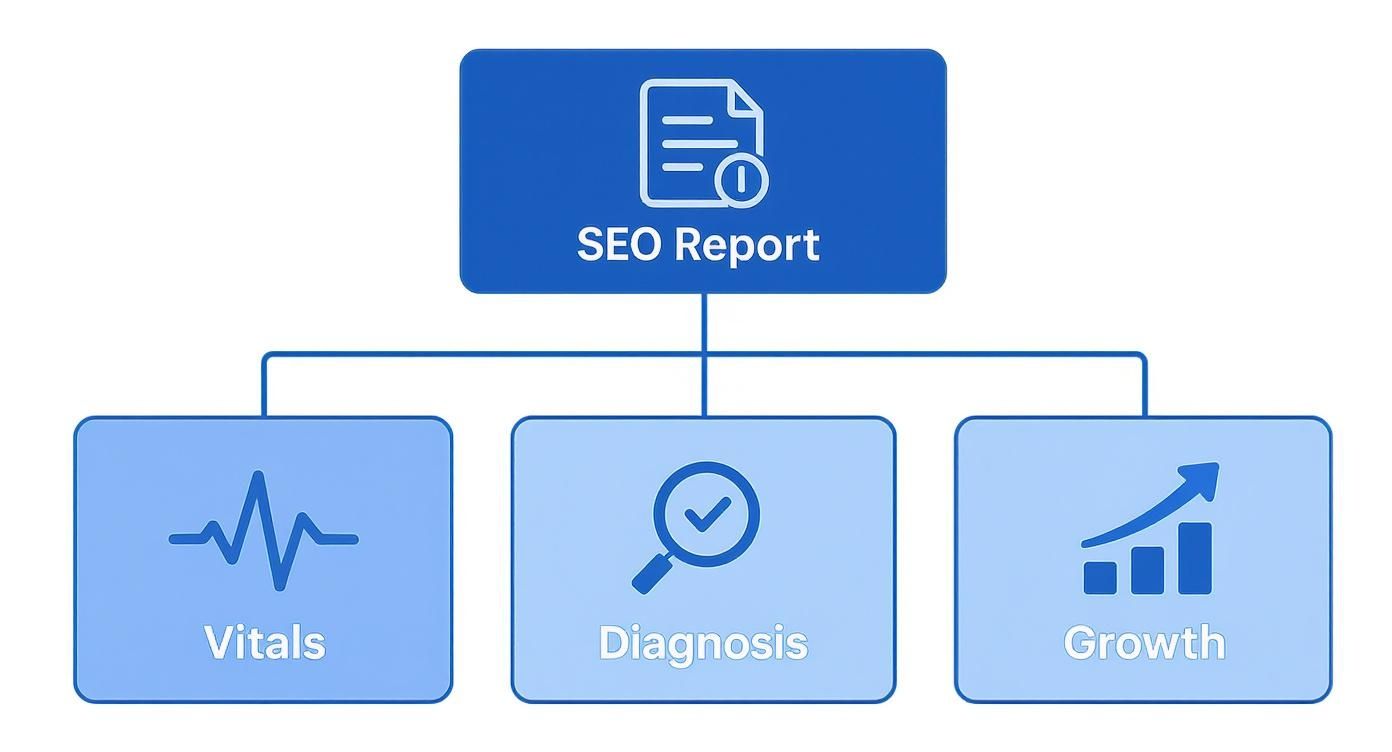
This structure is key. A great SEO report doesn't just throw data at you. It analyzes that data to pinpoint what's wrong and then lays out a clear path forward. Let's peel back the layers on each of these critical sections.
Organic Traffic Analysis: The Pulse of Your Website
Organic traffic is the lifeblood of your SEO efforts. This part of the report answers the most important question of all: "Are people actually finding my website through Google?" It's a direct measure of visitors who land on your site from an unpaid search result.
But it’s about more than just one big number. A solid analysis will slice and dice this traffic to reveal the trends that matter.
- Traffic Volume Over Time: Are you growing, stalling, or shrinking? A simple line graph showing traffic over the last few months tells you instantly if you have momentum.
- Top Performing Pages: Which pages are your heavy hitters? Knowing this helps you find your most valuable content—maybe it's a blog post on "commercial convection oven maintenance" that you can expand on.
- Geographic Location: Where in the world are your visitors? For a restaurant equipment supplier, seeing a spike in traffic from a specific state could be a sign to explore a new market.
This data doesn't just count visitors; it tells you who they are and what they're interested in, which is pure gold for refining your strategy. To really dig in, the data is usually pulled from various top SEO audit report tools.
Keyword Rankings: Your Visibility on the Digital Shelf
If organic traffic is the lifeblood, then your keyword rankings are your storefront on the busiest street in the world. This section shows you exactly where your website shows up in Google when someone searches for something you sell. Ranking on the first page for a term like "stainless steel prep tables" puts your product right in front of a customer at the very moment they’re ready to buy.
An SEO report doesn't just show your current rankings; it tracks movement. Seeing a keyword climb from page three to page one is a clear indicator that your SEO efforts for that term are succeeding.
Here’s what you’ll typically see:
- Top Keywords: A list of the search terms that are bringing the most people to your website.
- Ranking Position: Your site’s exact position for each keyword you're tracking (e.g., #3, #12, #54).
- Ranking Changes: How your position has shifted over time (e.g., up 5 spots, down 2 spots).
- Search Visibility: An overall score that gauges your "market share" in search results against your competitors.
Keeping a close eye on these rankings helps you figure out which products are getting noticed and which ones need a boost. A sudden drop can also be an early warning of a technical glitch or a new competitor making a move.
Backlink Profile Health: Your Online Authority
Imagine your business is a new restaurant. Every time a respected food critic gives you a rave review, your reputation soars. In the digital world, backlinks are those rave reviews. A backlink is simply a link from someone else's website to yours, and Google sees them as powerful votes of confidence.
A healthy backlink profile is absolutely essential for strong SEO. It tells Google your site is a credible, authoritative source of information. This section of the report is basically a full audit of those "votes."
It usually looks at a few things:
- Total Number of Backlinks: The raw count of links pointing to your site.
- Referring Domains: The number of unique websites linking to you. Getting 100 links from 100 different sites is way more valuable than getting 100 links from just one.
- Link Quality: The authority of the sites linking back to you. One link from a major industry publication is worth more than a hundred links from obscure blogs.
- New and Lost Links: This tracks your progress. Are you earning new links faster than you're losing old ones? It’s a great way to measure your content and outreach efforts.
A strong backlink profile gives you the authority to rank for competitive keywords, making this a non-negotiable part of any serious SEO report.
Technical SEO Audit: The Foundation of Your Building
Finally, the technical audit. Think of this as the building inspection for your website. You could have incredible products and amazing content, but if your site has a cracked foundation, search engines—and your customers—will have a hard time getting in.
This section flags the behind-the-scenes issues that can quietly sabotage your performance.
Common things to check for include:
- Site Speed: How fast do your pages load? A slow site is frustrating, and Google penalizes it.
- Mobile-Friendliness: Does your site work well on a phone? With more than half of all web traffic coming from mobile, this is a must.
- Crawlability: Can search engine bots easily find and understand all the important pages on your site?
- Broken Links: Finding and fixing those "404 error" pages is crucial for a good user experience.
Fixing these foundational problems is often the very first thing you need to do. A clean bill of technical health ensures all your other hard work—from writing content to building links—can actually pay off.
Turning Data Into Actionable Business Decisions
An SEO report packed with impressive charts and climbing graphs is only half the story. If you don't have a clear plan for what to do next, it's just a collection of numbers. The real power comes from turning that data into a strategic roadmap that actually grows your business. This is the moment you shift from just looking at information to actively using it.
Think of your report as a detective's case file. Every metric is a clue, and it's your job to piece them together to solve the ultimate mystery: how to get more customers. It’s all about reading the story the data is telling you and translating those insights into smart, prioritized actions.

Connecting the Dots Between Different Metrics
Individual metrics rarely paint the full picture. The magic really happens when you start linking data points from different parts of your report to uncover what’s really going on. This process is how you find the "why" behind the "what."
Let's say your report shows a 30% jump in organic traffic but, confusingly, a 5% drop in conversions. At first glance, that makes no sense. More visitors should mean more sales, right?
But then you dig a little deeper. You connect those two stats with a third clue from your technical audit: your page load speed has slowed down by two seconds. All of a sudden, the story clicks into place. People are finding your site, but they're getting fed up with the slow experience and bouncing before they can buy anything. The problem isn't your traffic strategy; it's a user experience issue that needs to be fixed, fast.
How to Interpret Common Scenarios
Let’s walk through a few common situations you'll likely see in your SEO reports and what they could mean for your business.
-
Scenario 1: A Sudden Drop in Organic Traffic
This is almost always an alarm bell. Your first move should be to check the technical SEO section for crawl errors or any manual penalties from Google. If everything looks clean there, check your keyword rankings. Did a high-traffic keyword suddenly fall off the first page? That could mean a competitor just overtook you, or a recent Google algorithm update shook things up. -
Scenario 2: Keyword Rankings Are Fluctuating Wildly
A little bit of movement is normal, but big, constant swings can signal a problem. It might mean your page isn't quite hitting the mark for what users want when they search that keyword. Google could be testing your page against others to see which one performs best. The fix is usually to revisit your content and make sure it’s the best possible answer for that search query. -
Scenario 3: High Traffic but Low Conversions
Like our example above, this often points to a mismatch between your content and what your visitors expect. Are you attracting the right audience in the first place? Once they land on the page, is it obvious what they should do next? This insight should push you to review your on-page calls-to-action, overall user experience (UX), and content relevance.
An SEO report isn't just a summary of the past; it's a guide for the future. Every data point is a signpost telling you which road to take next to reach your business goals more efficiently.
Prioritizing Your Next Steps
Once you understand the story behind the data, it's time to create a game plan. You can't fix everything at once, so you have to focus on what will make the biggest difference. A great way to prioritize is to weigh the effort a task requires against its potential impact.
Here’s a simple framework to follow:
-
Critical Fixes (High Impact, Low Effort): These are your top priorities, no question. Think of things like fixing a
robots.txtfile that's accidentally blocking Google or tweaking the title tag on a crucial product page. These small changes can produce big results quickly. - Strategic Projects (High Impact, High Effort): These are the game-changers. This could be building out a massive content hub for a key product category or launching a targeted campaign to earn high-quality backlinks. They take time and resources but can fundamentally improve your performance.
- Quick Wins (Low Impact, Low Effort): These are the tasks you can knock out when you have a bit of spare time. Things like fixing a few broken internal links or refreshing old blog posts with new information fit in here.
- Resource Drains (Low Impact, High Effort): Stay away from these. This might be trying to rank for a super-competitive keyword that brings in very little revenue. A good report will help you spot which activities simply aren't worth the investment.
By learning how to read your data this way, you can build a clear, prioritized action plan. This is how your SEO report transforms from a static document into a powerful tool for making smarter business decisions. For a closer look at the metrics themselves, our guide on how to measure SEO performance is a fantastic starting point.
How AI Is Revolutionizing SEO Reporting
The old-school SEO report is on its way out. You know the one—a static, backward-looking document that landed in your inbox once a month. Artificial intelligence is completely overhauling this process, turning what used to be a simple health check-up into a dynamic, predictive roadmap for growth.
Think of it this way: AI-powered platforms can sift through mountains of data at a speed that's simply not humanly possible. They spot subtle trends, flag emerging content gaps, and can even predict the traffic potential of new keywords before you’ve written a single word. It’s like having a team of super-powered analysts working for you 24/7.
This fundamental shift means you can finally stop getting bogged down in number-crunching and start focusing on high-level strategy. The tedious work of manual data collection is quickly becoming a thing of the past.
From Reactive to Predictive Insights
The single biggest change AI brings to the table is the move from reaction to prediction. A traditional report might tell you that your rankings for "commercial convection ovens" dropped last week. An AI-enhanced report, on the other hand, can forecast that trend before it happens and suggest specific actions to prevent the drop.
How does it do this? By analyzing thousands of data points simultaneously, from competitor moves and SERP feature changes to seasonal search trends.
- Automated Anomaly Detection: AI instantly flags unusual dips in traffic or rankings that might take a human analyst days to even notice.
- Predictive Keyword Forecasting: It can estimate the future traffic and conversion value of different keywords, helping you intelligently prioritize your content pipeline.
- Intelligent Content Recommendations: AI analyzes what’s already ranking at the top to give you data-backed suggestions for improving your own pages, covering everything from topic depth to internal linking.
AI doesn't just show you the data; it helps you understand what it means. By finding patterns across vast datasets, AI tools deliver insights that are both forward-looking and immediately actionable.
Here's a great example of how an AI-driven tool can take complex data and make it easy to understand.
This dashboard uses AI to categorize keyword intent and pinpoint new opportunities, effectively turning a sea of raw numbers into a clear strategic direction.
The Tangible Benefits of AI in Reporting
This isn't just hype; the move to AI in SEO is delivering real, measurable results. Recent studies show that 86% of SEO professionals have already brought AI into their reporting workflows.
The impact is clear: marketers are reporting a 45% increase in organic traffic and a 38% jump in conversion rates on e-commerce sites after adopting AI tools. What’s more, 75% of them are using AI to slash the time spent on manual tasks like keyword research.
The way we interact with data is also changing. Instead of just static charts, AI is making reports more interactive and far more useful for making smart decisions on the fly. To dig deeper into this evolution, it’s worth reading about reframing KPIs with AI from fixed dashboards to dynamic insight.
Putting It All Together: A Sample SEO Report Template
Theory is great, but let's be honest—nothing makes a concept click quite like seeing it in action. To bring all these ideas to life, we'll step away from abstract examples and build out a practical report template for a fictional restaurant equipment supplier we'll call "ProKitchen Outfitters."
This walkthrough shows you how a report should do more than just dump data on your desk. It should tell a story about your online performance, one that's built specifically for your niche in the restaurant supply industry.
Executive Summary and Key Performance Indicators
Any good report starts with a high-level overview. Think of it as the "30-second summary" for the busy owner or decision-maker who needs the bottom line, fast.
This section would highlight the big wins, like a 15% jump in organic traffic thanks to a new blog series on commercial kitchen efficiency. It would also be upfront about challenges, maybe a slight dip in rankings for the super-competitive keyword "commercial convection ovens," and immediately suggest a plan to regain that ground.
An effective summary doesn't just present data; it provides immediate context and sets the stage for the detailed analysis that follows. It answers the question, "How are we doing?" in less than a minute.
Right below the summary, you'd find a clean, scannable table of the most important Key Performance Indicators (KPIs). This gives a quick, at-a-glance view of the most critical numbers.
Here’s a simplified KPI dashboard that a restaurant equipment supplier like ProKitchen Outfitters would find in their monthly SEO report. It's designed to show progress and flag areas needing attention instantly.
Sample Monthly KPI Snapshot for a Restaurant Equipment Supplier
| KPI | Last Month | This Month | Change | Commentary/Action |
|---|---|---|---|---|
| Organic Traffic | 12,500 | 14,375 | +15% | Growth driven by new blog content. |
| Keyword Rankings | 42 (Top 3) | 48 (Top 3) | +6 | New rankings for "ice machine repair." |
| New Backlinks | 8 | 12 | +4 | Acquired link from a major food blog. |
| Organic Leads | 65 | 78 | +20% | Increased quote requests from traffic. |
This snapshot provides a clear and immediate picture of performance, allowing anyone to grasp the month's trajectory without getting lost in the weeds.
Industry-Specific Metric Deep Dive
Now we get to the good stuff—the part of the report that’s tailored specifically for ProKitchen Outfitters. Instead of generic metrics, the analysis would zero in on what actually drives their business.
- Keyword Performance Analysis: We’re not just tracking broad terms here. The report would dig into rankings for long-tail keywords like "stainless steel prep tables for bakeries" and "walk-in freezer installation services." Why? Because these phrases show a much higher intent to buy from their ideal customers.
- Local SEO for Service Areas: Since this supplier also offers installation and repairs, local search is a huge deal. The report would need to track their Google Business Profile performance, monitoring metrics like clicks-to-call and direction requests in their main service areas. To get this right, it's essential to have a properly configured analytics tracking ID to capture that granular, location-based data.
- Content and Traffic Insights: This is where we look for gold. For example, the report might identify a sudden traffic spike to an old blog post about "common ice machine repair issues." This isn't just a random number; it's a critical insight.
From Insight to Actionable Strategy
This is the final, and most important, piece of the puzzle. A great report doesn't just deliver data; it translates that data into a concrete game plan.
Based on that traffic spike for the ice machine repair content, the report would recommend a clear action: let's build a new marketing campaign around this topic. That could mean creating a downloadable maintenance checklist, producing a quick video tutorial on troubleshooting, and even running some targeted ads for "ice machine services."
And that’s how a powerful SEO report works. It doesn't just show you what happened last month. It shows you exactly what to do next. It connects the dots from a single data point to a full-blown, revenue-generating strategy, making it one of the most valuable tools for growing your business.
Connecting SEO Performance to Business Growth
At the end of the day, an SEO report has to answer the one question every business owner cares about: "Is this investment actually making me money?" Seeing traffic graphs go up and keyword rankings climb is great, but those are just vanity metrics until you can connect them to actual business results. This is where your report stops being a simple summary and becomes a powerful tool for proving your worth.
The trick is to shift the focus from SEO metrics to business metrics. You have to meticulously track how your organic traffic turns into something tangible. Are people filling out quote request forms? Are they downloading spec sheets for your new combi oven? Or are they buying directly from your site? A truly effective report makes this connection impossible to ignore.
Calculating Your Return on Investment
Figuring out the Return on Investment (ROI) from your SEO efforts is the ultimate proof that it’s working. It’s all about tracing leads and sales directly back to organic search. Let's say a potential customer searches for "commercial convection oven," lands on your site, fills out a form, and ends up becoming a $10,000 client. That revenue is a direct win for your SEO strategy.
To get this right, you need a handle on concepts like lead attribution—knowing exactly which marketing channel brought in each lead. It's also crucial to understand Customer Lifetime Value (CLV). Knowing the long-term value of a customer you gained through SEO gives you a much more accurate picture of your real return, far beyond just the first sale.
An SEO report that clearly calculates ROI proves that your marketing isn't just an expense. It's a powerful and predictable revenue driver. This gives you the ammunition to justify your budget and confidently scale up for even bigger wins.
The Financial Impact of Great Reporting
A well-put-together report does more than just track what's happened; it guides smart decisions and unlocks serious financial gains. It's not just theory—companies using detailed SEO reports see an average return on ad spend (ROAS) of 8.75 and an impressive ROI of 702% for B2B SaaS. In some industries, like financial services, that ROI can jump to a staggering 1,031%.
What's more, reports that clearly spell out ROI and track conversions are 36% more likely to be used by executives for strategic planning. That shows just how valuable they are in steering the entire business. You can explore more of these fascinating SEO ROI statistics from First Page Sage to see the full picture.
Got Questions About SEO Reports? Let's Clear Things Up.
As you start digging into SEO, you're bound to have some questions pop up. Getting a handle on how reporting works is key to understanding the whole process and knowing what to expect from your marketing investment. Let's tackle some of the most common ones I hear.
How Often Should I Expect to See an SEO Report?
There's no single "right" answer here—the best reporting schedule really comes down to your specific goals and how aggressive your SEO campaign is. But, there is a standard rhythm to it.
-
Monthly Reports: This is the sweet spot and what most in the industry stick to. A month gives you enough data to see real trends taking shape, but you're not getting lost in the day-to-day noise.
-
Weekly Dashboards: If you’ve just launched a new campaign or are in a really competitive sprint, a weekly check-in can be a lifesaver. It helps you spot changes quickly and make fast adjustments on the fly.
-
Quarterly Reviews: These are fantastic for taking a step back. A quarterly report is where you look at the big picture, assess long-term progress, and plan your strategy for the next few months.
What’s the Difference Between an SEO Report and a Google Analytics Report?
This is a great question. Think of Google Analytics as a massive, unorganized library of every single thing that happens on your website. It's the raw data—it tells you what happened. You can see how many people visited, where they came from, and what pages they looked at.
An SEO report is like having an expert librarian guide you through that library. They pull the most important books (data points), connect them with information from other sources like Google Search Console, and then explain what it all means. The SEO report tells you why things happened and what you should do about it.
Simply put, the SEO report adds the crucial layer of context, analysis, and strategic advice that raw data just can't give you.
Can I Just Make My Own SEO Report?
You absolutely can! Tools like Looker Studio make it possible to pull in your data from Google Analytics and Search Console and build your own dashboards. It's a great way to get your hands dirty with the data.
But here’s the thing: the real power of a professionally done report isn't just in the slick charts. It's in the expert analysis. An experienced SEO specialist doesn't just present numbers; they interpret them. They see the story the data is telling, spot hidden opportunities, and turn a bunch of complex metrics into a clear, straightforward plan for growth. That insight is often worth more than the report itself.
Ready to turn your website data into a clear strategy that actually grows your business? Restaurant Equipment SEO creates reports that tie every metric back to what matters most: your bottom line. See how we can help at https://restaurantequipmentseo.com.