
How to Do a Site Audit for Your Foodservice Website
Before you even think about crawling a single URL, you need a game plan. A proper site audit isn't just about spotting technical glitches; it's about tying every finding back to a real business outcome. Jumping straight into a technical tool without a strategy is like a chef trying to cook a five-course meal without a menu—you’ll be busy, but the end result will be a mess.
The entire process really boils down to three key stages: defining clear business goals, picking the right tools for the job, and setting up a solid system to track what you find and what you fix. Get this foundation right, and you're not just collecting data; you're creating a roadmap for growth.
Building Your Site Audit Game Plan
A great audit starts with a clear purpose. What are you actually trying to achieve? Are you aiming to get more organic traffic for high-margin categories like "commercial refrigerators," or do you need to boost conversions on your equipment financing page? Knowing exactly where you want to go is the only way to figure out how to get there.
Define Your Objectives
Your goals will dictate the entire focus of your audit. Forget vague objectives like "improve SEO." You need to get specific. For a foodservice supplier, solid goals might look something like this:
- Boost organic rankings for the "commercial ice machines" category by 10% within the next three months.
- Slash the bounce rate on key product pages by 15% to show Google people are finding what they need.
- Get mobile site speed under 2.5 seconds to better serve chefs and contractors browsing on their phones from a job site.
Gather Your Essential Tools
Once you know what you're looking for, you need the right tools to find it. The good news is you don't need a bunch of expensive subscriptions to do a killer DIY audit. A few core tools will get you most of the way there.
- Google Search Console: This one's non-negotiable. It's your direct line to Google, showing you exactly how they see your site, from index status to crawl errors.
- Google Analytics: This is where you see how real people interact with your site. It’s absolutely essential for understanding user behavior, traffic sources, and conversion rates.
- A Site Crawler: A tool like Screaming Frog (which is free for up to 500 URLs) is perfect for digging into the technical side, finding broken links, and checking your on-page SEO at scale.
This simple flow chart really helps visualize how to structure your audit from start to finish.
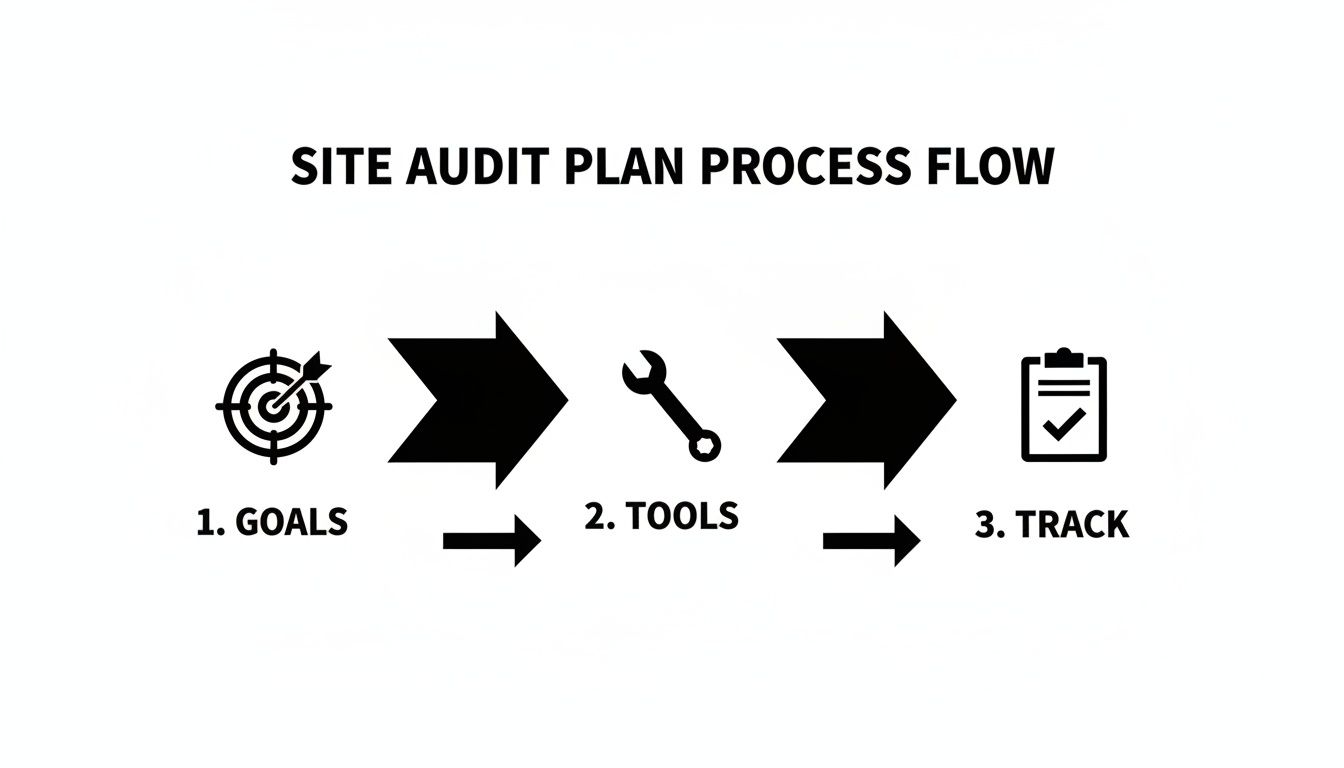
Breaking it down into these three stages—goals, tools, and tracking—makes the whole project feel much more manageable.
Create a Tracking System
Finally, you need one central place to log everything you find. A simple spreadsheet or a Trello board works great for this. Just create columns for the issue, the URL where you found it, a priority level (high, medium, or low), what the fix is, and the status. This document is what turns a big pile of data into an actionable to-do list.
For more on organizing your findings, our guide on https://restaurantequipmentseo.com/blogs/restaurant-equipment-seo-blog/what-is-an-seo-report offers some great pointers on how to structure your reports effectively.
An organized audit is an effective audit. Your tracking document is the bridge between analysis and action, ensuring no critical issue falls through the cracks.
Ignoring your site's technical health isn't something you can afford to do. With SEO being a $72.31 billion market, a solid audit is your competitive edge. Considering that 71% of small businesses have a website, using even free tools for a quick audit can make a huge difference. As you get started, this detailed guide on how to perform a website audit is another fantastic resource to keep handy.
Fixing Your Technical SEO Foundation
Your website's technical health is the bedrock of its search performance. I like to think of it as the kitchen in a restaurant—if the foundation is shaky, with faulty wiring and plumbing, it doesn't matter how great the chef is. We'll start by focusing on crawlability and indexability, making sure search engines can find and understand your pages without hitting any roadblocks.
This part of the audit is all about hunting down issues that confuse search engine bots. Common culprits I see all the time are broken links leading to dead ends, redirect chains that send bots on a wild goose chase, and incorrect robots.txt directives that accidentally block entire product categories. Every one of these errors creates friction and waters down your site's authority.
Mastering Crawlability And Indexability
Checking your site's index coverage is a huge part of learning how to do a proper site audit. Your first stop should always be the "Pages" report inside Google Search Console. Think of it as your direct line to Google, showing which pages are indexed and, more importantly, which ones aren't and why.
Keep an eye out for these common errors:
- "Discovered – currently not indexed": This means Google knows the page exists but hasn't gotten around to crawling it, which often points to crawl budget issues.
- "Crawled – currently not indexed": Google took a look at the page but decided it wasn't valuable enough to index. This is a big red flag for thin or duplicate content.
-
"Blocked by robots.txt": A simple line in your
robots.txtfile is telling Google to stay away.
Fixing these is absolutely critical. For example, a single misconfigured line in a robots.txt file could be hiding your entire "Commercial Ovens" category from search results. Correcting that one text file could unlock a significant amount of organic traffic almost overnight. For a much deeper dive into bot behavior, a full guide to log file analysis can show you exactly how search engines are interacting with your site.
A clean, logical site architecture isn't just nice to have; it's non-negotiable. If a potential customer has to click more than three times to get from your homepage to a specific "walk-in freezer" model, your site structure is too deep. That's frustrating for users and search engine crawlers alike.
Of course, a solid technical foundation also means being secure. Implementing essential website security best practices is paramount. A secure site is a trustworthy site in the eyes of both Google and your customers, which directly impacts rankings and conversions.
Prioritizing Site Speed And Mobile Experience
Let's be clear: site speed isn't a suggestion anymore; it's a requirement. Slow-loading pages are one of the biggest reasons for high bounce rates, especially for busy restaurant owners browsing on their phones between shifts. Your audit must include a thorough check of your Core Web Vitals, which are Google's way of measuring the real-world user experience of your pages.
This table breaks down the three key metrics you need to watch. It's a quick checklist to see where you stand and what might be causing any slowdowns on your site.
Core Web Vitals Performance Checklist
| Metric | Good Score | Needs Improvement Score | Common Causes |
|---|---|---|---|
| Largest Contentful Paint (LCP) | Under 2.5 seconds | Over 4.0 seconds | Uncompressed product images, slow server response times, render-blocking JavaScript/CSS. |
| Interaction to Next Paint (INP) | Under 200 milliseconds | Over 500 milliseconds | Heavy JavaScript execution from third-party scripts (e.g., live chat), complex CSS, large DOM size. |
| Cumulative Layout Shift (CLS) | Below 0.1 | Above 0.25 | Ads or banners without defined dimensions, web fonts loading late, dynamically injected content. |
Monitoring these metrics helps ensure your site feels fast and responsive, which is exactly what both users and Google want to see.
These metrics are particularly vital for mobile users. In a digital world with 1.13 billion websites, mobile performance is everything. Nearly 59% of all website traffic came from mobile devices in late 2023, and Google’s Core Web Vitals reflect this mobile-first reality.
The numbers don't lie. Sites that fail mobile speed tests see bounce rates skyrocket, and 57% of consumers say they won't recommend a business with a poorly designed mobile site. Making matters worse, broken links—which plague 35% of sites that fail Core Web Vitals on mobile—just add to the frustration.
From my experience, oversized product images of commercial kitchen equipment are the number one speed killer. Compressing these images without losing visual quality can dramatically improve your LCP. Likewise, minimizing third-party scripts from things like live chat widgets or analytics tools can give your INP score a serious boost. Your best bet is to run your key pages through Google's PageSpeed Insights tool for a specific, actionable list of fixes.
Diving Into Your Content and On-Page SEO
If the technical audit is like checking the wiring and plumbing of a restaurant, then your content and on-page SEO are the menu. It's what actually draws people in. You can have the most technically perfect website in the world, but without compelling, findable content, it's just an empty kitchen.
This is where we roll up our sleeves and look at every single page—from your "commercial deep fryer" product listings to your blog posts on kitchen ventilation—to make sure they’re tuned to perfection.

We’ll start broad by figuring out what content you’re missing entirely. Then, we’ll zoom in to fine-tune the crucial on-page elements that both search engines and potential customers pay attention to.
Find Easy Wins With a Content Gap Analysis
Ever feel like you're just guessing what to write about? A content gap analysis takes the guesswork out of it. It’s a straightforward process for finding topics your competitors are ranking for that you aren’t even touching. This is where you'll find some serious gold.
First, pick two or three of your biggest direct competitors. Using an SEO tool like Ahrefs or Semrush, you can run a report that shows you all the keywords they rank for that your site doesn't.
You’ll quickly spot opportunities you've been missing, like:
- Buying Guides: Maybe a competitor has a comprehensive guide on "how to choose a commercial convection oven" that’s pulling in chefs and kitchen managers every single day.
- Comparison Articles: They could be scooping up valuable traffic with articles comparing different "commercial dishwasher" models.
- Maintenance Tips: Blog posts like "how to maintain your walk-in cooler" attract the exact people who buy from you.
This isn't about copying them. It's about using data to build a smarter content plan. You get a proven list of topics that your target audience is actively searching for.
Auditing the Core On-Page SEO Elements
Now, with a list of important pages (both existing ones and the new ideas from your gap analysis), it’s time to get into the weeds of on-page SEO. These are the direct signals you send to Google telling it what your page is about. We cover this in much more detail in our guide on what is on-page optimization.
For this audit, zero in on these elements for each key page:
- Title Tags: This is the blue link people see in the search results. A generic title like "Product Page" is a wasted opportunity. Something specific like "Buy Hobart HL200 20-Quart Commercial Mixer | Free Shipping" tells both Google and the user exactly what they're getting.
- Meta Descriptions: Think of this as your free ad copy on Google. While it won't directly boost your rank, a compelling description convinces people to click your link instead of the competition's. Mention your warranty, free shipping, or key features.
- Header Structure (H1, H2, H3): Your page needs one, and only one, H1 tag that clearly states the main topic. Use H2s and H3s to break up your content into logical, easy-to-scan sections. This makes the page much more user-friendly.
A well-structured page isn't just an SEO trick; it's about the user. Research shows that up to 88% of users are less likely to return to a website after a bad experience. A giant wall of text is a classic bad experience.
Rooting Out Thin and Duplicate Content
Finally, we need to find and fix two of the most common issues that can quietly drag down your site's authority: thin content and duplicate content.
Thin content is any page that offers little to no real value. Think of those old, 200-word blog posts or product pages that just have a single sentence copied from the manufacturer's catalog. These pages can make your whole site look low-quality in Google's eyes.
Duplicate content is when the same—or very similar—content appears on multiple URLs. In e-commerce, this often happens with manufacturer-supplied descriptions used across dozens of similar products or when printer-friendly pages get indexed. It confuses search engines, and when Google is confused, it often just chooses to rank none of them well.
Use your site crawler to flag pages with a low word count (a good indicator of thin content). You can also use a tool like Siteliner to hunt for duplication. The fix is usually straightforward: beef up the page with unique, valuable information, or if it serves no real purpose, remove it and redirect the URL to a more relevant page.
Unpacking Your Backlink Profile and Authority
Off-page SEO really boils down to one thing: credibility. And in Google's eyes, credibility is largely built through your backlink profile. Think of a link from another website as a vote of confidence. The more high-quality, relevant votes you get, the more authority your site builds over time.
A huge part of any serious site audit is taking a hard look at who’s linking to you and why. You need to get a clear picture of your link profile's health, separating the good links that boost your authority from the toxic junk that could be dragging you down. This isn't just about damage control; it's also a fantastic way to spot new opportunities.
You'll need a solid tool for this. My go-to choices are Ahrefs or Semrush because they do the heavy lifting of crawling the web and painting a clear picture of your entire backlink portfolio.
How Strong Are Your Links?
First things first, you need a baseline. In Semrush, this is called Authority Score, while Ahrefs calls it Domain Rating. These scores, usually out of 100, give you a quick snapshot of your website’s overall strength based on the quantity and quality of its backlinks.
Don't get too hung up on the number itself. What really matters is how it trends over time and how it stacks up against your direct competitors. The real story is in the individual links that make up that score.
When you're digging into your links, here’s what you should be looking for:
- Relevance: Is the linking site in our world? A link from a popular chef’s blog reviewing one of your commercial mixers is gold. A random link from a site about dog breeding? Not so much. Context is everything.
- Authority: Links from well-established, trusted websites pass more "link juice." A mention from an industry giant like Foodservice Equipment & Supplies magazine is incredibly powerful.
- Placement: Where the link appears on the page matters. A link woven naturally into a paragraph of an article is far more valuable than one buried in a footer or a giant list of a hundred other sites.
A healthy backlink profile looks natural and diverse. You want to see links coming from a good mix of relevant blogs, industry news sites, supplier directories, and even your local chamber of commerce.
Finding and Dealing with Toxic Links
Unfortunately, not all links are created equal. Some can actively hurt your rankings. These toxic links typically come from spammy, low-quality sites built for the sole purpose of trying to manipulate search results. A proper backlink audit means finding these bad actors.
Your SEO tool will probably flag potentially toxic links for you. It's looking for signals like links coming from known spam domains or being part of a shady link network. But you still need to put a human eye on them. For example, if you suddenly have a bunch of links from unrelated, foreign-language sites all using strange anchor text, that's a massive red flag.
A word of caution: If Google has slapped you with a manual action penalty or you know for a fact you've been the target of a negative SEO attack, using the Google Disavow Tool is a must. But for the average site with just a few random spammy links, it's usually best to just let Google's algorithm do its job and ignore them. Overusing the disavow tool can cause more harm than good.
Spying on Your Competitors for New Opportunities
Here's where the audit gets fun and proactive. One of the most powerful things you can do is systematically analyze your competitors' backlink profiles. This reverse-engineers their strategy and hands you a ready-made roadmap for your own link-building efforts.
Just pop a competitor's domain into a tool like Semrush’s Backlink Analytics and you can see every single website that links to them. Filter that list to see where they're getting high-authority links that you’re missing out on. You might uncover industry blogs you’ve never heard of or partnership opportunities you completely overlooked.
Let's say you discover your main competitor has links from three different articles on "The Best Commercial Pizza Ovens of 2024." That’s a clear signal. It tells you that creating your own, more comprehensive guide on that topic is a proven way to earn the same kind of valuable links. At this point, your audit shifts from fixing problems to strategically building a stronger, more authoritative website.
6. From Clicks to Customers: Auditing User Experience and Conversion Rates
Getting a potential buyer to land on your website is a huge win, but it’s only half the battle. Now, the real work begins: turning that visit into a sale. This is where we stop thinking so much about what search engines want and start focusing entirely on what your customers need.
A clumsy, confusing website doesn't just frustrate people; it actively sends them—and their money—to your competitors.
Imagine a busy restaurant owner trying to order a new commercial convection oven during a rare quiet moment. They need to find the right model, check the specs, and get the order placed. Fast. If your navigation is a maze or the checkout process is a nightmare, they're gone. This part of the audit is all about sanding down those rough edges to improve the user experience (UX) and boost your conversion rate (CRO).
Walking in Your Customer’s Shoes
The best way to start is to become the customer. Seriously, try to buy something from your own site. How easy is it to get from the homepage to a specific product, like a "Manitowoc ice machine"? Can you find the warranty information and spec sheets without wanting to pull your hair out?
A clunky user journey is a conversion killer. Here’s what to look for:
- Navigation and Site Structure: Is your main menu actually helpful? Are product categories clear, or are "fryers" and "grills" all lumped together under a generic "Cooking Equipment" tab? A clean, intuitive navigation path is non-negotiable.
- Clear Calls-to-Action (CTAs): Every page should have a purpose. Your "Add to Cart," "Request a Quote," and "Contact Us" buttons need to be obvious and compelling. If a user has to hunt for the next step, you've already lost them.
- Friction in the Checkout: Count the steps it takes to buy something. Are you forcing people to create an account? A long, complicated checkout is the number one reason people abandon their carts.
I once worked with a supplier whose cart abandonment rate was over 80%. It was staggering. We found out their checkout had seven separate steps and demanded users create an account upfront. By slashing it to three steps and adding a guest checkout option, we cut that abandonment rate in half in the first month.
Using Data to See What Users Really Do
Your gut feelings about the site's usability are a great starting point, but you need hard data to back them up. This is where tools that track user behavior become your best friend. Heatmaps, for instance, give you a visual look at where people are clicking, moving their mouse, and how far they scroll.
This kind of data can uncover problems you’d never spot on your own. You might see dozens of people clicking on an image that isn't a link, which tells you they expect it to be. Or you might realize that almost no one scrolls far enough down the page to see your most important call-to-action. This isn't just interesting trivia; it's a roadmap for improving your site's design.
Building Trust and Nailing the Mobile Experience
These days, trust is everything. With growing cybersecurity threats, a secure website is table stakes. First up, check your SSL certificate. While 85% of sites use HTTPS, a surprising 10% still have mixed content issues that trigger those scary browser warnings. With Google dominating 93.9% of mobile searches, an unsecured site is a huge red flag.
A full security audit isn't just about protecting data; it's about making your customers feel safe. This is especially true on mobile, where 57% of users say they won't recommend a business with a poorly designed mobile site. You can explore more website audit trends to see just how critical these elements have become.
Finally, don't ever forget about mobile. Chefs, GMs, and contractors are all browsing on their phones between shifts or on a job site. Your audit must include a thorough mobile usability check. Grab your phone and test everything. Can you actually use the menus? Are product images clear? Is the text readable without pinching and zooming? A bad mobile experience is a direct path to losing customers.
Here's a quick checklist to guide your UX and CRO audit, focusing on the highest-impact areas first.
UX and CRO Audit Checklist
This checklist breaks down the key areas to review for user experience and conversion optimization on a restaurant supply e-commerce site. It’s prioritized to help you focus on the changes that will make the biggest difference.
| Audit Area | Key Checkpoints | Impact Level (High/Medium/Low) |
|---|---|---|
| Site Navigation | Is the main menu logical and easy to understand? Are product categories intuitive? Is the site search function accurate and helpful? | High |
| Product Pages | Are images high-quality and zoomable? Are spec sheets easy to find and download? Are product descriptions clear and comprehensive? | High |
| Call-to-Action (CTA) | Are "Add to Cart" and "Request Quote" buttons prominent, with clear, action-oriented text? Are they visible without scrolling? | High |
| Checkout Process | Is guest checkout available? Is the process short (3-4 steps max)? Are shipping costs shown upfront? | High |
| Mobile Experience | Is the site fully responsive? Are buttons and links easy to tap? Is text readable without zooming? Does the checkout work flawlessly on mobile? | High |
| Trust Signals | Is the SSL certificate valid (HTTPS)? Are customer reviews/testimonials visible? Are return policies and contact info easy to find? | Medium |
| Page Speed | Do pages load in under 3 seconds? Are images optimized for web? (Overlap with technical SEO, but huge for UX) | Medium |
| Forms | Are contact/quote forms simple and short? Do they provide clear error messages if filled out incorrectly? | Low |
By systematically working through these checkpoints, you can pinpoint the exact friction points that are costing you sales and create a much smoother path from browser to buyer.
Common Questions About Website Audits
Even with a detailed guide, diving into your first real site audit can feel like a huge undertaking. It's totally normal to have questions about the timing, the right tools, or whether you should even tackle it yourself. Let's clear up some of the most common questions we hear from folks in the foodservice industry.

How Often Should I Do a Site Audit?
For most e-commerce sites in the restaurant supply world, a deep, comprehensive audit once a year is a solid baseline. Think of this as your annual deep clean—a full teardown of everything from technical health to your content strategy.
But don't wait a full year to check in. I always recommend smaller, more focused health checks every quarter.
These quarterly reviews don't need to be all-encompassing. You might just focus on the fundamentals like crawl errors, broken links, and site speed to make sure the foundation is still solid.
And then there are times when an immediate, full audit is non-negotiable, no matter your schedule. These triggers include:
- A major website redesign or re-platforming project.
- Migrating your site to a new host or CMS.
- A sudden, significant, and unexplained drop in your organic traffic or keyword rankings.
Sticking to a regular schedule keeps you in the driver's seat. It’s so much easier to fix small issues every few months than to face a mountain of problems that have been quietly hurting your performance for a year.
What Are the Best Tools for a DIY Audit?
You can pull off a surprisingly powerful DIY audit with a smart mix of free and paid tools. You really don't need a huge software budget to find the most critical insights.
Your essential toolkit absolutely has to start with the free powerhouses: Google Search Console and Google Analytics. These are non-negotiable. They give you a direct line to how Google sees your site and how real people behave when they visit.
For the technical crawl, Screaming Frog offers a fantastic free version that crawls up to 500 URLs, which is often plenty for smaller sites. To check your site speed, Google’s own PageSpeed Insights is the final word.
When you’re ready to dig deeper into your backlink profile or see what your competitors are up to, paid tools like Ahrefs or Semrush are the industry standard. Even their free trials can give you a great starting point for understanding your site's authority in the market.
The best DIY audit isn't about having the most expensive tools. It's about combining insights from a few different ones to build a complete picture. Each tool reveals a different piece of the puzzle, from technical code to human behavior.
What Is the Biggest Mistake People Make?
The single biggest mistake I see people make is getting stuck in "analysis paralysis." This happens when you run a tool, get back a massive report with hundreds of "errors," and become so overwhelmed that you do nothing at all. It's easy for software to flag every tiny imperfection, but the reality is most of them have a negligible impact on your business.
A successful audit isn't about finding every single problem. It's about prioritizing fixes based on their impact vs. effort.
You have to end your audit with a clear, prioritized roadmap that your team can actually execute. For example, fixing a broken link on a top-selling commercial refrigerator page is infinitely more valuable than updating the alt text on a five-year-old blog post that gets no traffic.
Always ask yourself: "Which of these fixes will make the biggest difference for our customers and our revenue?" That question will cut through the noise and point you toward a practical action plan.
Should I Do an Audit Myself or Hire Someone?
This is the big one, and it really comes down to three things: your available time, your technical expertise, and the complexity of your website.
A small business owner can absolutely use this guide to perform a basic but effective audit. You can find a lot of low-hanging fruit and get a solid read on your site's health this way.
However, for a large e-commerce site with thousands of product pages, hiring an experienced SEO professional is a smart investment. An expert brings a level of strategic insight that only comes from years of experience. They can interpret complex data, see patterns you might miss, and connect the technical fixes to tangible business growth. Sometimes, an outside expert provides the clarity you need to finally move forward with confidence.
At Restaurant Equipment SEO, we transform complex audit data into clear, actionable growth strategies for foodservice suppliers. If you're ready to turn insights into revenue, learn how our specialized SEO services can help you dominate your market.