
Improving Website Conversion Rates for Equipment Suppliers
Boosting your website's conversion rate isn't about guesswork. It’s a methodical process: you find out where potential customers are bailing, and then you fix what's causing the friction. For anyone selling restaurant equipment, this usually boils down to three key areas: hyper-detailed product pages, no-surprise shipping costs, and a checkout process that’s quick and painless.
Nail these, and you'll see more of that high-intent traffic turn into actual orders.
Your Blueprint for Higher Conversion Rates
Getting a casual browser to become a paying customer is the name of the game, but it's a different challenge when you're selling commercial-grade equipment. This guide isn't about generic tips like changing button colors. We're diving deep into what makes a chef or a restaurant owner feel confident enough to hit "purchase" on a multi-thousand dollar piece of equipment.
The first step is getting inside your customer's head. They aren't impulse buying; this is a major business investment. Your website has to reflect that reality by offering exhaustive information and building rock-solid trust from the very first click.
Understanding the B2B Buyer Journey
Unlike a typical online shopper, your audience needs much more than a nice photo and a price. They're making a calculated decision and hunting for specific, deal-breaking information.
Before they even think about buying, they absolutely need to know:
- Technical Specifications: We're talking precise dimensions, power requirements like voltage and phase, and material details. This isn't optional; it's essential.
- Logistics and Shipping: How, exactly, does a 500-pound commercial range get from your warehouse to their kitchen door? Clear, upfront freight shipping info is a must.
- Durability and Warranty: These buyers need to know their investment can handle the brutal environment of a commercial kitchen. Warranty details are a huge trust signal.
- Financing Options: Let's be real—these are big-ticket items. Making financing options visible and easy to understand can be the one thing that pushes a hesitant buyer over the line.
Your website doesn't just sell equipment; it sells confidence. Every single element, from the product description to the final checkout form, has to reassure the buyer that you're a reliable partner. A missing spec sheet or a vague shipping policy can shatter that trust in an instant and send them straight to your competitor.
Building a Data-Driven Strategy
Random changes get random results. A successful CRO strategy is built on data, not hunches. You need a methodical approach to find and fix the real problems your users are facing.
Before you touch a single thing on your site, you have to establish your baseline by tracking Key Performance Indicators (KPIs). This is the only way you’ll know if your changes are actually working. This framework lets you measure the direct impact of your efforts, ensuring every tweak you make is moving the needle in the right direction. If you want a solid framework for this, digging into a data-driven playbook for improving ecommerce conversion rates can give you a great head start.
This guide will walk you through the entire process, starting with a deep-dive audit of your sales funnel to see exactly where you're losing people. From there, we’ll tackle everything from product page design to checkout flow, giving you the practical tools you need to systematically improve your site’s performance.
Conducting a Full-Funnel Conversion Audit
Before you can even think about boosting conversions, you have to know where your customers are getting stuck. Trying to improve your website's performance without a proper audit is like trying to fix an engine without looking under the hood—you're just guessing. A full-funnel audit is your diagnostic tool, showing you exactly where you're losing people between the first click and the final "thank you" page.
Think of your website like a physical showroom for a moment. Are potential buyers walking in the front door and leaving immediately? That’s a high bounce rate. Are they wandering the aisles, unable to find the right commercial freezer? That's a navigation or filtering problem. Or are they abandoning a cart full of gear right at the checkout counter? That's friction you need to eliminate. Without data, you’re flying blind.
Mapping the Customer Journey with Analytics
First things first, you need to follow the digital footprints. Tools like Google Analytics are essential for tracing the paths visitors take and, more importantly, pinpointing where they drop off. This isn't about staring at your overall traffic numbers; it's about digging into the user behavior flows to see the story they tell.
For a restaurant equipment business, the trouble spots are often predictable:
- High-Traffic, High-Exit Category Pages: If lots of people land on your "Commercial Refrigerators" page but leave without clicking anything, something's wrong. It could be clunky product filters or a layout that makes it impossible to compare models.
- Low Add-to-Cart Rates on Product Pages: This is a huge red flag. It usually means the page is missing crucial information—think detailed specs, clear warranty info, or high-quality photos and videos.
- Major Drop-Off at the Shipping Stage: In this industry, surprise freight costs are the ultimate conversion killer. If you wait until the last step to reveal shipping fees, you’re practically asking customers to abandon their carts.
The goal is to find these friction points and smooth them out, creating a more direct path to purchase.
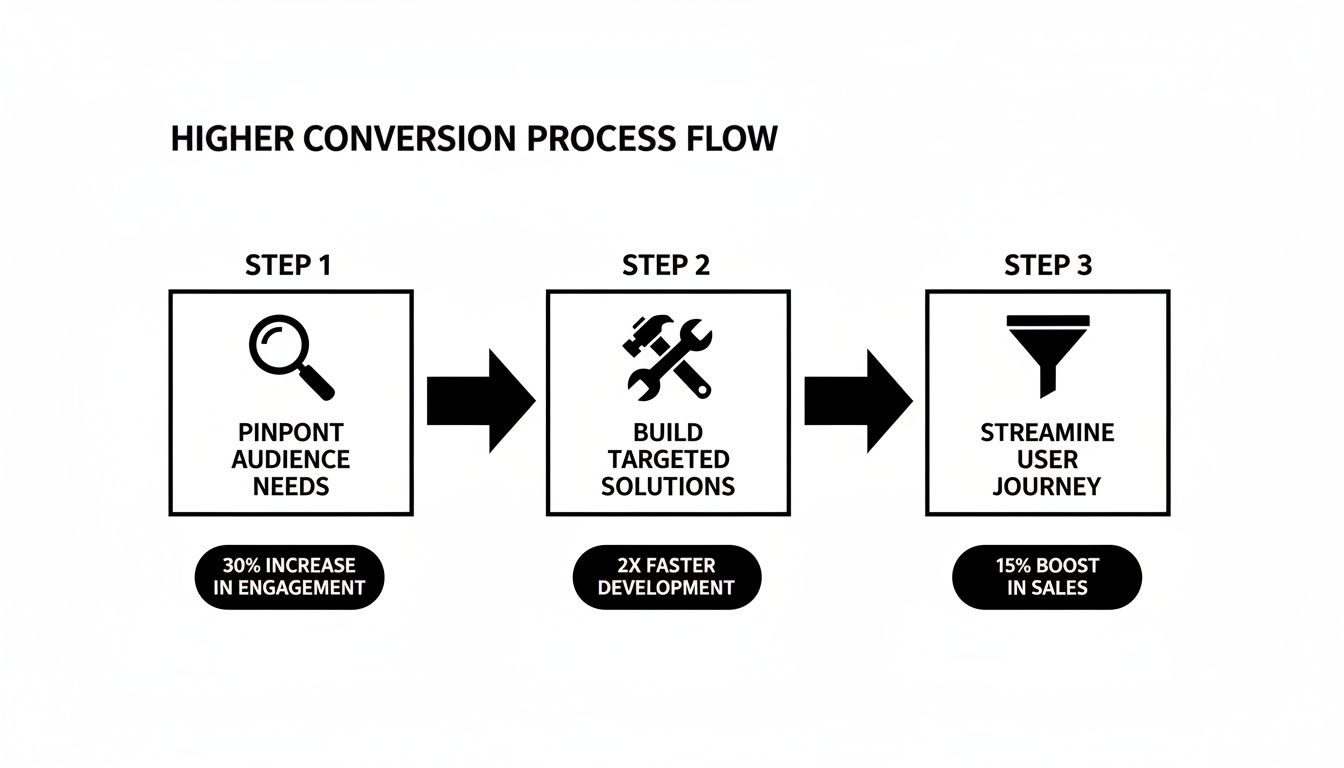
This data-first approach lets you stop guessing and start making targeted fixes that actually move the needle.
Uncovering the "Why" Behind the Data
Analytics tell you what is happening, but they don't always tell you why. That's where tools like heatmaps and session recordings come in. A heatmap from a service like Hotjar shows you exactly where people are clicking, moving their mouse, and how far down the page they scroll. If nobody is clicking your "Request a Quote" button, a heatmap will show you that cold, un-clicked spot in stark terms.
Session recordings are even more powerful. They're like watching over a user's shoulder as they navigate your site. You might see a chef struggling to find the spec sheet for a combi oven or a purchasing manager getting frustrated trying to apply a promo code. This kind of qualitative feedback is pure gold for understanding what’s really breaking the user experience.
From experience, a common issue we see is a restaurant owner on their phone, trying to pinch-and-zoom a PDF spec sheet that isn’t mobile-friendly. They’re not going to call you for help—they’re just going to leave and find a competitor. Session recordings bring these small but critical usability failures to light.
If you want a more structured way to tackle this, our guide on how to perform a website audit walks through the entire diagnostic process step-by-step.
Prioritizing Your Optimization Efforts
Once you have all this data, you'll likely have a long list of potential fixes. The key is not to get overwhelmed and try to change everything at once. Instead, prioritize based on what will have the biggest impact on your bottom line.
A good starting checklist for any equipment supplier should include:
- Shipping Transparency: Is freight pricing clear and upfront on the product page, or is it a nasty surprise during checkout?
- Technical Specifications: Are vital specs like dimensions, voltage, and BTUs presented in an easy-to-scan format? No one wants to hunt through a wall of text.
- Financing Visibility: Are financing options prominently displayed on high-ticket items? Many sales are lost because buyers don't know they can pay over time.
- Mobile Usability: Can a busy restaurant manager easily browse, compare, and check out from their smartphone?
By methodically working through each stage of your funnel, you can turn guesswork into a clear, data-driven plan for improving conversions and growing your sales.
Optimizing Product Pages for Speed and Trust
In the restaurant equipment world, your product pages aren't just web pages; they're the digital showroom floor where chefs and owners make critical, high-stakes investment decisions. They're not just browsing—they’re meticulously checking if that new convection oven will actually fit their line, meet strict electrical codes, and survive the nightly dinner rush.
This is why getting your product pages right is ground zero for improving conversions. Your job is to anticipate every single question a potential buyer has and answer it before they even have to ask. Ambiguity kills sales. Your product listings need to be a fortress of information that builds unshakeable confidence.
Building Bulletproof Product Descriptions
Forget the fluffy marketing speak. A restaurant owner needs the nitty-gritty details that mean the difference between a perfect solution and a thousand-dollar paperweight. Your descriptions have to be exhaustive.
To get there, make sure every page clearly spells out:
- Precise Dimensions: Don't just list width, depth, and height. Include the necessary clearance for ventilation and service access. Better yet, add a simple diagram.
- Utility Requirements: This is non-negotiable. List the exact voltage, phase, amperage, BTU output, and water connection sizes. Kitchen planners and installers need this info at a glance.
- Material and Construction: Be specific. Is it 304 or 430 grade stainless steel? What's the gauge? Mentioning these details signals durability and quality.
- Warranty and Service Information: Put the manufacturer's warranty for parts and labor front and center. It’s a huge trust signal that shows you stand behind what you sell.
This level of detail stops customers from having to pick up the phone or send an email, smoothing out the path to purchase.
The Power of Visual Trust
When a chef can't physically kick the tires on a $10,000 commercial range, your visuals have to do the heavy lifting. Grainy, low-res manufacturer photos just won't cut it anymore. You need to create a visual experience that makes the product feel real.
Here’s what really works:
- High-Resolution Photography: Show the equipment from every conceivable angle. Get close-ups of the controls, the connection points, and the interior.
- 360-Degree Views: Letting a user spin the product around to inspect it is incredibly powerful, especially for complex machinery. It’s the next best thing to being there.
- Demonstration Videos: A short clip showing the equipment in action can seal the deal. A video of a pizza oven churning out a perfect pie in 90 seconds says more than an entire page of text ever could.
A huge mistake I see all the time is using generic stock photos. A video showing your specific ice machine model running a full cycle and dropping crystal-clear cubes provides tangible proof of performance. It directly answers a buyer's core questions and builds a massive amount of trust.
Speed is a Conversion Tool
Here’s the hard truth: all the detailed specs and beautiful photos in the world are useless if your page takes forever to load. Page speed isn't just a techy metric; it's a fundamental part of your customer service. Slow pages are a top reason for high bounce rates, especially for busy professionals trying to browse from a noisy kitchen on their phone.
The data doesn't lie. While e-commerce conversion rates hover somewhere between 1.89% and 3%, every second counts. Walmart famously saw up to a 2% conversion increase for every one-second improvement in their load times. The faster your site, the more you sell.
Making your pages lightning-fast means getting the technical details right. Compress your images without losing quality, use browser caching so return visits are instant, and make sure your hosting plan can actually handle the traffic. These elements are all part of what Google calls Core Web Vitals, and they're crucial for both user experience and your search rankings.
If you want to go deeper, our guide on what are Core Web Vitals breaks it all down. By making speed a priority, you're creating an effortless experience that keeps potential buyers on the page and moves them one step closer to checkout.
Mastering Pricing, CTAs, and Checkout Flow
So, you’ve done the hard work. Your product pages have convinced a restaurant owner they need your commercial freezer. They've poured over the specs, watched the demo, and are ready to pull the trigger.
This is the moment of truth. But it's also where an astonishing number of sales fall apart, especially for big-ticket items with complex logistics. The final steps—pricing, the call-to-action, and the checkout itself—are often riddled with friction that sends motivated buyers running.
Let's nail this hand-off. Get these three areas right, and you'll see a direct, measurable lift in your conversion rates.

Nail Your Pricing and Shipping Transparency
In the world of restaurant equipment, "price" is never just the number on the tag. It’s a package deal involving shipping, installation, and often financing. Hiding these costs until the final click is the fastest way to shatter trust and rack up abandoned carts. Surprise freight costs are an absolute conversion killer in this business.
Build confidence with total transparency from the get-go:
- Show Shipping Costs Upfront: Don't make them guess. Use a shipping calculator or clear zoning charts right on the product page. A customer needs to know the estimated freight cost before adding a 600-pound range to their cart.
- Feature Financing Prominently: For expensive equipment, financing isn't an afterthought; it's a core part of the buying decision. Display monthly payment options from services like Klarna or Affirm right next to the full price.
- Bundle Installation as an Option: If you offer installation, present it as a clear, optional add-on on the product page. Don't spring it on them during checkout.
Crafting CTAs That Actually Convert
That "Add to Cart" button? It's arguably the most important piece of real estate on the page. A generic label works, sure, but it does nothing to build urgency or speak to your buyer's specific needs. Your goal is to make the next step feel obvious, easy, and beneficial.
Think beyond the basics. Test button copy that is more descriptive and action-oriented. For example, instead of a flat "Buy Now," try something that communicates immediate value.
Take a look at how you can transform a generic CTA into a high-impact one:
| Generic CTA | High-Impact Alternative | Why It Works |
|---|---|---|
| Add to Cart | Secure My Unit & Ship Today | Creates urgency and a sense of ownership, highlighting a key benefit (fast shipping). |
| Learn More | Get Instant Financing Approval | Directly addresses a major pain point for high-ticket sales, offering a solution. |
| Submit | Request a Custom Freight Quote | Sets a crystal-clear expectation for what happens next, which reduces user anxiety. |
Designing a Frictionless Checkout Experience
Your checkout process needs to be fast, simple, and secure. Period. Every extra field you force a customer to fill out is another chance for them to get distracted or second-guess their purchase. A clunky checkout is a massive barrier to sales, especially on mobile.
The data doesn't lie. Desktop conversion rates average around 3.9%, but mobile stumbles at just 1.8%. That gap is even wider for high-intent B2B buyers who won't tolerate a frustrating mobile experience.
Here’s how to fix it:
- Offer Guest Checkout: Never, ever force someone to create an account to give you their money. This is a classic conversion killer. Let them create an account after the purchase is complete.
- Slash Form Fields: Be ruthless. Do you really need their company's fax number to process the order? If it's not absolutely essential, cut it.
- Integrate Modern Payments: Go beyond credit cards. Add digital wallets like Apple Pay, Google Pay, and PayPal. These one-click options can dramatically shorten the checkout process.
- Use a Progress Bar: Show customers exactly where they are in the flow (e.g., Shipping > Payment > Review). It’s a small touch that manages expectations and reduces anxiety.
Making these checkout improvements can have a substantial effect on your bottom line. The table below outlines the kind of impact you can expect from specific changes.
Checkout Optimization Impact
This table shows the direct impact of specific checkout improvements on conversion rates, based on industry data.
| Improvement Implemented | Average Conversion Rate Lift | Best For |
|---|---|---|
| Adding Guest Checkout | 10-15% | All B2B/B2C sites, especially those with new customers. |
| Integrating Digital Wallets | 5-12% | Mobile-heavy traffic and sites selling to younger demographics. |
| Reducing Form Fields by 20% | 4-8% | Any checkout process with more than 6-8 required fields. |
| Displaying a Progress Bar | 3-5% | Multi-step checkouts or those requiring detailed information. |
As you can see, even seemingly minor tweaks can yield significant results. Each improvement removes another piece of friction standing between a potential customer and a completed sale.
A seamless checkout isn't just about convenience; it’s a critical trust signal. When customers can move through the final steps effortlessly and securely, it reinforces their confidence in your brand and their purchase decision.
To further protect your business and build that crucial customer confidence, it's worth diving into an essential guide to ecommerce fraud prevention. By mastering these final touchpoints, you close the loop and turn strong interest into solid revenue.
Using SEO and Trust Signals to Win Local Customers
For restaurant equipment suppliers, the biggest sales often happen right in your own backyard. Think about it: a local chef or a new café owner isn't just buying a walk-in cooler. They're investing in a local partner who can deliver, install, and service that critical piece of machinery.
This is exactly why blending smart local SEO with clear, undeniable trust signals is such a powerful way to boost your website’s conversion rates.
When someone searches for "commercial kitchen supply near me," their need is immediate and their intent is high. Your job isn’t just to show up in the search results. It's to instantly prove you're the most reliable choice in the area, building confidence from the very first click.
Supercharge Your Google Business Profile
Let’s be honest, your Google Business Profile (GBP) is often the very first interaction a local buyer has with your company. It’s your digital handshake. A neglected profile with one blurry, outdated photo practically screams "don't trust us."
But a fully built-out profile? That can turn a searcher into a lead before they even bother visiting your website. Treat it like your most valuable piece of online real estate.
Here’s how to make it count:
- Get Real with Your Photos: Show off your showroom, your warehouse stacked with inventory, and your delivery trucks ready to roll. Photos of your team helping customers add a human touch that builds immediate rapport.
- Be Specific About Service Areas: Don't just list your city. Get granular. Detail the specific counties, towns, or even zip codes you deliver to. This helps Google connect you with the most relevant local searches.
- Use Posts and the Q&A: Don't let these features sit empty. Share updates about new inventory or special financing with Google Posts. Proactively answer common questions in the Q&A section, like "Do you offer liftgate delivery?" or "What are your service hours?"
Getting your GBP right is foundational. For a complete walkthrough, our guide on how to get a Google Business listing covers every detail you need to know.
Turning Customer Voices into Conversion Assets
Nothing builds trust faster than hearing from a happy customer. When a business owner is about to drop thousands on a new oven, hearing from a peer who had a great experience with you is worth its weight in gold.
Customer reviews and detailed case studies aren't just marketing fluff; they are some of the most potent conversion tools you have.
Put these assets front and center:
- Feature Testimonials Everywhere: Don't bury your best reviews on some forgotten page. Sprinkle powerful quotes throughout your site, especially on product and category pages. A quote like, "Their team helped me outfit my entire kitchen and delivered on time for our grand opening," is incredibly persuasive.
- Create Local Case Studies: Write up a short story about how you helped a local restaurant succeed. Include photos of the installed equipment in their new space. This doesn't just showcase your work—it reinforces your deep connection to the local food community.
A five-star rating is great, but a detailed review that tells a story is what truly sells. It helps a potential buyer visualize their own success and removes the perceived risk of doing business with you.
Weaving Trust Signals into Every Page
Beyond reviews, small visual cues across your website constantly reassure visitors that you're a legitimate, secure, and customer-focused business. These trust signals work on a subconscious level, reducing a buyer's anxiety before they make a high-value purchase.
Focus on these key signals:
- An Easy-to-Find Phone Number: Put your local phone number right in your website's header and footer. It shows you're accessible and have real people ready to answer the phone.
- Clear Warranty and Return Policies: A buyer needs to know you stand behind what you sell. Link to these policies directly from every product page so there are no surprises.
- Security Badges: Display familiar logos like SSL certificates (the padlock icon) and secure payment options (Visa, PayPal) in your footer and throughout the entire checkout process.
When you combine these trust-building elements with a strong local SEO presence, you create a powerful synergy. The data backs this up. Across 14 industries, organic search delivers an average 2.7% conversion rate, with industrial sectors—much like food service—leading the pack. This channel brings you traffic that's ready to buy, and when you greet them with a trustworthy, locally-focused experience, your conversion rates will climb. You can see more insights on how different marketing channels perform on Ruler Analytics.
Common Questions About Improving Website Conversion Rates
Jumping into conversion rate optimization can feel like opening a can of worms, especially in a niche world like restaurant equipment. The core ideas are the same everywhere, but making them work for your business requires a bit of inside knowledge. Let's dig into some of the most common questions I hear from suppliers when they first start trying to get more out of their website traffic.
This isn't about generic advice; it's about giving you clear, straightforward answers so you can put your energy where it'll actually make a difference.
What Is a Good Conversion Rate for a Restaurant Equipment Website?
This is always the first question, but the answer isn't a single magic number. You'll see articles throwing around 2-3% as a general ecommerce average, but that's not our world. You're dealing with high-ticket items and B2B buyers who are making big, considered decisions.
For a restaurant equipment supplier, a "good" conversion rate is usually somewhere in the 1% to 2.5% range. If you're consistently hitting north of 3%, you're running circles around the competition.
But here’s the real secret: the most important benchmark is your own past performance. A steady increase, even a small one, is the best sign that what you're doing is working. Forget the generic averages and start competing with last month's you.
Your conversion rate is a moving target, heavily influenced by things like where your traffic is coming from, the specific products you're pushing, and even the time of year. For instance, traffic from organic search almost always converts better than clicks from a social media ad because the buyer already knows what they're looking for.
How Long Does It Take to See CRO Results?
This all comes down to what you're changing. Some tweaks give you feedback almost instantly, while bigger strategy shifts need time to bake in and show their true value.
- Quick Wins (A Few Weeks): Small, simple adjustments can move the needle fast. Testing a new button color, axing a couple of unnecessary fields from a form, or slapping a trusted payment logo on the checkout page can produce a measurable lift in just a few weeks.
- Technical Fixes (Immediate to Weeks): Cleaning up the nuts and bolts of your site, like making your pages load faster, has an almost immediate impact. You'll see your bounce rate drop right away, which is the first step to keeping more people in your funnel.
- Strategic Overhauls (A Few Months): Bigger projects just take longer to pay off. If you're completely redesigning your product page layout or building a library of local customer stories, you're planting a tree. It might take 2-3 months to see that investment mature into significant, long-lasting results.
The trick is to be methodical. Track every single change you make, no matter how tiny, so you know exactly what's working and what's not.
What Are the Most Important CRO Metrics to Track?
Your overall conversion rate is the headline, but it doesn't tell you the whole story. To really understand what's happening on your site and pinpoint problems, you need to watch a few other key numbers.
Think of these as your diagnostic dashboard.
| Metric | What It Tells You | What It Means for You |
|---|---|---|
| Add to Cart Rate | How well your product pages are selling. | A low rate often points to weak product descriptions, bad photos, or unclear pricing. |
| Cart Abandonment Rate | Where the friction is in your checkout. | A high number is a huge red flag for surprise shipping costs, a clunky form, or not enough payment options. |
| Average Order Value (AOV) | How much each customer is worth. | A rising AOV means your changes are encouraging bigger buys, not just more of them. It’s a huge win. |
| Conversion by Source | Which of your marketing channels are actually making you money. | This tells you exactly where to double down on your marketing budget for the best return. |
| Conversion by Device | If your mobile site is pulling its weight. | A low mobile rate means you're losing customers who are shopping on their phones—a massive and growing group. |
Keeping an eye on these secondary metrics gives you the context you need. Instead of just knowing that your rate changed, you'll understand why it changed. That’s how you make smart decisions to fix what’s broken and do more of what works.
At Restaurant Equipment SEO, we specialize in turning these principles into profit. We dig into your website to transform that hard-won traffic into real, paying customers.
Discover how our targeted SEO and conversion strategies can boost your bottom line.