
What is a site audit: A Simple Guide to Better SEO & UX
A site audit is basically a full-blown health check for your website. It’s like taking your car to a master mechanic for a complete diagnostic report. They don't just look at the tires; they check the engine, the transmission, and the electrical systems to see what's really going on under the hood.
Similarly, a site audit dives deep into every single factor that affects how well your site shows up in search results, uncovering why traffic might be stuck in neutral and revealing hidden opportunities to get ahead.
What Is a Site Audit Really? Your Website’s Annual Checkup

At its heart, a site audit is a methodical review of your website designed to find—and fix—all the little (and big) things holding back your online visibility. It's not just about finding broken links or technical glitches. A proper audit gives you a strategic roadmap to improve how both search engines and actual customers interact with your digital storefront.
This deep dive goes way beyond surface-level numbers to get at the why behind your site's performance. It helps you stop guessing what to do with your marketing and start making smart, data-backed decisions.
For a restaurant equipment seller, this could mean finally understanding why your popular page for commercial ovens isn't bringing in any sales leads. Or it could reveal precisely why a competitor always seems to beat you for valuable search terms like "industrial kitchen supplies."
The Three Pillars of a Site Audit
To really get a handle on what a site audit involves, it helps to break it down into three core components. Think of these as the legs of a stool—if one is weak, the whole thing becomes unstable.
A comprehensive audit looks at everything from the code that search engines see to the words that people read. These different aspects are often grouped into three main categories, or "pillars."
| Pillar | Focus Area | Why It Matters |
|---|---|---|
| Technical SEO | The nuts and bolts of your site: speed, mobile-friendliness, crawlability, and indexing. | This is the foundation. If search engines can't easily find and understand your site, nothing else matters. |
| On-Page SEO & Content | The quality and relevance of what's on your pages: keywords, internal links, and the content itself. | This is about meeting user needs. It ensures your content answers customer questions and is optimized to be found. |
| Off-Page SEO & Authority | Your site's reputation across the web, primarily measured by the quantity and quality of backlinks. | This builds trust and credibility. Links from other reputable sites tell search engines you're a trustworthy source. |
Each pillar is critical for building a website that not only ranks well but also serves your business goals. A good audit gives you a clear picture of how you're performing in each area.
A website audit is the essential first step in any successful SEO strategy. It’s the process of identifying the foundational issues that, once fixed, allow all other marketing efforts to deliver a much higher return on investment.
Ultimately, the goal isn't just a report that collects digital dust. A great audit produces a prioritized to-do list of actionable recommendations. It’s a game plan designed to boost performance, make your site a better place for visitors, and drive real business results.
And that's more important than ever. Consider this: organic search now drives an average of 58% of all website traffic, a number that just keeps climbing. As you can discover more insights about this traffic trend on Netpeak.us, a regular audit is your best tool to make sure you’re capturing your fair share of that audience.
Why a Site Audit Is a Strategic Business Investment
It’s easy to think of a site audit as just another technical chore on a long to-do list. That’s like calling a chef’s knife just a sharp object. In the right hands, it’s a precision tool for creating something great. A proper site audit isn’t about just fixing errors; it’s a strategic business investment that swaps guesswork for a clear, data-driven plan for growth.
An audit is what connects all those technical website details to real-world business results. It finally answers the questions that keep you up at night. Why is our organic traffic stuck in neutral? Why are people adding items to their cart but never checking out? A good audit digs in and finds the exact reasons, turning confusing data into tangible opportunities.
For someone selling restaurant equipment, this means pinpointing why a potential customer looking for a high-end commercial oven leaves your site. The audit might reveal that your product pages for commercial refrigerators are missing the exact keywords your competitors are ranking for, making you practically invisible to buyers who are ready to pull the trigger.
Uncovering Hidden Revenue Opportunities
Every single undiscovered error on your website is like a small leak in your revenue bucket. A site audit is your best diagnostic tool to find and plug those leaks, making sure every marketing dollar you spend is working as hard as it can. You stop reacting to problems and start proactively building a stronger, more profitable online storefront.
One of the most common—and damaging—issues we see is slow site speed. It’s estimated that a whopping 35% of websites suffer from slow page loading, which hurts both the user's experience and your search rankings. An audit, for instance, could uncover that the huge, unoptimized images on your "commercial ice machines" page are what's causing it to load at a snail's pace.
This isn't a small thing. Websites that load in just one second convert three times more effectively than sites that take five seconds. By identifying and fixing these digital speed bumps, you’re paving a much smoother road for your customers to make a purchase. You can explore more statistics about website performance on WebFX to get the full picture.
Boosting Conversions and User Trust
A website that’s a pain to use is a website that doesn’t sell. Period. An audit meticulously reviews the entire user experience (UX), hunting down the roadblocks that frustrate visitors and send them clicking away. This could be anything from a confusing navigation menu to a checkout process that feels like it has a dozen unnecessary steps.
An audit systematically dismantles the barriers between your customer and a conversion. By improving the user journey, you not only increase sales but also build brand trust and encourage repeat business.
Fixing these UX problems directly impacts your conversion rates. For example, simply making the "request a quote" form shorter and easier to fill out can dramatically increase the number of qualified leads you get. Every improvement, no matter how small it seems, makes your sales funnel more efficient. This is why it’s so critical to learn how to measure SEO performance and connect your efforts to actual results.
Future-Proofing Against Algorithm Changes
Google and other search engines are always tweaking their algorithms. What works today might get you penalized tomorrow, and businesses that don’t keep up get left in the dust. Think of a regular site audit as your best defense against these constant shifts.
It ensures your website is always aligned with the latest best practices for technical health, content quality, and mobile-friendliness. This proactive stance helps protect your search rankings from tanking overnight and sets you up for steady, long-term growth. By staying ahead of the curve, you build a resilient online foundation that can handle whatever changes come your way, protecting your organic traffic and keeping you competitive. In a way, an audit is your strategic insurance policy.
Breaking Down the Key Components of a Modern Site Audit
Think of a comprehensive site audit like a master chef’s mise en place—every single ingredient is meticulously prepped and organized before the real cooking begins. It takes the massive job of analyzing a website and breaks it down into distinct, manageable parts. By looking at your site through these different lenses, you get a complete picture of its health and can pinpoint exactly where things need a tune-up.
This isn't just about finding errors. A systematic audit helps you understand how all the pieces of your site work together, from the foundational code that search engines read to the persuasive content that turns a browser into a buyer.
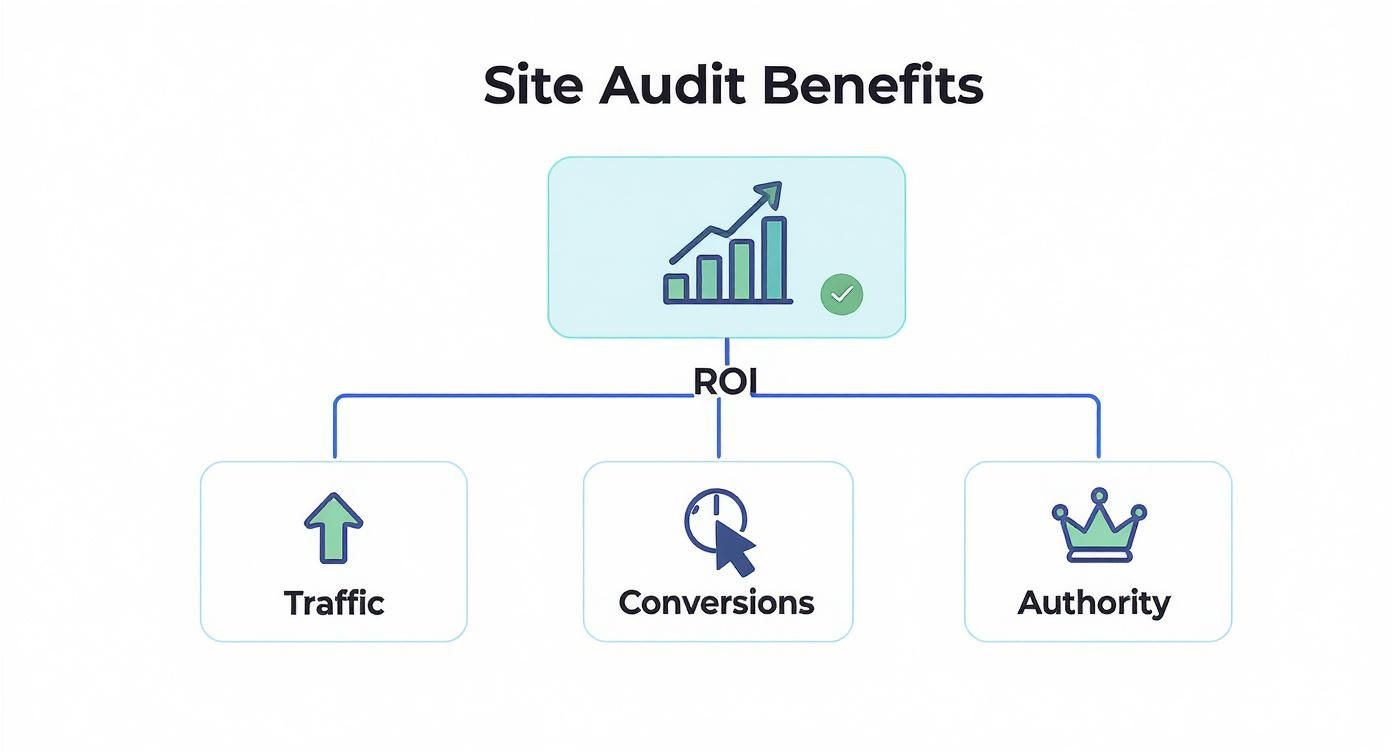
As you can see, the end game is always a better return on your investment. That comes from driving more traffic, improving conversions, and building real brand authority online.
Technical SEO: The Engine Room
First up is technical SEO. This is all about your website's core infrastructure—the digital equivalent of the engine, plumbing, and electrical systems in your brick-and-mortar store. If these fundamentals aren't right, nothing else you do will matter much. Google and other search engines need to be able to find, crawl, and index your pages without hitting any roadblocks.
This part of the audit hunts for critical issues that could make your site practically invisible to search engines. The main areas we focus on are:
- Crawlability and Indexing: Can search engine bots easily navigate your site and add its pages to their massive database?
- Site Speed: How fast does your site load, especially on mobile? A slow site is a one-way ticket to frustrated users and lower rankings.
- Mobile-Friendliness: Is your website a breeze to use on a smartphone? With over half of all web traffic coming from mobile, this is absolutely non-negotiable.
- Sitemap and Robots.txt Health: Are you giving search engines a clear map of your site while properly telling them which areas to ignore?
Fixing these technical snags lays the foundation for everything else. It’s about making sure your website is built on solid ground before you start decorating.
On-Page SEO: The Customer-Facing Experience
Next, we move to on-page SEO, which covers everything your visitors actually see and interact with. This is about the quality of your product displays, the clarity of your descriptions, and the helpfulness of your content. It’s all about creating an amazing user experience that also signals relevance to search engines.
Here, the audit digs into the content and HTML source code of individual pages. This is where you make sure your messaging is crystal clear, compelling, and perfectly tuned to attract the right customers.
Key on-page elements to review are:
- Content Quality and Relevance: Does your content actually answer your customers' questions about "commercial deep fryers" or "restaurant walk-in coolers"?
- Keyword Optimization: Are you naturally weaving in the terms your customers are searching for?
- Internal Linking: Are you strategically guiding users and search engines to other important pages on your site?
- Metadata: Are your page titles and meta descriptions compelling enough to earn that click from the search results page?
Nailing these on-page factors helps search engines understand what each page is about, dramatically improving your odds of ranking for the keywords that drive your business.
Off-Page SEO: Your Reputation on the Web
Finally, a complete audit has to look at off-page SEO. This is all about your website's reputation and authority across the wider internet. Think of it as digital word-of-mouth—the more that other reputable sites link to and mention you, the more trustworthy you appear to both new customers and search engines.
The main focus here is your backlink profile, which is simply the collection of all the links pointing to your site from other websites. A strong, healthy backlink profile remains one of the most powerful ranking signals. This part of the audit also involves checking out what your competitors are doing to see how your online reputation stacks up against theirs.
For any food service seller, a crucial part of your off-page presence is your local footprint. A fantastic resource for dialing this in is a detailed Google My Business Optimisation Guide, which is essential for attracting local restaurant owners and chefs. By thoroughly analyzing these three core pillars—technical, on-page, and off-page—a site audit gives you a complete and actionable roadmap for growth.
How to Perform Your Own Basic Site Audit
Jumping into a site audit can feel a bit overwhelming at first, but you don't need to be a coding wizard to get started. Think of it like a routine inspection in a commercial kitchen—you're just following a checklist to find what's working and what needs fixing. This basic process will help you spot the most common issues right away.
The first, and most important, step is to set a real goal. "Get more traffic" is a wish, not a goal. Something specific like, "Increase organic leads from our commercial refrigeration pages by 15% in the next quarter," gives you a clear target to aim for. A measurable goal keeps your audit focused and makes it easy to see what's actually making a difference.
With your goal set, it’s time to pick your tools. You don't need a massive software budget to get started. A few industry-standard tools like Semrush, Ahrefs, or Screaming Frog can give you everything you need. Many have free trials or limited versions that are perfect for a first pass.
Running Your Initial Technical Crawl
Your first real task is to run a technical crawl of your site. This is where your chosen tool acts like a little search engine robot, crawling through every page to map out its structure and find any technical glitches. It’s the best way to uncover hidden problems that are dragging your performance down.
This is a typical dashboard from the Ahrefs Site Audit tool. It gives you a simple "Health Score" and immediately points out critical errors like broken pages (404s) or redirect problems. It tells you exactly where to look first.
The crawl will spit out a report full of data, but don't get overwhelmed. For your first audit, just focus on the big wins:
- Broken Links (404 Errors): These are dead ends for your customers and search engines.
- Slow Page Speed: Find the pages that are loading like molasses. Speed is a huge factor for keeping visitors happy and ranking well.
- Missing or Duplicate Title Tags: These are like the signs on a storefront—they tell people and search engines what each page is about.
Essential Site Audit Tools Comparison
Choosing the right tool can feel tricky, so here's a quick breakdown to help you decide which one fits your business best. Each has its strengths, but any of them will get the job done for a basic audit.
| Tool | Best For | Key Feature | Price Point |
|---|---|---|---|
| Ahrefs | In-depth backlink analysis and competitor research | Industry-leading backlink database and keyword explorer. | Premium |
| Semrush | All-in-one SEO and marketing toolkit | Comprehensive suite covering SEO, PPC, and content marketing. | Premium |
| Screaming Frog | Deep technical SEO crawling | Detailed, customizable crawls for finding technical site issues. | Freemium/Paid |
| Google Search Console | Free, foundational performance data | Direct insights from Google on indexing, crawl errors, and clicks. | Free |
Ultimately, the "best" tool depends on your specific goals and budget. Starting with the free version of Screaming Frog or the data in Google Search Console is a great, no-cost way to begin.
Analyzing On-Page and Content Elements
After tackling the technical gremlins, it's time to look at the content on your pages. This is where you check if your pages are actually set up to attract and help your customers. You don't need to go through every single page—just start with your most important ones, like your top-selling product categories.
Look at things like keyword usage. If you're selling walk-in freezers, are you actually using terms like "commercial walk-in freezer" in your headings and descriptions? Also, check your internal links. Are you helping customers get from a blog post about kitchen efficiency to your commercial oven product page? A good complete website audit checklist can be a lifesaver here, ensuring you don't miss anything important.
A basic site audit is about finding the low-hanging fruit. Fixing a dozen broken links or optimizing five key product pages can often deliver a more immediate impact than a complex, site-wide overhaul.
Reviewing Your Backlink Profile
The final piece of this initial audit is a quick look at your backlinks—that is, who is linking to your website from theirs. Using a tool like Ahrefs or Semrush, you can get a snapshot of your site's reputation online. In our industry, links from trade publications, manufacturer sites, or popular food blogs are like gold.
You don't need to get bogged down in the details. Just scan for obvious red flags. Are a bunch of spammy, irrelevant sites linking to you? That can hurt your credibility. On the flip side, you can also see which pages are earning good links, which tells you what kind of content is working. This whole process gives you a solid roadmap for what to fix first. For a more detailed walkthrough, check out our guide on how to perform a website audit.
Turning Your Audit Findings Into an Action Plan

A site audit can easily spit out a massive spreadsheet filled with hundreds of data points. But honestly, what good is that? It’s like getting a detailed inventory of a commercial kitchen without a single recipe. You have a list of ingredients, but no idea what to cook.
The real magic happens when you turn all that complex data into a clear, prioritized action plan. This is where the audit stops being a report that collects digital dust and starts driving real improvement. Without a structured plan, even the most thorough audit is just a wasted effort.
Prioritizing Fixes with the Impact vs. Effort Framework
Look, not every issue your audit uncovers is a five-alarm fire. Trying to fix everything at once is a classic rookie mistake that leads straight to burnout and half-finished projects.
A much smarter approach is to use a simple but incredibly effective framework: Impact vs. Effort. You just need to ask two questions for every issue on your list:
- How much Impact will fixing this have on my goals (traffic, leads, sales)?
- How much Effort (time, money, resources) will it take to fix?
This simple grid helps you instantly spot the quick wins—the low-hanging fruit that will give you the most bang for your buck.
Here’s a practical way to think about it for a restaurant equipment site:
-
High-Impact, Low-Effort (Quick Wins): These are your absolute top priorities. Think about finding a
robots.txterror that’s accidentally blocking Google from crawling all your ice machine product pages. A five-minute fix for a potentially massive payoff. Do these now. - High-Impact, High-Effort (Major Projects): These are the big-ticket items. Maybe you need to completely rewrite and optimize your entire category for commercial refrigeration to compete with the big players. It’s important, but it’s going to take serious planning and resources.
- Low-Impact, Low-Effort (Fill-in Tasks): These are the “nice-to-haves.” Things like updating a few old meta descriptions on blog posts from five years ago. They’re good to tackle when you have a spare afternoon, but they won't make or break your business.
- Low-Impact, High-Effort (Re-evaluate Later): These get pushed to the very bottom of the list. Don't waste time on tasks that offer minimal return for a ton of work. Just put them on the back burner and forget about them for now.
The audit itself doesn't magically fix your site. Its job is to generate the roadmap. A well-prioritized plan, rolled out over 3 to 10 months, is what actually moves the needle on rankings and sales.
Building Your Action Plan Template
Once you've sorted your list, it's time to get organized. Don't just keep this in your head or a messy document. Put it into a shared spreadsheet or a project management tool like Asana or Trello. This creates accountability and makes sure everyone on the team knows who’s doing what.
For each issue, your action plan should track these key details:
- Issue Description: A simple, plain-English explanation of the problem.
- Priority Level: High, Medium, or Low (based on your Impact vs. Effort analysis).
- Assigned Owner: The name of the person or team responsible for getting it done.
- Deadline: A realistic date for completion.
- Status: Not Started, In Progress, or Completed.
This simple structure turns a daunting list of problems into a living, breathing project plan. It’s what ensures your site audit leads to steady, measurable improvements over time.
When you're ready to present these findings to your team or stakeholders, you’ll want to formalize it. To get a better sense of how to package this information, check out our guide on what is an SEO report.
Your Top Site Audit Questions, Answered
Even with a solid plan in hand, you've probably got a few lingering questions about what a site audit really entails. That’s completely normal. Nailing down the specifics helps take the mystery out of the process and ensures you know exactly what you're getting for your time and money.
Let’s tackle some of the most common questions we hear from business owners and marketers when they're first diving into website analysis.
How Often Should I Run a Site Audit?
The perfect audit schedule really depends on how active your website is, but a great rule of thumb is to perform a deep, comprehensive audit every 6 to 12 months. Think of this as your annual check-up to benchmark your site's health and track your progress over time.
In between those deep dives, it's smart to do a lighter "health check" at least once a quarter. You should also plan for a focused audit after any major event, like a big Google algorithm update, a website redesign, or if you ever see a sudden, mysterious drop in your traffic or leads.
It's also worth noting that WordPress sites, which now power a staggering 46.55% of all websites globally, have their own unique quirks. For these, it’s a good idea to run a specialized audit every three to six months to catch platform-specific issues before they become real problems. You can see what those specialized audit findings look like on Netpeak.us for more detail.
Can I Just Do a Site Audit Myself?
You absolutely can! For a basic audit, there are fantastic tools out there that empower you to find a lot of the low-hanging fruit yourself. Using tools like Google Search Console, Ahrefs, or Semrush, you can easily spot common but high-impact problems like broken links, slow-loading pages, and missing title tags. It’s a fantastic starting point.
But for a truly deep, technical analysis—the kind that uncovers tricky issues with crawlability, JavaScript rendering, or complex schema markup—it's almost always worth bringing in an experienced SEO professional.
An expert can get under the hood, digging into your site's code and architecture to find those subtle yet critical issues that automated tools almost always miss. A professional audit doesn't just give you data; it gives you a strategic roadmap for growth.
What's a Professional Site Audit Going to Cost Me?
The price tag for a professional site audit can swing quite a bit, mostly depending on the size and complexity of your website.
Here’s a rough idea of what to expect:
- Small Business Websites: For a smaller site with just a few dozen pages, you might see a basic audit cost a few hundred dollars.
- Medium-Sized Businesses: If you have a more established site with hundreds of pages, the cost will likely be in the range of a few thousand dollars.
- Large E-commerce Sites: For massive, complex e-commerce stores with thousands of product pages, a genuinely comprehensive audit can run anywhere from several thousand to over ten thousand dollars.
Ready to turn those audit findings into real traffic and sales? The team at Restaurant Equipment SEO lives and breathes this stuff. We specialize in transforming complex data into clear, actionable SEO strategies for sellers in the food service industry. Let us help you build the roadmap for your growth. Get started with Restaurant Equipment SEO today!