
The Ultimate Website Technical Audit for Equipment Sellers
Think of a website technical audit as a full-scale inspection of your digital showroom. It’s about getting under the hood to diagnose all the hidden issues that could be quietly killing your search rankings and, more importantly, your sales. It ensures every piece of equipment is visible and every potential buyer has a seamless path to checkout.
Why a Technical Audit Is Your Strongest Sales Tool

What if your best-selling commercial refrigerators were essentially invisible to 90% of potential customers actively searching for them? That's the reality when technical SEO problems are left to fester. For a restaurant equipment seller, a technical audit isn't just routine maintenance—it’s a direct line to more revenue.
By rooting out and fixing these behind-the-scenes errors, you can drastically boost visibility for your most profitable product categories, from 'commercial ovens' to 'stainless steel prep tables.' These aren't just abstract technical tweaks; they directly translate into more qualified traffic and solid sales leads.
The Real-World Financial Impact
Let's be honest: busy chefs and restaurant managers don't have time to waste on a slow or clunky website. The financial cost of a technically flawed site is both immediate and substantial.
- Slow Page Speeds: A loading delay of just a couple of seconds is enough for a buyer to give up on your convection oven page and jump straight to a competitor.
- Poor Mobile Experience: If a kitchen manager can't easily compare fryer specs on their phone during a quick break, you've almost certainly lost that sale.
- Broken Functionality: Dead links or a confusing site layout stop customers from finding the exact 'stainless steel prep table' they need, which erodes their trust and sends them elsewhere.
It's a huge mistake to see technical SEO as separate from sales. The truth is, it’s the bedrock of your entire digital sales strategy. A technically sound website makes sure your marketing dollars aren't going to waste and that every visitor can find and buy your equipment without hitting a single roadblock.
The data tells the same story. Companies that audit their sites quarterly see 61% more organic traffic and enjoy 32% higher conversion rates on average. One company even tracked 14.6% annual revenue growth directly back to fixing the technical issues uncovered in an audit, which shows how getting the fundamentals right leads to huge gains. You can dig into more of this data on SEOmator.
A solid technical audit lays the groundwork for every other marketing effort you undertake. We've compiled the core pillars of a technical audit into this table to show you what a comprehensive check-up looks like.
Key Technical SEO Pillars for Restaurant Equipment Websites
| Audit Area | Why It Matters for Your Business | Common Problem Example |
|---|---|---|
| Crawl & Indexability | If search engines can't find your product pages, your customers can't either. | A misconfigured robots.txt file accidentally blocking your entire 'Commercial Ovens' category from Google. |
| Site Architecture | A logical structure helps buyers find specific equipment (like a '3-door reach-in freezer') quickly and easily. | Having all 'Refrigeration' products dumped into one massive, unfiltered category page. |
| Core Web Vitals | Slow-loading pages cause frustrated buyers to leave before your high-resolution product images even appear. | Large, uncompressed images of stainless steel tables causing a 10-second page load time. |
| Server & Security | An unsecured site (no HTTPS) destroys trust, especially when it's time for a buyer to enter payment details. | Lacking an SSL certificate, which triggers a "Not Secure" warning in browsers and tanks your rankings. |
| Structured Data | Helps Google understand product details like price and availability, displaying them directly in search results. | Product schema is missing, so your 'Ice Machine' listings don't show star ratings or pricing in search. |
This isn't just about patching up a few broken links. It's about systematically building a stronger, more reliable sales platform.
Building a Foundation for Growth
Ultimately, a well-run audit is about laying a rock-solid foundation. It ensures that when you invest in new content, run a promotion, or add a new line of equipment, your site is ready to capitalize fully on that effort.
You're not just fixing what's broken; you're engineering a powerful sales engine that works around the clock to attract qualified buyers and turn them into loyal customers. If you're weighing the investment, understanding if SEO is worth it can clarify its long-term impact. This proactive approach transforms your website from a static catalog into your most valuable salesperson.
Make Sure Google Can Find and Index Your Entire Inventory
Let's start with a hard truth: if Google can’t find your product pages, they don’t exist to your customers. It's that simple. For a restaurant equipment seller, this could mean that your entire inventory of 'commercial ice machines' or 'used restaurant blenders' is completely invisible in search results. The very first thing we tackle in a website technical audit is making absolutely certain every single product you sell is discoverable and indexed.
This whole process boils down to two critical files: your robots.txt file and your XML sitemap. I like to think of robots.txt as the bouncer at the door of your website—it tells search engine crawlers where they can and can’t go. A tiny mistake here can have massive, catastrophic consequences for your traffic.
Double-Check Your Robots.txt File
Your robots.txt file is essentially a set of instructions for web crawlers. Its real job is to keep them out of unimportant areas, like your admin login page or messy internal search results. But I’ve seen it happen time and time again where a misconfiguration accidentally blocks entire product categories from being seen by Google.
Imagine you've just loaded a new line of high-margin commercial ice machines onto your site. If a lazy, overly broad rule like Disallow: /products/new/ is lurking in your robots.txt, Google might be completely blocked from ever seeing those pages. An audit means combing through this file line-by-line to ensure no critical URLs are being turned away at the door.
The goal here is surgical precision. You want to block the junk—like faceted navigation parameters that create tons of duplicate content—without ever blocking the actual product pages that make you money. One wrong line can make your best inventory vanish from Google overnight.
Once you’ve confirmed you’re not actively blocking the good stuff, the next move is to hand Google a clear map of everything you want it to find.
Submit a Clean and Comprehensive XML Sitemap
An XML sitemap is a roadmap of your website built specifically for search engines. It lists every important URL you want Google to know about, from your homepage down to the very last fryer basket you sell. For an e-commerce site with thousands of equipment listings, a dynamic, well-structured sitemap isn't a "nice-to-have," it's absolutely essential.
Time and again, audits reveal sitemaps that have been completely neglected. It's shockingly common. A recent study found that a staggering 15% of websites don't even have an XML sitemap. Worse, over 17% include broken or redirecting URLs, and 23% don't link to the sitemap in their robots.txt file, which is a huge crawling roadblock. You can see more SEO statistics on SE Ranking's blog to understand just how widespread these simple mistakes are.
Your audit needs to confirm a few key things:
- The sitemap exists and has been submitted in Google Search Console.
- It's dynamically updated so new products are added automatically.
- It only contains live, indexable URLs—no 404 errors or 301 redirects.
-
It is referenced in your
robots.txtfile so crawlers can find it easily.
Getting this right means that when you add that new line of commercial ice machines, they don't sit in the dark for weeks. For a deeper dive, check out our guide on how to get your website indexed by Google.
Use Google Search Console to Hunt Down Crawl Errors
Google Search Console (GSC) is your direct line to Google, and frankly, it's the most valuable tool you have for a technical audit. The "Pages" report (what used to be called the "Coverage" report) is pure gold—it tells you exactly which pages are indexed and which ones have problems.
This is where you'll find the errors that are actively killing your SEO:
- Server errors (5xx): These mean your server is dropping the ball and failing to load pages.
- Not found (404): Just plain broken links. Think about it: a chef clicks a link for a specific 'walk-in freezer' and hits an error page. That's a lost sale and a major red flag to Google.
- Crawl anomalies: This is Google’s catch-all for when its crawler ran into some weird, unexpected problem trying to access a page.
Keeping a close eye on GSC is non-negotiable. Fixing 404s with proper redirects and sorting out server issues ensures both your customers and the search engines have a smooth ride. This is the kind of ongoing work that separates a technically sound site from one that’s slowly bleeding traffic and sales.
Optimize for Speed and the On-The-Go Buyer

Let’s be honest about your typical customer. We're talking about busy restaurant owners, head chefs, and procurement managers who are always on the move. They aren’t sitting at a desk casually browsing your catalog; they're squeezing in research between shifts, often standing in a storeroom trying to pull up specs on their phone.
For this crowd, a slow or clunky website isn't just a minor annoyance—it's an immediate deal-breaker.
In any serious website technical audit, speed and mobile performance are not just checkboxes. They are absolutely central to your sales process. A site that loads instantly and works perfectly on a small screen is one that understands the buying habits of the food service industry. If your product pages lag, you're losing customers before they can even see the BTUs on your top-of-the-line commercial fryer.
Understanding Core Web Vitals
Google gets this, which is why they introduced Core Web Vitals (CWV). These aren't just abstract technical scores; they are specific metrics that measure how a real person actually feels when using your site.
The big three are:
- Largest Contentful Paint (LCP): How long does it take for the main event—usually a big product image—to show up? On an equipment site, this is everything. A slow LCP means your high-res photos of stainless steel prep tables are frustratingly slow to appear. You need to be under 2.5 seconds.
- First Input Delay (FID): This measures how quickly your site reacts when a user does something, like clicking a "View Details" button. A high FID is that infuriating feeling when you tap a button and… nothing happens. The goal is under 100 milliseconds.
- Cumulative Layout Shift (CLS): This tracks how much the content on your page jumps around while it loads. Ever tried to click a button, only to have it shift at the last second, causing you to tap an ad instead? That’s high CLS, and it's a huge source of frustration, especially on a phone.
Failing here has a direct impact on your bottom line. An eye-opening 54.6% of websites fail to meet Google's Core Web Vitals standards. When you realize that just a one-second delay in load time can slash conversions by up to 32%, it’s pretty clear why this has to be a priority.
Actionable Steps for a Faster Mobile Experience
The first move is to figure out where the bottlenecks are. A free tool like Google PageSpeed Insights is perfect for this. Just plug in a URL, and it will give you a detailed report on your Core Web Vitals, plus specific, actionable recommendations for improvement.
For restaurant equipment sites, the usual suspects are almost always the same:
- Massive Images: Your product pages are loaded with high-resolution photos to show off the details of your commercial ovens and walk-in freezers. These large files are notorious for killing LCP. The fix is to compress these images before you upload them, using modern formats like WebP that give you great quality at a much smaller file size.
- Bloated Code: Over time, websites collect a lot of junk code—unnecessary JavaScript and CSS from old plugins or retired features. A good technical audit will pinpoint this clutter. You can then minify the code (strip out useless characters) and defer non-essential scripts so the important stuff on the page loads first.
- Slow Server Response Time: You can optimize your site all you want, but a slow server will always hold you back. If your Time to First Byte (TTFB) is high, it might be time to look at a better hosting plan or set up a Content Delivery Network (CDN) to serve your product images from servers closer to your customers.
A great mobile experience is about more than just raw speed. It's about usability. Are your "Add to Cart" buttons big enough for a thumb to tap easily in a busy kitchen? Can a chef zoom in on a product schematic without the whole page breaking? These are the little details that turn a mobile browser into a buyer.
When you’re auditing your mobile site, pay close attention to how you display complex information. Product comparison tables, for example, are a nightmare on small screens. Make sure they’re designed to be responsive, maybe by stacking the columns vertically so they are easy to scroll through. If you want to dive deeper, we have a whole guide on what Core Web Vitals are and why they matter.
By focusing on both speed and thoughtful design, you cater directly to your on-the-go buyer, making their path to purchase as smooth as possible.
Build a Site Structure That Boosts SEO Performance
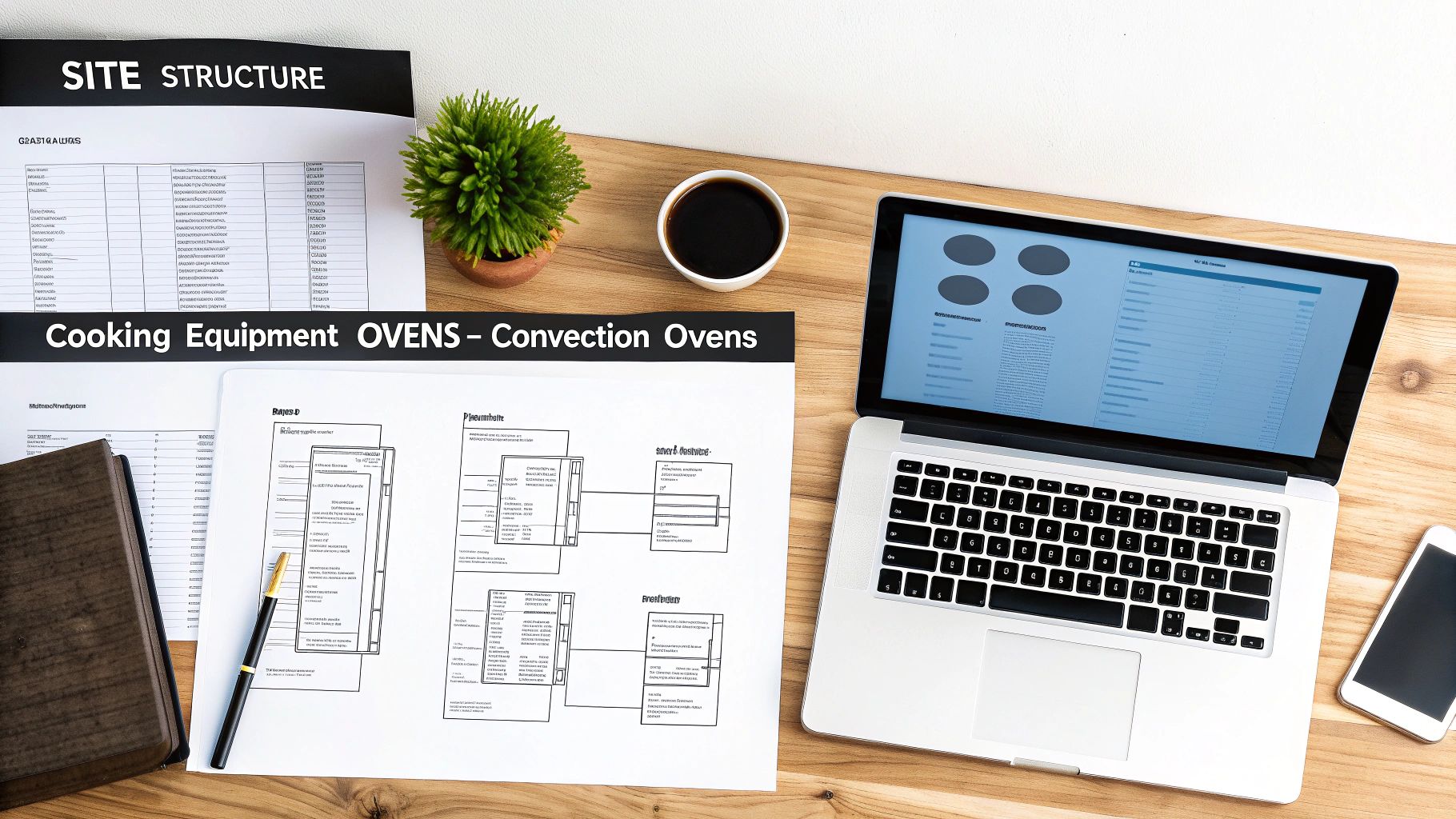
Think of your website like a restaurant's walk-in cooler. If it's a disorganized mess, the kitchen staff can't find the ingredients they need, and service grinds to a halt. The same is true for an e-commerce store. If your customers—the chefs and restaurant owners—can't find what they need quickly, they're gone.
For a restaurant equipment seller, a logical site structure isn't just about looking organized. It’s a critical piece of your SEO strategy that guides both people and search engine crawlers to your most important products. This is why a huge chunk of any website technical audit is spent dissecting how your site is put together.
The goal is to map out an intuitive journey for a buyer, making it dead simple for them to navigate from a broad category like "Cooking Equipment" all the way down to a specific "Double Deck Gas Convection Oven." This clear hierarchy doesn't just improve the user experience; it helps search engines understand the relationships between your pages, which is essential for distributing authority and ranking power across your entire site.
Designing a User-Friendly Site Hierarchy
A solid site architecture is built on a clear, logical hierarchy. You have to make it as easy as possible for a busy chef to find the exact piece of equipment they’re looking for without having to click around in frustration.
I always tell clients to think of it like nested folders on a computer, where everything flows from the general to the specific.
-
Top-Level Categories: These are your main departments. Think
Refrigeration,Cooking Equipment, andFood Prep. -
Subcategories: Now, you break those down. Under
Cooking Equipment, you'd haveOvens,Fryers, andRanges. -
Deeper Subcategories: If your inventory is deep, you might need another level.
Ovenscould be further segmented intoConvection Ovens,Combi Ovens, andPizza Ovens.
This approach naturally creates clean, descriptive URLs (like /cooking-equipment/ovens/convection-ovens/). These URLs give both users and Google a clear signal about the page's content before they even land on it. The sweet spot is a shallow structure where a user is never more than three or four clicks away from your homepage.
Leveraging Internal Links to Signal Importance
Once your hierarchy is in place, internal linking becomes your secret weapon for SEO. Every single link from one page on your site to another is like a vote of confidence, telling Google which pages you consider the most important.
A common mistake I see is sites only linking from product pages up to their parent category. That’s a missed opportunity. You should be linking strategically from all over your site. For example, a blog post on "How to Choose the Right Commercial Mixer" is the perfect place to drop a powerful, context-rich link straight to your main 'Commercial Mixers' category page. This sends a very strong signal that your category page is the authoritative hub on that topic.
Your internal linking strategy has to be intentional. Don't just sprinkle links randomly. Use descriptive anchor text that tells both the user and the search engine what the destination page is about. A link saying "see our selection of planetary mixers" is infinitely more valuable than a generic "click here."
Using Structured Data to Win in Search Results
Finally, we need to talk about structured data, often called Schema markup. This is a bit of code you add to your pages that essentially puts price tags and spec sheets on your inventory for Google to read. It gives the search engine detailed, organized information about your products.
When you get your product schema right, Google can display rich results for your listings, making them pop on the search page. This could include:
- Price: Showing the cost of an 'NSF-certified dishwasher' right in the search results.
- Availability: Displaying a bold "In Stock" to attract buyers ready to pull the trigger.
- Ratings: Showcasing your five-star reviews to build instant trust.
These enhanced listings make your products stand out from the competition, which can dramatically boost your click-through rate. A good audit will immediately flag if your product schema is missing, incomplete, or has errors that are costing you these valuable features. Fixing this is often a quick win that gives you a real competitive edge for your most important product lines.
7. Lock Down Your Site and Vet Your Digital Referrals
In the world of high-ticket e-commerce, trust is everything. A customer about to drop thousands on a commercial oven won't hesitate to abandon their cart if they see a "Not Secure" warning. It’s the digital equivalent of a dirty storefront.
That's why shoring up your site's security is more than a technical checkbox—it's about making a promise to your customers that their information is safe. At the same time, you need to look at who is vouching for you online. Your backlink profile is essentially your collection of digital referrals, and just like in business, some are valuable while others can tarnish your reputation.
First Things First: Padlock Your Entire Site
Your entire website needs to run on HTTPS, period. This encrypts the data flowing between your customer's browser and your server, protecting everything from login details to credit card numbers. While Google has used it as a ranking signal for years, the real win is customer confidence.
Don't just assume you're covered. Pull up your site. Do you see the little padlock icon in the address bar on every single page? If you see a "Not Secure" warning anywhere, you've got a fire to put out.
A common culprit is "mixed content." This happens when a secure HTTPS page tries to load an insecure element, like an image or a script, over HTTP. This breaks the padlock and throws up a security warning, instantly eroding trust. You can use a tool like Screaming Frog to crawl your site and find these mixed content errors so you can stamp them out.
A secure site is non-negotiable. For a restaurant equipment seller, a single abandoned cart from a security scare could mean thousands in lost revenue. This isn't just about SEO; it's about protecting your bottom line.
Time for a Backlink Reality Check
Think of your backlinks as word-of-mouth referrals. A link from a major food service publication is a powerful endorsement. A link from a spammy, irrelevant website? That's the kind of referral that makes potential customers question your credibility. Auditing these links is essential maintenance for your site's authority.
Here’s how you get it done. Use a tool like Ahrefs or Semrush to export a full list of every website linking to you. Then, the real work begins—you need to review them and sort them into a few key categories:
- The Keepers: These are from relevant, high-authority sources. Think industry blogs, equipment review sites, or digital trade magazines. These are gold.
- The Clutter: You'll likely find links from totally unrelated sites, like a forum about model trains. They aren't usually hurting you, but they aren't helping, either.
- The Toxic Junk: This is the stuff that can actively drag you down. These links come from spam sites, private blog networks (PBNs), and other sketchy corners of the web designed to manipulate search rankings.
As you work on your site's SEO, it’s a good practice to learn more about backlinks to understand why keeping this profile clean is so critical.
Once you’ve identified the toxic links, it's time to tell Google you don't want anything to do with them. You do this by creating a "disavow file"—a simple text file listing the spammy domains—and submitting it via Google Search Console. This is your way of telling Google, "Hey, I didn't ask for these sketchy referrals. Please don't hold them against me." It's a vital step in protecting your hard-earned online reputation.
Create Your Prioritized Technical SEO Action Plan
Finding all the technical snags on your site is one thing. Actually fixing them is where the real work begins. A successful website technical audit isn't just a long list of problems; it’s a clear, actionable plan that tells you exactly what to do next.
This is the most important part of the entire process. It’s where your audit transforms from a diagnostic report into a strategic roadmap for real improvement. Without a plan, you'll just be staring at a spreadsheet, feeling overwhelmed.
The key is to avoid that paralysis. Not all issues are created equal. A 404 error on your best-selling convection oven page is a five-alarm fire, while a bit of code bloat on an old blog post is a minor nuisance. A prioritized action plan is a core component of conducting a comprehensive SEO audit, ensuring you tackle the most critical fixes first.
Categorize Issues by Impact and Effort
One of the most effective ways I've found to organize fixes is with a simple impact-versus-effort matrix. This framework forces you to think strategically, focusing your team's valuable time and resources where they’ll deliver the biggest wins right away.
I recommend sorting every single finding into one of these four buckets:
- High Impact, Low Effort: These are your quick wins, the low-hanging fruit. Think fixing broken internal links pointing to your top product categories or optimizing a few huge images slowing down your homepage. Jump on these immediately to build momentum.
- High Impact, High Effort: These are the big, game-changing projects. We're talking about major undertakings like a full site architecture overhaul to improve navigation or migrating your entire e-commerce platform to a faster host. They require careful planning and resources but can produce massive SEO gains.
- Low Impact, Low Effort: These are your "housekeeping" tasks. Things like adding a few missing alt tags on older articles or cleaning up minor redirect chains fit here. Slot these in between larger projects or when you have a bit of downtime.
- Low Impact, High Effort: Honestly? Just ignore these for now. Spending a week trying to shave a few milliseconds off a page with almost zero traffic is a classic case of diminishing returns. Put them on the back burner indefinitely.
This approach brings immediate clarity to what can be a chaotic process. To help you visualize this, here’s a simple framework for sorting your audit findings.
Technical Audit Prioritization Matrix
| Priority Level | Issue Type Example | Potential SEO Impact | Effort to Fix |
|---|---|---|---|
| P1: Fix Immediately | Critical 404s on top product pages | High | Low |
| P2: Plan and Schedule | Slow Core Web Vitals across the site | High | High |
| P3: Address When Possible | Missing image alt text on old blog posts | Low | Low |
| P4: Ignore / Revisit Later | Minor HTML validation errors | Very Low | High |
Using a matrix like this ensures you're always working on the next most important thing, which is the secret to making steady, measurable progress.
Essential Tools for Your Audit Toolkit
You don't need to break the bank to do a professional-grade audit. Some of the most powerful tools in the industry have free versions that are more than capable of getting you started.
- Crawlers: Screaming Frog is the go-to for a reason. It crawls your site just like Google does, helping you spot broken links, redirect chains, duplicate content, and so much more.
- Performance Testers: Google PageSpeed Insights is non-negotiable. It gives you a direct look at your Core Web Vitals and provides specific, actionable advice from Google on how to speed things up.
- All-in-One Platforms: Tools like Ahrefs or Semrush offer fantastic site audit features that can run on a schedule, track your technical SEO health over time, and dive deep into your backlink profile.
Speaking of backlinks, a link audit is a common task where a clear process is crucial. The decision tree below is a great example of how to systematically approach link quality.
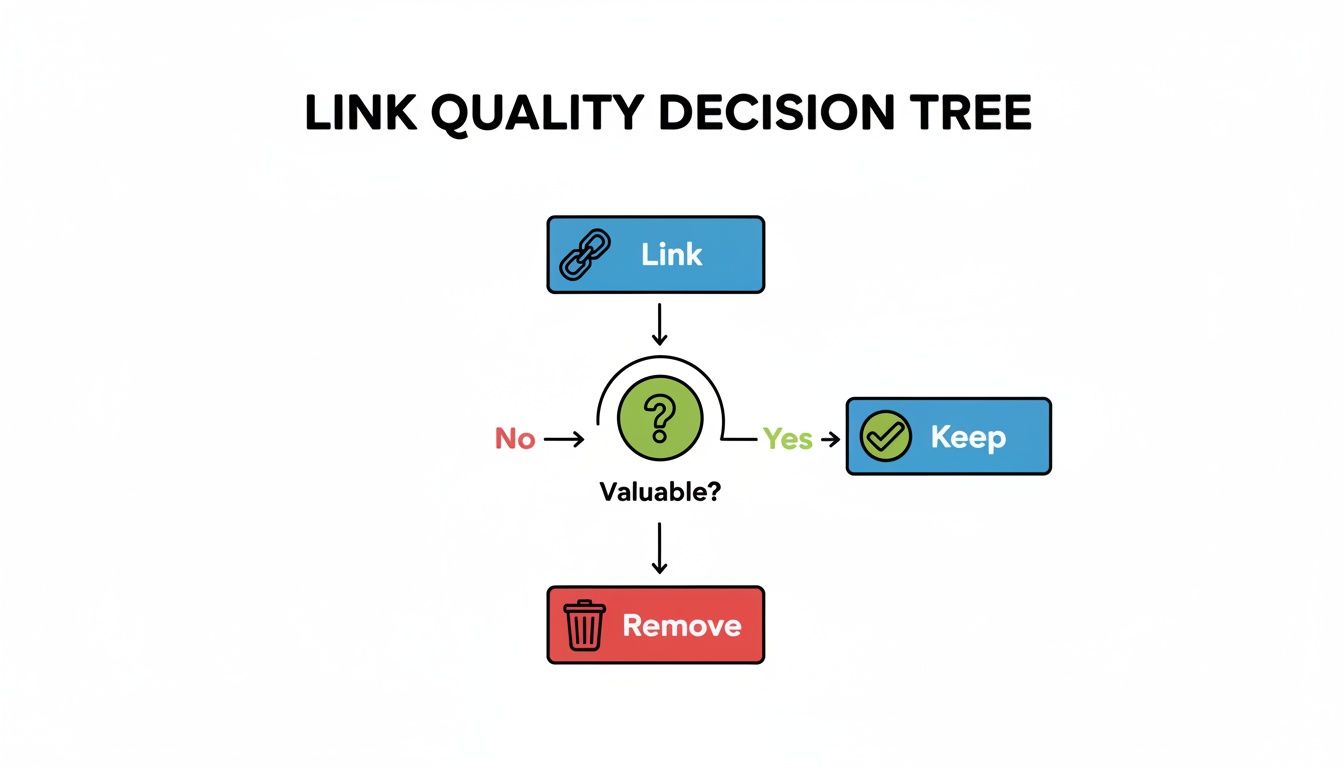
This kind of logical framework removes the guesswork. It helps you methodically decide which links are helping your site's authority and which ones might be holding you back and need to be removed or disavowed.
Got Questions? We’ve Got Answers.
Even the most detailed guide can leave you with a few lingering questions. When you're ready to dig into your site's technical health, some common queries tend to pop up. Here are the ones we hear most often from restaurant equipment sellers, along with our straight-to-the-point answers.
How Often Should I Run a Technical Audit?
This is a big one. For a large e-commerce site where products and categories are always in flux, a full-scale, deep-dive audit should be on your calendar annually.
But don’t just set it and forget it for a year. Think of it like equipment maintenance. We strongly recommend running a quick, automated crawl every month to spot any new problems, like broken links or redirect chains that popped up. On top of that, a quarterly health check—specifically looking at your Core Web Vitals and what Google Search Console is reporting about your index—is a smart move.
This rhythm of regular check-ins stops minor glitches from turning into major sales-killers.
Can I Just Do This Myself?
You absolutely can, and you should! Getting your hands dirty with free tools is a fantastic starting point. With a combination of Google Search Console, Google PageSpeed Insights, and the free version of Screaming Frog, you can find and fix a surprising number of common issues. Think broken links, slow-loading pages, and missing title tags—the low-hanging fruit.
Where it gets tricky is with the deeper, more complex problems. Diagnosing a tangled site architecture, implementing advanced schema for hundreds of product variations, or figuring out if you have a backlink problem—that’s where experience really counts. An expert can spot the subtle patterns that tools alone often miss.
Our advice? Handle the monthly and quarterly check-ups yourself. Then, bring in a specialist for that comprehensive annual audit. You’ll get a fresh set of eyes on everything and a strategic plan that you might not have seen on your own.
If I Can Only Fix One Thing, What Should It Be?
Easy. Crawlability and indexability. No contest. It’s the bedrock of all your SEO efforts.
Think about it: if Google's bots can't find, crawl, and understand your product pages, nothing else you do matters. Your lightning-fast site speed, your brilliant product descriptions, your hard-earned backlinks—they're all invisible.
Your first move should always be to check your robots.txt file to make sure you aren't accidentally blocking Google from crucial parts of your site. Next, make sure your XML sitemap is up-to-date and submitted. After that, hunt down and fix any "Not found (404)" errors you see in Search Console. Before you do anything else, you have to make sure your products can even show up in the search results.
Ready to get your digital showroom in peak condition? The team at Restaurant Equipment SEO lives and breathes this industry. We conduct technical audits that uncover the real issues holding you back and deliver a plan that drives results. Let's build a stronger foundation for your business today!