
What Is Crawl Budget and Why It Matters for E-Commerce SEO
Ever wonder how Google finds the new commercial convection oven you just added to your store? The answer lies in something called crawl budget.
Think of it as an allowance Google gives your website. It’s the total number of pages Google’s bots (or "crawlers") will look at on your site on any given day. For a sprawling restaurant equipment store with thousands of product pages, this budget is incredibly important. If you spend it wisely, Google quickly finds and indexes your most valuable pages.
What is Crawl Budget, Really? A Warehouse Analogy

Let’s imagine your e-commerce site is a giant warehouse. Every product page, category, and blog post is an aisle full of inventory. Googlebot, the crawler, is your inventory manager, and their job is to walk through the warehouse and log every single item.
But here’s the catch: your manager only works a limited number of hours each day. That’s your crawl budget.
If your warehouse is a mess—full of dead-end aisles (broken links), identical-looking rows (duplicate content), and empty shelves (low-value pages)—your manager will waste most of their shift just trying to navigate the chaos. They might never make it to the back corner where you’ve just stocked a new line of high-profit walk-in freezers. Those new products stay invisible.
The Two Factors That Decide Your Budget
This isn't just an abstract idea. Google determines your crawl budget based on two core technical factors. For big sites in the restaurant supply niche, which can easily have over 10,000 pages, you're lucky if Google even looks at a fraction of them daily. Understanding why is the first step to fixing it. You can find more deep dives into this topic on platforms like Semrush.
To put it simply, Google looks at two things:
- Crawl Capacity: How much traffic can your server handle before it starts to slow down or show errors? If Googlebot visits and your site performance tanks, it will back off to avoid crashing it. Think of this as the physical speed limit in your warehouse—if the floors are slippery, your inventory manager has to walk slowly.
- Crawl Demand: How popular and important does Google think your site is? If you’re constantly adding fresh, useful content, getting links from other reputable sites, and people are actively visiting, Google wants to crawl your site more often. It’s a sign that there’s valuable, new inventory worth checking.
The relationship between these two factors is key to understanding your site's crawl budget. Let's break it down.
Crawl Budget Key Concepts at a Glance
This table simplifies how crawl capacity and crawl demand come together.
| Component | What It Means for Your Store | Example |
|---|---|---|
| Crawl Capacity | This is about your site's technical health. A faster server and fewer errors mean Google can crawl more pages without causing issues. | Your site loads in under 2 seconds, even when Googlebot is actively crawling it. No 5xx server errors. |
| Crawl Demand | This is about your site's popularity and freshness. Important, updated, and popular pages signal to Google that it's worth visiting often. | You just published a new guide on choosing commercial ice makers that's getting links from industry blogs. |
Ultimately, a fast, healthy site with fresh, in-demand content earns a bigger budget. A slow, buggy, or stagnant site gets a smaller one.
In short, managing your crawl budget is about making sure Google's crawlers spend their limited time on the pages that actually make you money. If they're getting lost in the junk, your best products might as well be invisible.
How Google Decides Your Crawl Budget
Google doesn't just hand out crawling resources at random. It’s a smart, calculated decision based on the signals your website sends out. Think of Googlebot as a savvy supply chain manager deciding how many trucks to dispatch to your warehouse. That decision boils down to two key things: your site’s health and its overall importance.
In technical terms, these are known as the crawl rate limit and crawl demand. Getting a handle on these two concepts is the first step to getting more of Google's attention. One is all about your site's technical backbone, while the other is about how much authority and relevance you have online.
Site Health and the Crawl Rate Limit
The crawl rate limit is basically a safety net. It’s the maximum number of connections Googlebot will use to crawl your site at once without slowing it down for your actual customers. If Google’s crawlers notice your server is straining, getting sluggish, or throwing errors (like 5xx server errors), they’ll immediately pull back.
Picture a supplier whose loading dock gets swamped if more than two trucks show up at the same time. A smart delivery service would learn that limit and never send more than two trucks at once to avoid a massive bottleneck. Googlebot works the same way.
A slow or unreliable server is a clear signal for Google to proceed with caution, which puts a cap on how many pages it can get through in a day. For a restaurant equipment store, a slow server could be the single biggest reason your new product pages aren't getting indexed quickly.
A healthy server is the foundation of a good crawl budget. If your website can handle frequent and rapid crawling without errors or slowdowns, you're signaling to Google that you have the capacity for more attention.
This is why site speed isn't just a "nice-to-have" for user experience—it's absolutely fundamental to your SEO performance.
Site Popularity and Crawl Demand
While the crawl rate limit sets the maximum possible crawling speed, crawl demand is what determines how often Google wants to visit your site in the first place. This part is all about popularity and freshness. If your site is seen as a valuable, up-to-date resource, Google will want to swing by more often to see what's changed.
So, what drives up your crawl demand?
- Popularity: Pages with lots of high-quality backlinks from other reputable websites are flagged as important. When a popular food industry blog links to your new commercial ice machine, it's a huge vote of confidence that boosts that page's priority.
- Freshness: If you're constantly updating your site with new products, helpful blog posts, or updated spec sheets, you're giving Googlebot a reason to come back. A site that never changes sends the opposite signal: there's nothing new to see here.
This combination of factors tells Google that your site is a priority. For example, one case study on a large e-commerce store showed how they managed to direct 80% of their crawl allocation to their most important inventory just by blocking low-value pages. The result? A massive 390% increase in organic traffic. You can dive into the details of these crawl efficiency findings on Semrush.com.
At the end of the day, Google just wants to find and index great content as efficiently as possible. By proving your site is both technically robust (high crawl rate limit) and consistently valuable (high crawl demand), you're making a strong case for a bigger slice of its attention.
Identifying Common Crawl Budget Drains on Your Store
Think of your crawl budget like a delivery driver’s route for the day. You want them visiting your most profitable customers, not getting lost on dead-end roads or visiting empty warehouses. That’s exactly what happens when Googlebot wastes its limited time on URLs with zero SEO value. Many restaurant equipment stores, without realizing it, create a confusing maze of worthless pages that eat up resources that should be going to your key product and category pages.
To manage your crawl budget effectively, you have to start by plugging these leaks. Once you pinpoint the culprits, you can guide Googlebot's attention back to the pages that actually make you money. It’s like cleaning out your digital stockroom to make sure every aisle leads to something valuable.
Faceted Navigation and Endless URL Parameters
One of the biggest offenders, especially on e-commerce sites, is faceted navigation. These are the filters your customers use to sort by brand, price, voltage, or size. They are fantastic for user experience, but they can create a near-infinite number of unique URLs if you're not careful.
Every time a user combines filters—say, for a "stainless steel prep table" under a certain brand and within a specific price range—a new, complex URL can be generated. Now, multiply that by thousands of potential filter combinations across your entire catalog. You've just created an army of low-value, often duplicate, pages that Googlebot feels obligated to crawl, draining your budget dry.
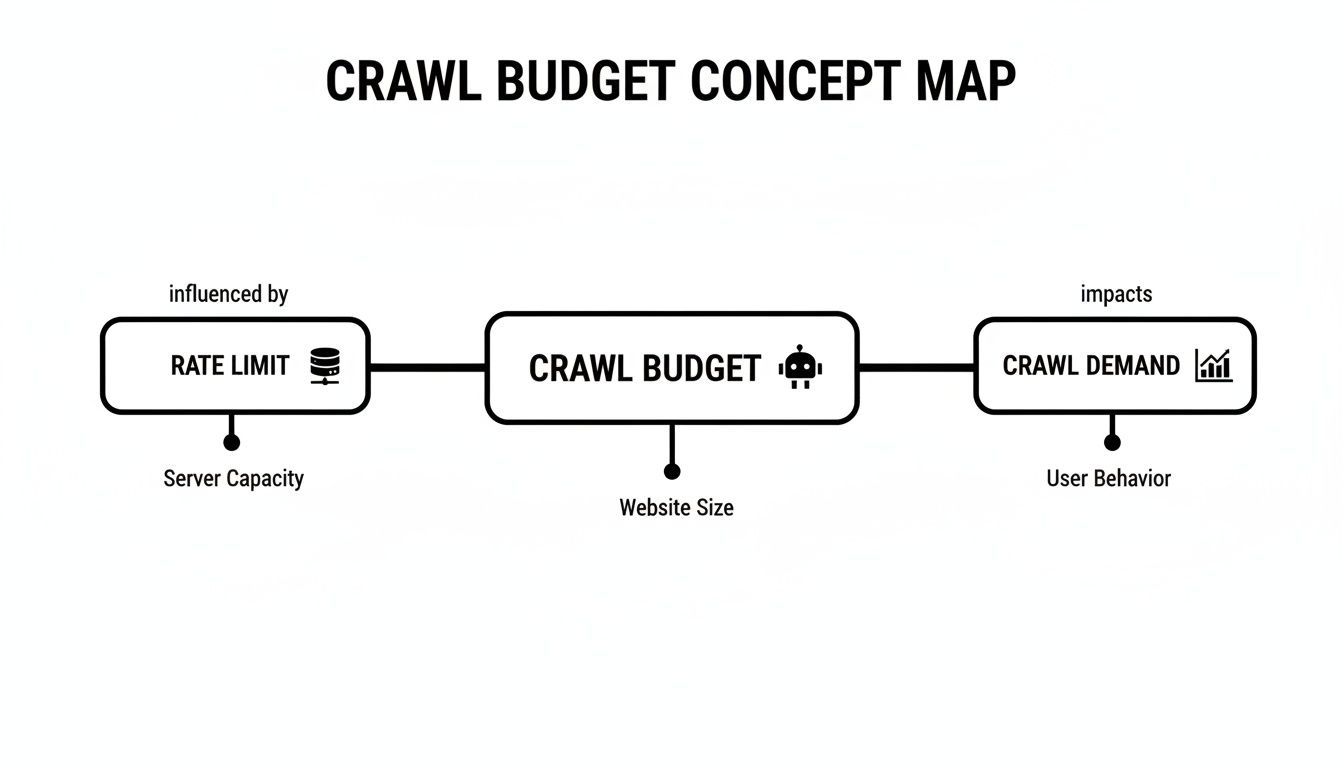
As you can see, Google determines your budget based on your site's health (how fast your server responds) and its authority. Fixing these drains is critical to improving both.
The Problem of Duplicate and Thin Content
Duplicate content is another massive budget-waster. It often pops up unintentionally. Think about product variants where different sizes or colors of the same commercial ice machine have nearly identical descriptions. Add in print-friendly pages, URLs with session IDs, and even staging sites that accidentally get indexed, and the problem snowballs.
Instead of discovering your brand-new, high-margin convection oven, Googlebot gets stuck crawling and analyzing thousands of redundant pages.
When Googlebot repeatedly finds low-value or duplicate URLs, it can lower the perceived quality of your entire site, leading to reduced crawl demand over time. It's not just about wasted resources; it's about your site's reputation with search engines.
Thin content pages are just as bad. These are pages with very little unique information, like:
- Category pages showing just a few products with no helpful text.
- Auto-generated tag pages that lack any unique content.
- Empty internal search result pages that still generate a crawlable URL.
Redirect Chains and Soft 404s
Technical glitches can throw up major roadblocks. A redirect chain—where URL A redirects to B, which then redirects to C—forces Googlebot to make multiple stops to get to the final destination. Each of those extra hops chips away at your budget.
Soft 404s are even sneakier. These are pages that show a "Page Not Found" message to a user but send a "200 OK" status code to the server. Googlebot sees the "200 OK" and thinks it’s a valid page, wasting its time crawling a dead end. This is a common issue with out-of-stock product pages or poorly configured site search results.
Sometimes, the issue isn't even the content but the server itself. Slow response times can choke your crawl budget before Googlebot even gets to the page. A thorough web application performance testing process can help you find and fix these performance bottlenecks.
Top Crawl Budget Wasters and Their Solutions
To help you visualize these common pitfalls, here’s a quick-glance table breaking down the biggest issues we see on restaurant equipment sites and how to tackle them.
| Crawl Budget Issue | Impact on Your Store | Recommended Solution |
|---|---|---|
| Faceted Navigation URLs | Creates thousands of low-value, duplicate pages that exhaust the crawl budget. | Use robots.txt to block crawlers from parameterized URLs and apply rel="canonical" tags pointing to the main category page. |
| Duplicate Content | Google wastes time on redundant pages instead of finding new or updated important ones. | Consolidate similar product variant pages. Use 301 redirects for old pages and canonical tags to specify the master version. |
| Thin Content Pages | Lowers the overall quality signal of your site, potentially reducing future crawl allocation. | Add unique, helpful descriptions to category pages, no-index tag pages, or flesh them out with useful content. |
| Redirect Chains | Each "hop" in the chain uses up a crawl. Too many chains slow down indexing. | Update internal links to point directly to the final destination URL, bypassing the intermediate redirects. |
| Soft 404 Errors | Tricks Googlebot into crawling dead-end pages, wasting valuable resources. | Configure your server to return a proper 404 (Not Found) or 410 (Gone) status code for pages that no longer exist. |
Fixing these problems is like giving Googlebot a clean, efficient map of your store, ensuring it spends its time exactly where you want it to.
Finding and fixing these drains is the critical first step. A deep dive into your site will reveal exactly where your budget is being misspent. If you're not sure how to get started, our guide on how to perform a website audit walks you through the entire process.
How to Measure and Monitor Your Site Crawling Activity
You can't fix a problem you don't know you have. So, before you start tweaking your site, you need a clear picture of how search engines are interacting with it right now. Think of it like a store manager reviewing security footage to see which aisles customers visit most and where they get stuck.
Fortunately, you don't need a complex setup to get started. Google Search Console provides the essential tools to peek behind the curtain and see exactly what Googlebot is up to.
Your Starting Point: The Google Search Console Crawl Stats Report
The best place to begin your investigation is the Crawl Stats report inside Google Search Console. It’s a free, powerful dashboard that acts as your window into Googlebot's activity, showing you trends, server issues, and which types of pages are eating up your crawl budget. Honestly, it's the most important resource for diagnosing crawl problems without needing to be a server admin.
To find it, just log into your GSC account and go to Settings > Crawl stats.
You'll immediately see a high-level chart showing all of Google's crawl requests over the last 90 days.
This main chart is fantastic for spotting big-picture trends. A sudden nosedive in crawl activity could mean your server is having trouble. A massive, unexpected spike? That might point to Googlebot getting lost in a newly created section of your site.
Keep a close eye on these three key metrics:
- Total crawl requests: This is the raw number of times Googlebot asked for a URL from your site. A healthy, steady, or gently increasing trend is usually a good sign.
- Total download size: This tells you how much data Googlebot is pulling down. If this number is sky-high, it’s a red flag that you might have unoptimized, massive files (like huge product images or PDFs) that are slowing everything down.
- Average response time: This one is critical for your crawl rate limit. A high or climbing response time means your server is sluggish, and Google will slow down its crawling to avoid overwhelming it.
By keeping an eye on these top-level numbers, you can catch major issues fast. For example, if you see a big jump in crawl requests that lines up perfectly with a spike in 404 "Not Found" errors, that's a classic sign that Googlebot is wasting its time on a bunch of broken links.
Digging Deeper with the Breakdown Reports
Below the main charts, the report gets even more interesting. It breaks down the crawl data into specific categories, helping you pinpoint exactly where the waste is happening.
Crawl requests by response: This report is a goldmine. It shows you the HTTP status codes Googlebot is getting back. A ton of 404 (Not Found) errors means you’re sending Googlebot down dead-end hallways. A high number of 301 (Moved Permanently) redirects can also be a problem, forcing Googlebot to make extra stops. One study about crawl budget from Semrush.com found that excessive redirects can burn up to 15% of a crawl budget on some sites, delaying the indexing of important new pages by weeks.
By file type: Here, you can see what kind of content Google is spending its time on. It's perfectly normal to see a lot of requests for HTML, CSS, JavaScript, and images. But if you see that something unexpected, like PDFs of old product manuals, is consuming a huge chunk of the crawl, you might want to block that file type in your robots.txt.
By purpose: This tells you why Google is crawling. Is it looking for new pages (Discovery) or just checking for updates on pages it already knows (Refresh)? If you just launched a whole new line of commercial refrigerators, you'd hope to see a healthy spike in "Discovery" requests.
While Search Console is fantastic, it doesn't show you everything. For the absolute, ground-truth data, you have to go straight to the source: your server's log files. This is a more advanced technique, but it gives you a record of every single request Googlebot has ever made.
To learn how to do this, check out our in-depth guide on how to perform a log file analysis.
An Actionable Checklist for Crawl Budget Optimization

Alright, we've covered the "what" and "why" of crawl budget. Now it's time to get our hands dirty. This isn't about abstract theory; it's a practical, step-by-step plan to stop wasting Google's time and point it directly to the pages that make you money.
Think of each step as plugging a leak. By tightening things up, you ensure every drop of crawl budget goes toward your most important product and category pages.
1. Boost Your Site Speed and Server Response Time
Everything starts with your server's health. A slow, sluggish site is like a red flag to Googlebot. It forces the crawler to slow down to avoid crashing your server, which means it sees fewer of your pages on each visit.
Making your site faster is probably the single most impactful way to increase your crawl capacity.
- Why it matters: A speedy server tells Google, "Hey, I can handle whatever you throw at me." It's a direct signal that your site is robust enough for more frequent crawling.
- How to do it: Start with quality hosting—it's the foundation. Then, compress your product images (without making them look pixelated) and turn on browser caching. These are technical fixes, but they deliver huge returns in page load time.
2. Tame Your Faceted Navigation
Faceted navigation—those filters for brand, size, voltage, etc.—is a notorious crawl budget killer. If you're not careful, these filter combinations can spin up thousands of unique, low-value URLs. Googlebot will dutifully try to crawl them all, torching your budget in the process.
-
Why it matters: You need Google to focus its energy on your main "Commercial Refrigerators" category, not a dozen thin variations like
/refrigerators?brand=true-refrigeration&doors=2&voltage=115v. -
How to do it: Use your
robots.txtfile to block crawlers from URLs with specific filter parameters (e.g.,Disallow: /*?brand=). You should also use canonical tags on these filtered pages to point Google back to the main, clean category URL.
Think of it this way: every second Googlebot spends on a useless filtered URL is a second it's not spending on your new, high-margin product pages. For any large e-commerce site, getting a handle on these parameters is non-negotiable.
3. Master Your Robots.txt and Noindex Tags
Your robots.txt file and noindex tags are your bouncers. They tell search engines where they aren't allowed to go. Use them with purpose to block off areas of your site that have zero SEO value, saving your crawl budget for the pages that actually matter.
Here's a quick guide on what to block or noindex:
-
Internal search results: These pages are classic thin content. Block them from being crawled entirely with
robots.txt. -
"Thank you" pages and user accounts: Great for customers, useless for search results. A simple
noindextag will do the trick. - PDF spec sheets: Unless these are driving significant traffic, consider blocking the directory where they live. Let that budget go to your actual product pages instead.
4. Build a Smart Internal Linking Structure
Internal links are the breadcrumbs Googlebot follows to explore your site. A well-planned internal linking structure is like a map, leading crawlers from high-authority pages (like your homepage) straight to your key product categories and brand-new arrivals.
This is also how you avoid creating orphan pages—those lonely pages with zero internal links pointing to them. If a page isn't linked to from anywhere else, Googlebot has almost no way of finding it unless it's in your sitemap. You can dive deeper into finding and fixing these critical issues in our complete guide to orphan pages SEO.
5. Clean Up and Prioritize Your XML Sitemap
Your XML sitemap is a roadmap you hand directly to Google. If that map is messy and filled with dead ends, it just makes the crawler's job harder. Keep it clean, concise, and focused on your most valuable pages.
- Get rid of any non-canonical URLs.
- Kick out any pages that just redirect elsewhere.
- Remove all 404 error pages.
Proper sitemap hygiene has a real impact. Some sites that focused their sitemaps on just their top 500 most important URLs and cleaned up their 404s saw 40% faster indexing. You can read more about these kinds of insights on crawl budget from Semrush. When you give Google a clean, focused map, you're telling it exactly what matters most on your site.
Common Questions About Crawl Budget
Even when you've got a good handle on what crawl budget is, a few questions always seem to pop up, especially for folks running e-commerce sites. Let's clear up some of the most common points of confusion so you can focus your efforts where they'll actually make a difference.
Is Crawl Budget a Concern for a Smaller E-Commerce Store?
Absolutely. While giant websites with millions of pages have to be obsessive about it, crawl budget still matters for smaller stores. Even on a site with just a few hundred pages, problems like messy redirect chains or a sluggish server can stop Google from finding your new products quickly.
Think of it this way: good crawling hygiene is just good business for any site. You want to make sure your "inventory manager" (Googlebot) has a clean, easy path to every single item, whether your warehouse is huge or tiny. A healthy site gets crawled more efficiently, which means faster indexing and better overall performance.
How Can I Quickly Improve My Crawl Budget?
There’s no magic button to request more crawl budget from Google. But you can definitely influence the things Google looks at when deciding how much to give you. The quickest way to make an impact is to focus on the two main ingredients.
- Improve Your Crawl Rate Limit: The biggest win here is boosting your server response time, or what most people call site speed. A faster site signals to Google that your server can handle more requests without breaking a sweat.
- Increase Your Crawl Demand: Start building high-quality backlinks to your most important category and product pages. When authoritative sites link to you, it tells Google your pages are valuable and worth checking out more often.
Of course, consistently adding new, valuable content—like a new line of commercial refrigerators or a detailed guide on choosing the right convection oven—also signals to Google that there's fresh stuff to see, which naturally increases crawl demand over time.
Does a Sitemap Guarantee My Pages Will Be Crawled?
Submitting an XML sitemap is a fantastic way to tell Google, "Hey, these are the pages I care about!" But it's a strong suggestion, not a command, and it does not guarantee crawling or indexing. Think of it as a helpful guide, not a direct order.
If your site is struggling with major crawl budget issues—say, you have thousands of low-value pages that Google keeps wasting time on—it might not have enough resources left to visit every URL in your sitemap, no matter how perfect it is.
A sitemap is most effective when it’s clean, error-free, and paired with other optimization efforts. It's like giving your inventory manager a perfectly organized map of the store; it helps them navigate, but it doesn't give them more hours in the day to get the job done.
At Restaurant Equipment SEO, we specialize in fixing the technical issues that drain your crawl budget, ensuring Google sees your most profitable products first. Our targeted strategies have helped clients achieve a 390% increase in organic traffic. Ready to make every crawl count? Visit us at https://restaurantequipmentseo.com to see how we can help.